Wine Staging 11.11 Brings Experimental Fixes Before They Hit Mainline
Wine Staging 11.11 just dropped as a testing ground for patches that have not made it into the main development branch yet. This release gives users early access to experimental features and bug fixes while developers work out the kinks before official integration. The update rebases on Wine Development Release 11.11 and ships with several updated patchsets targeting DirectComposition, Vulkan to DirectX 12 translation, and thread pool timers.
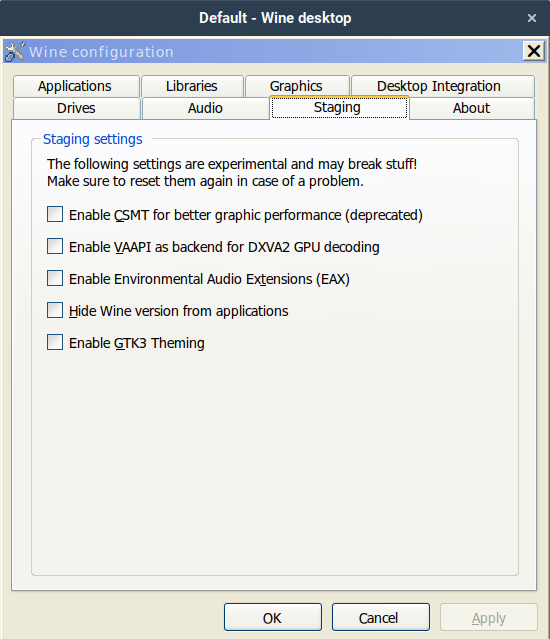
Why Staging Matters for Everyday Users
The whole point of this branch is to skip the long waiting period between a patch being written and it actually reaching stable releases. Developers push experimental changes here first so they can test them in real world conditions without breaking production builds. A lot of users treat this version like a beta, but it often runs smoother than the mainline release for specific games or legacy Windows software. There have been plenty of cases where a staging patch fixes a stuttering title that mainline Wine still chokes on, simply because the fix targets a very specific graphics driver quirk that nobody else has reported yet.
What Actually Changed in Wine Staging 11.11
The changelog shows a rebased foundation on the development release, which means all underlying architecture updates from version 11.11 carry over automatically. Several patchsets got refreshed or added to handle modern Windows APIs and graphics translation layers more reliably. The dcomp-DCompositionCreateDevice2 patchset received definition updates that help applications using DirectComposition render windows without tearing or lagging. Meanwhile, the vkd3d-latest update keeps Vulkan to DirectX 12 translation working smoothly for newer titles that rely on those specific entry points. The inkobj_various and kernel32-SetThreadpoolTimerEx additions round out the changes by improving how certain Windows objects and background timers behave under translation.
How to Install or Update Wine Staging
Getting the latest staging build usually involves adding the official repository and running a standard package update command. Users on Debian based systems typically add the winehq-staging source, refresh their package cache, and install the staging variant instead of the default version. Arch Linux users can grab it straight from the community repositories without extra configuration steps. The process matters because mixing mainline and staging packages often breaks dependency chains, so sticking to one branch keeps the installation clean and predictable. Running a full system update after adding the repository ensures all supporting libraries match the new translation layers.
When to Stick with Mainline Instead
Not every patchset deserves early adoption, and some staging updates can actually introduce regressions for older software that relies on legacy behavior. The thread pool timer additions look useful for modern applications, but they might break compatibility with programs built around older threading models or enterprise deployment tools. Users running critical workloads or legacy business software should probably wait until these changes get merged into the development branch and then tested through a full release cycle. Staging is great for testing new games or tweaking performance on fresh hardware, but it is not a replacement for stable production builds that need predictable behavior day after day.
Release Wine Staging v11.11
Release v11.11
Grab the update if you want to test newer titles before they hit mainstream compatibility lists. Keep an eye on the WineHQ bug tracker for regression reports, and report any crashes back to the mailing list so developers can refine the patches. Happy gaming.


