Simple Taskbar V66 delivers "Advanced Panel Customization" to GNOME Shell
Simple Taskbar shipped version 66, leaning hard into the granular panel tweaking that has made the extension a favorite for people who find GNOME's default panel a little too default.
Let's clear up the part that trips people up first. "V66" isn't a new GNOME Shell version. It's Simple Taskbar's own 66th major release, and the extension still targets GNOME Shell 48, 49, 50, and 51. A release number this high just tells you how fast the project moves.
A feature drop, by any other name
The release notes fall into new, improved, and fixed. The commit that shipped it, titled "stop the dock blur flashing when magnification ends," already says a lot. It drops a redundant deferred blur-resync in favor of an immediate geometry sync, killing the flash you used to see when a floating dock's magnified icons settle. Small thing. Exactly the kind of polish only someone who actually runs a magnifying dock would notice.
The additions cover the rest. New in V66: custom row and column counts for the app grid, per-panel-mode overview behavior, an option to keep pinned windows parked in the pinned section, configurable dock and panel thickness, application icon progress bars, icon edge padding, Quick Settings icon spacing, auto-hide reveal and hide delays, pressure-based reveal, a Ctrl+click action, and adjustable hover/focus highlight size.
The improvements pile up quickly. Pinned buttons can now drag in every grouping mode. The max icon size jumped to 128px. Start Menu search and keyboard navigation got tightened. Overflowing windows now animate toward the overflow button instead of just popping into place.
The fixes are the useful part. One patch stops tray indicator failures that could keep the whole extension from enabling. That's a nasty way to wake up. Another stops the panel sliding over fullscreen windows on secondary monitors, fixes a dock reveal edge bleeding onto an adjacent screen, and clears up a context-menu error after waking from sleep.
What this actually is, and whether it's worth it
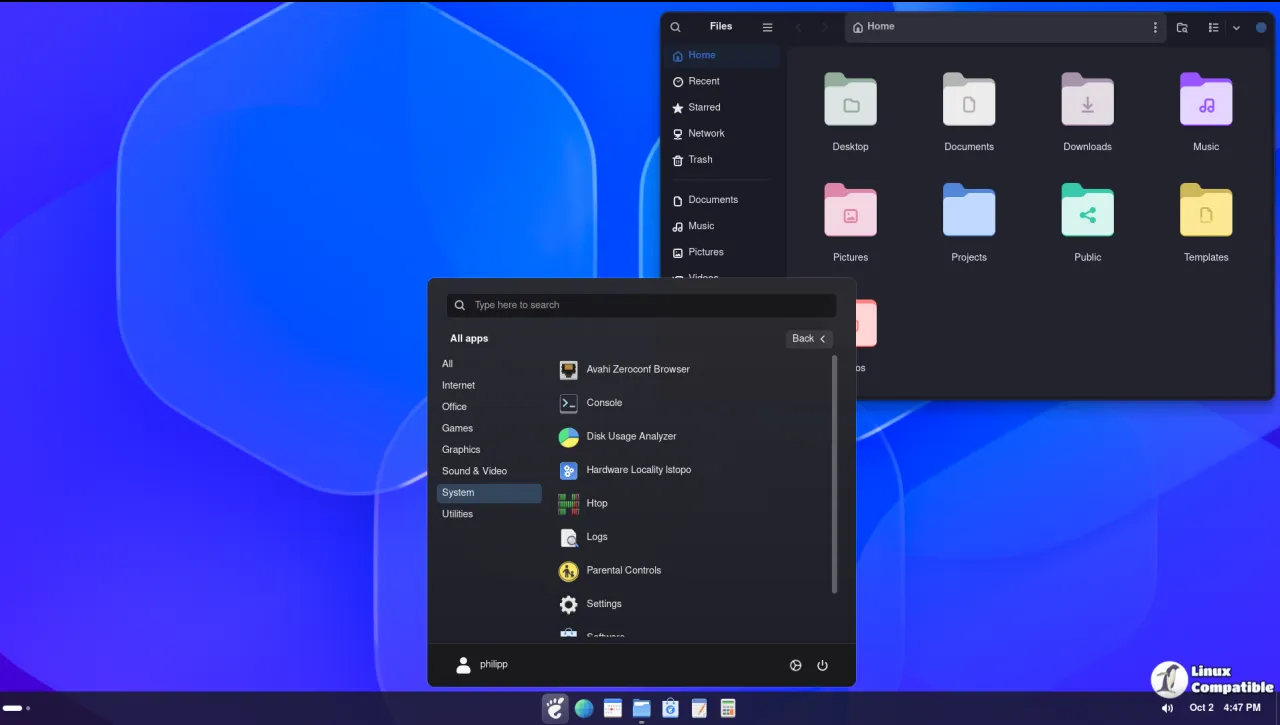
For those still onboard: Simple Taskbar turns GNOME Shell's panel into a Windows- or macOS-style launcher without discarding Activities, the clock, the calendar, or Quick Settings. Four modes cover the spread—a standard Taskbar, a separate Dock, a Windows XP theme, and a Default GNOME Panel that quietly gets you out of it.
You can grab it on GNOME Extensions (just over 12,486 downloads) or through Extension Manager. The GitHub repo itself is modest: roughly 149 stars, 10 forks, under the GPL-2.0-or-later licence, built by Sul Sultech under the Sultech organization.
Here's the honest read. The extension does more than almost anything else in its space, and V66 keeps pushing that frontier. But the sheer number of knobs is its own kind of tax. Hundreds of settings that only pay off if you actually sit down and tune them.
There's a quirk worth flagging. On the Extensions store, only versions 66 and 63 sit at Active status for GNOME Shell 48 through 51. Versions 64 and 65 show as Rejected, with a pile of older versions Inactive. This is a project that experiments hard and sometimes walks things back. V66 is the curated tip of that stack right now, not a warranty of stability.
Practical heads-up too. Enabling Simple Taskbar forces Dash to Panel off, and shuts Dash to Dock and the Ubuntu Dock down in most modes. Fine unless you've spent real time building a panel out of both.
As for privacy, Sultech says plainly the extension collects no telemetry, touches no network, and runs no bundled programs. Some global search providers may still ask to copy result text to your clipboard when you activate them, but that's on them, not on Simple Taskbar.
Install it
Pull it from GNOME Extensions or Extension Manager. Or build from source:
git clone https://github.com/Sultech/simple-taskbar.git
cd simple-taskbar
./package.sh
gnome-extensions install --force dist/simple-taskbar@sultech.shell-extension.zip
gnome-extensions enable simple-taskbar@sultech
Open the settings via Extension Manager, by right-clicking empty panel space, or by running gnome-extensions prefs simple-taskbar@sultech. If you feel like funding the work, there's a Buy Me a Coffee link.
Head here to the GitHub release announcement.


