Simple Taskbar 7.4.0 smooths the parts of GNOME you touch most
The newest update to Simple Taskbar brings little that's flashy. It's mostly about making the things you hover over, drag, and animate feel a touch less jagged.
Simple Taskbar 7.4.0 for the GNOME shell arrives mainly as a polish release. The extension's own changelog calls it "Smoother Magnify and Hiding." A quick correction, though: that 7.4.0 is the version of Simple Taskbar, not a new GNOME Shell. GNOME Shell is currently on 48 through 51. The extension's metadata.json lists exactly those four. So a "GNOME Shell 7.4.0" would be something worth raising an eyebrow at.
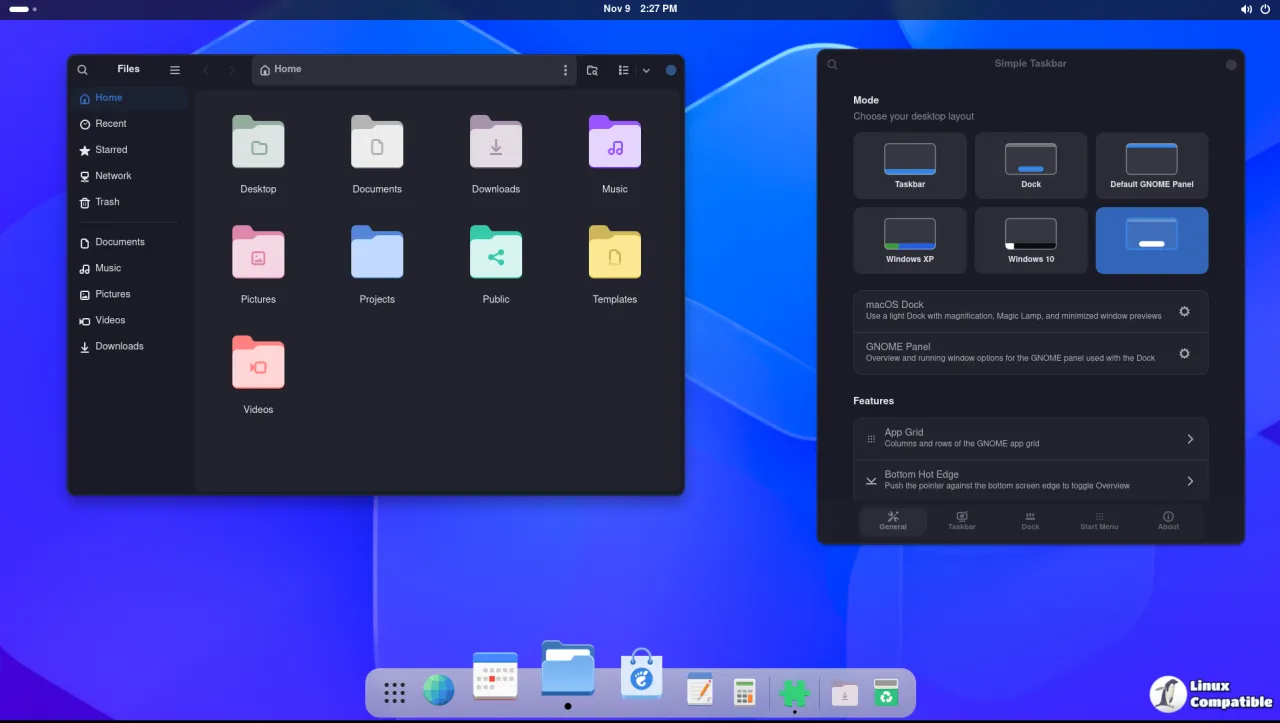
What 7.4.0 actually does
Most of the work here is quiet. The Magnify hover animation used to snap awkwardly at the ends of a row, and glitch at the start and stop on 60Hz displays. Now the zoom fades out as you drift past the last icon instead of jarring back.
Auto-hide got the same treatment. Taskbar and Dock used to vanish almost instantly when hiding, most obvious alongside window dodging. Hiding now starts gently and speeds up as it slides away. A mild ease-in glide. Not bad for something most people never even notice.
There's also a layout fix for the Overview, tracked as issue #145. With a bottom taskbar or Dock and enlarged workspace thumbnails, previews got squeezed against the thumbnail row so the close button could overlap it. That's gone now.
Tooltips follow magnified icons too, and on secondary monitors the caption sits above the bar instead of on top of it. Side Docks no longer leave a stray empty strip at the bottom of the Overview.
Install it
Simple Taskbar supports GNOME Shell 48 through 51. It works with Blur My Shell, and it disables Dash to Panel while active. Dash to Dock and Ubuntu Dock stay available only in the Default GNOME Panel mode, so don't expect them in the other layout modes.
You can grab it from extensions.gnome.org or through Extension Manager. Install from source instead and it's a git clone, then a package script and a force-install command. It's GPL-2.0-or-later, so the code is open for anyone who wants to read what it actually does.
It's a lot of options for a taskbar, sure. But for people who want a Windows-11-flavored bar without shipping data out the door, 7.4.0 is a clean update to have on hand. Head here to the release page for the full changelog.


