Proxmox Mail Gateway 9.1 gives administrators actual control over shared mailbox quarantine workflows and stops tracking pixels from loading automatically in HTML messages, which saves IT teams from drowning in duplicate alerts during peak spam waves. The update swaps older components for Debian 13.5 and Linux kernel 7.0, delivering better ZFS performance and updated SpamAssassin rules that actually catch modern phishing attempts without flagging legitimate internal newsletters. Client side backup encryption now includes proper key management with a master recovery option, so administrators stop guessing whether their snapshots are recoverable after a failed credential handoff. Upgrading from version 8 or jumping straight to the latest point release works through the graphical interface or a simple apt command, though testing the new quarantine layout against actual email volume before pushing it live remains a smart move.
Proxmox Mail Gateway 9.1 Brings Better Spam Quarantine Controls and Backup Encryption
The latest update to Proxmox Mail Gateway 9.1 finally gives administrators actual control over how quarantine emails behave across shared mailboxes. Built on Debian 13.5 with Linux kernel 7.0, this release swaps out older components for ZFS 2.4, PostgreSQL 17, and updated SpamAssassin rulesets that actually catch modern phishing attempts. IT teams managing high volume email traffic will notice the improvements in backup encryption and header logging right away.
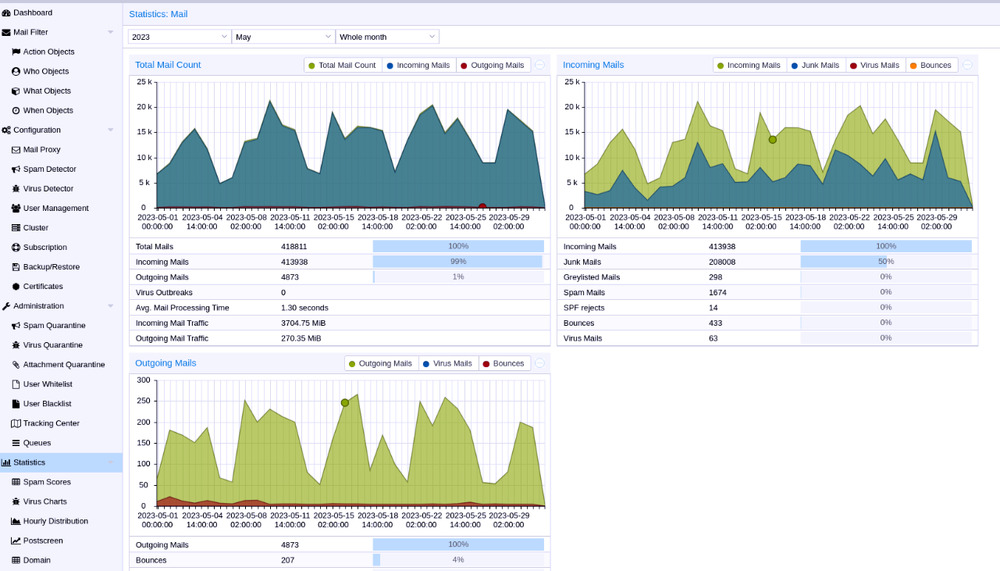
Proxmox Mail Gateway 9.1 Quarantine Controls That Actually Matter
The quarantine interface has been cleaned up for both desktop and mobile views, which matters when staff are juggling alerts on a phone during an outage. Administrators can now mark messages as seen across shared mailboxes without triggering duplicate notifications for every team member. System administrators have reported that shared mailbox notifications often trigger duplicate alerts for every admin on shift, which the new mark-as-seen feature directly resolves. The new summed positive and negative spam scores give a quick health check instead of forcing a manual tally. External images in HTML messages will only load when explicitly requested, which stops tracking pixels from leaking internal network data. A direct copy button for quarantine login links also removes the friction of waiting for an automated email to arrive.
Backup Encryption and Audit Logging Improvements
Client side backup encryption now includes proper key management with an optional master recovery key, which prevents the usual panic when a departing technician forgets to hand over credentials. The system can trigger verification runs and display the encryption state for each snapshot, so administrators stop guessing whether backups are actually recoverable. A configurable consent banner forces users to acknowledge legal or usage notices before logging in, which keeps compliance teams happy during audits even when they demand unnecessary friction. Optional envelope and header logging is disabled by default because decoding From and To fields often captures personal data that should not sit in plain text logs.
Upgrade Paths and Installation Options
Moving from version 8 to 9 or jumping straight to the latest point release works through either the graphical updater or a simple apt full upgrade command. The Debian base shift means older packages get replaced with newer components, so administrators should expect a brief maintenance window during the transition. Proxmox Mail Gateway 8.2 will continue receiving security patches until August 2026, giving teams enough time to test the new kernel and ZFS stack before committing. Installation remains flexible across bare metal, virtual machines on PVE or VMware, and even LXC containers through the template downloader. Hyper V users should remember to switch secure boot settings to Microsoft UEFI Certificate Authority for generation two deployments.
Download and Release Notes
Proxmox Mail Gateway 9.1 can be downloaded from here. For detailed release notes, please refer to the provided link.
The update rolls out smoothly if you keep an eye on the package manager during the transition. Administrators should test the quarantine interface with their specific email volume before rolling it out to production.


