Noctalia 5.4.1 ships lock-screen security fixes three days after v5.4.0
The Wayland desktop shell that tries to be your entire desktop just got more secure.
Noctalia published v5.4.1 today, a mere three days after its major v5.4.0 drop. Patch releases almost never make anyone's week. This one does. It closes a lock-screen authentication bypass, keeps forged signals from disabling your auto-lock, and shuts down command injection hiding inside wallpaper filenames.
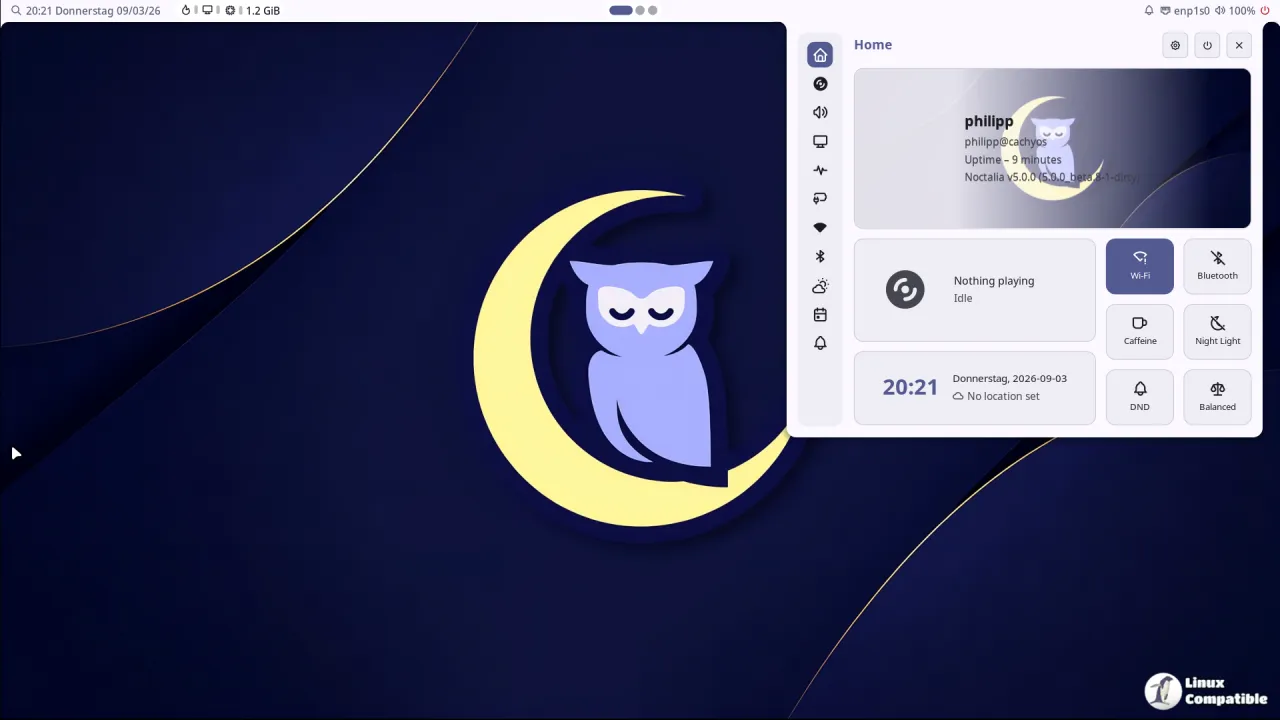
The shell collects a lot of sensitive desktop activity, so these aren't concerns you'll want to shrug off.
What Noctalia actually is
Noctalia exists to fix a problem most Wayland users know instantly. You've got waybar, a launcher, its own lock screen, a wallpaper daemon, and a dozen other things stacked together, each with its own config format and its own opinion. The project pulls bars, a dock, a launcher, a control center, notifications, OSD overlays, a lock screen, and clipboard history into a single UI with a single config model.
It's built natively in C++ with no Qt or GTK dependency, straight on Wayland and OpenGL ES. That's a deliberate stance from when v5 shipped in 2026 as a ground-up rewrite. The old Qt/QML stack burned roughly 300 MB of RAM per monitor. v5 cut that to about one-sixth while keeping the same core features.
Noctalia calls itself a shell, not a full desktop environment. Window management and standalone apps live elsewhere. The team pitches the whole thing as a "family of native Wayland projects" that includes the shell, the Umbriel compositor, a greeter, and a plugin system. As of late 2026, the GitHub repo carries about 11.7k stars and 937 forks, and it ships under the MIT license.
The security fixes
This is where the update actually earns its keep. The notes don't assign formal CVE identifiers, but three fixes are worth your attention.
First, the lock screen. The old behavior was to accept unlock and fingerprint-match signals from logind over D-Bus without checking whether they really came from the session manager. An attacker could forge a message and trick the shell into thinking you'd authenticated. Now it refuses those spoofed signals.
Second, the idle auto-lock. A process once had the power to fake inhibition state, since Noctalia partly trusted signals telling it whether the screensaver should stay disabled. That's closed now: the shell reads inhibition state straight from logind, so it can't be fooled into keeping your display awake and unlocked.
Third, command injection via KDE wallpaper filenames. Names with quotation marks or shell-substitution syntax could get executed when used as a wallpaper source. The fix neutralizes those.
There's also a privacy bump: notification history and image previews are now encrypted at rest. Existing plaintext history migrates automatically, and stored data stays available even when keys are temporarily missing. Your toasts, links, and images no longer sit on disk in plain text.
The push went out through an automated GitHub action signed by maintainer Ly-sec (GPG key 19AE90196D0BA986), and it drew a steady stream of heart, rocket, and hooray reactions in the comments. It's a small signal, but it's a decent tell for how closely the core community watches this project.
Worth taking seriously.
Features and polish
Beyond the security work, there's a genuinely large batch of enhancements. On the bar, you can now use optional symbolic icons tinted to match the widget, a dock compositor blur with per-monitor overrides, and tabular digits so clock numbers don't shift as time rolls over.
Screenshots got the most visible treatment. Annotations now ship with gradient presets, padding, rounded corners, shadows, and a combined stroke popover, all previewed live before the image is copied or saved.
A pile of smaller touches rounds it out. You get per-account calendar sync status with retry actions, an idle status view listing what's keeping your machine awake, mouse-wheel adjustment for plugin sliders, optional wallpaper pausing while a window goes fullscreen, and a new Romanian interface language.
The Umbriel integration upgrades to typed action IPC requests, though you'll need an Umbriel build that supports the new protocol.
How 5.4.1 fits
Five days earlier, v5.4.0 arrived as a theming and screenshots release. It opened the full color palette to config, renamed two properties while holding colors steady, added JPEG/XL capture formats, and rolled out five new wallpaper transitions. Then 5.4.1 hardened and polished on top.
The v5 line has moved fast overall. Beta pre-releases ran from early July to late August 2026, after which stable milestones stacked up week on week through October. A major release followed by a substantial patch three days later reads like a project still earning its maturity rather than one coasting.
The speed is impressive, though a patch this heavy that soon does make you wonder how thoroughly 5.4.0 got tested before it shipped. Keep in mind that if you run this on a machine you actually care about, patching fast doesn't always mean testing slow enough.
Head here to the release notes for the full bug-fix list spanning tray, calendar, launcher, and Bluetooth. Noctalia packages for Arch, Fedora, openSUSE, Gentoo, Guix, Debian, Ubuntu, Chimera, Void, and Solus, and it builds from source with Meson and just.


