Noctalia v5.4.0 Ships with Wave Visualizers, Modern Image Formats, and a Reboot-to-UEFI Action
The Wayland desktop shell leans harder on theming depth, next-generation image support, and a growing plugin and IPC surface, without breaking your existing configs.
Noctalia, the open-source Wayland desktop shell built without Qt or GTK, shipped v5.4.0 today. It expands the color palette, adds a wave mode to its audio visualizers, layers JPEG XL and HEIC/HEIF/AVIF support onto screenshots and the clipboard, and quietly tucks in a "reboot to UEFI firmware settings" action you'd otherwise have to script yourself.
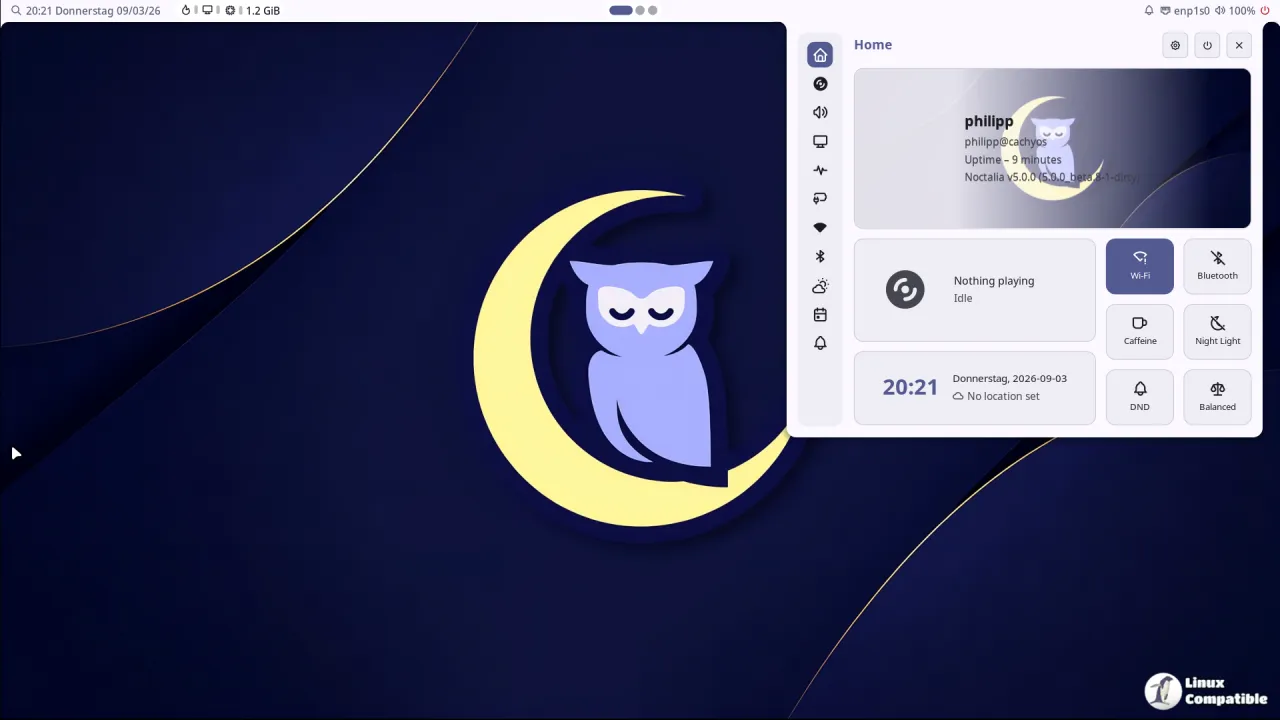
The shell's whole pitch is doing more with fewer moving parts. A typical Wayland setup asks you to stitch together a panel app, a launcher, a notification daemon, a lock screen, a wallpaper manager, a control center, OSD overlays and a tray. Each carries its own config format and its own opinion of what "primary" blue should be. Noctalia owns most of that surface itself, and this release keeps pushing that logic further.
Keep in mind that this isn't a light update. Noctalia has now shipped 145 releases since the v5 rewrite, and the v5 stable line itself started back in September 2026. Right now it's at a stage where a project this young is already tuning things like Dell charge-limit detection, which is exactly the kind of granular work that separates a daily-driver tool from a weekend hobby.
More colors, then a wave
The headline change is theming. Noctalia long shipped a full color set for its app templates, but v5.4.0 finally pulls that same set into the user-facing shell config. You now get tinted containers like primary_container and error_container, more surface levels running from surface_container_low up to surface_container_highest, and fresh roles such as outline_variant and scrim.
Two names changed along the way. surface_variant is now surface_container, and outline is now outline_variant, though the colors are visually identical. The Settings GUI migrates existing edits automatically, and if you run a declarative config instead, noctalia config validate will flag what needs renaming. Older plugins still work with the old names for now, though bundled ones have already been updated.
There's plenty else in the appearance menu. New wallpaper and lock-screen transitions arrive as Vortex, Pixel, Diamond, Golden and Melt. A new color picker adds transparency controls and copy-in-selected-format, and you can adjust avatar and avatar-border options in the control center, plus align an attached panel to either end of the bar.
Then there's the wave. Noctalia's bar and desktop audio visualizers gained a wave rendering mode, complementing existing plugins like the community Visualizer+ oscilloscope. It isn't going to replace your wallpaper, but it is a proper first-class way to get audio feedback baked into the shell instead of bolted on. For what it's worth, the plugin store alone now lists 301 plugins running Luau in isolated VMs, which is enough to make you wonder what people actually do with three hundred ways to tweak their taskbar.
Screenshots, formats, and UEFI
The screenshot and clipboard side is arguably the most user-visible. You can now save files as PNG, JPEG, WebP or JPEG XL with configurable quality, through a new screenshot-window command for focused-window capture. Clipboard and pipe output stay PNG for compatibility, which is the sensible call.
More quietly interesting: HEIC, HEIF and AVIF clipboard images are kept in their original format rather than being transcoded. That puts Noctalia on par with, if not slightly ahead of, many mainstream desktops for next-gen image handling. The smart move is that libheif support is optional at runtime, so modern formats work where libheif is already present, say Fedora's libheif-freeworld from RPM Fusion, and degrade gracefully elsewhere. No new hard dependency forced on any distro.
The reboot-to-UEFI action lands alongside a broader launcher and session update. Other notes worth a glance: a calculator with user-defined libqalculate constants, a window-switcher IPC command to pick the scope at runtime, an option to close the Niri or Umbriel overview when launching an app, and configurable lock-screen shortcuts. On the plugin front, v5.4.0 widens what automation can touch, adding plugin layer surfaces, idle watches, drag-and-drop in plugin bar widgets, custom OSD popups through IPC, and read-write-config commands that turn the shell into a platform others can build on.
Why this one matters
Noctalia's core claim against the fragmented Wayland status quo keeps getting stronger. Wave visualizers, modern screenshot formats, per-core CPU gauges and a reboot-to-UEFI action all arriving as native features rather than third-party scripts is the whole point of the "fewer moving parts" thesis.
And the fixes list reads like someone actually uses the thing day to day. Rosé Pine's rose no longer turns red, idle wakeups are trimmed by refreshing clocks only as often as their formats need them, and invalid CalDAV entries no longer hide an entire calendar. That last one matters. There's nothing worse than a single bad account nuking your whole week.
It's a rather impressive feature set for something that went stable less than two months ago. The shell is C++23 rendered directly over OpenGL ES, which is how it can skip Qt and GTK and still feel cohesive. That same native approach is what makes the theming and plugin surface possible in the first place.
Where it fits and how to get it
v5.4.0 follows a roughly two-week cadence: v5.3.0 landed October 15, v5.2.1 on October 2, with the v5.0.1 stability milestone in early September. The throughline is a shell maturing from "can it even run?" to "can it be beautiful and deeply customizable?" with an explicit refusal to break existing configs, which is why the color renames stay backward compatible.
Head here for installation notes, and here to the GitHub release pages.


