Kdenlive 26.04.2 Released: Smoother Linux Workflow and Fixed Project File Handling
The second maintenance release of the 26.04 series drops today with a solid batch of stability patches tailored for Linux editors. Users will notice cleaner project file handling, better timeline navigation, and long overdue fixes for AppImage and Flatpak packaging. This update keeps the free video editor running without the usual mid project crashes that tend to ruin export day.
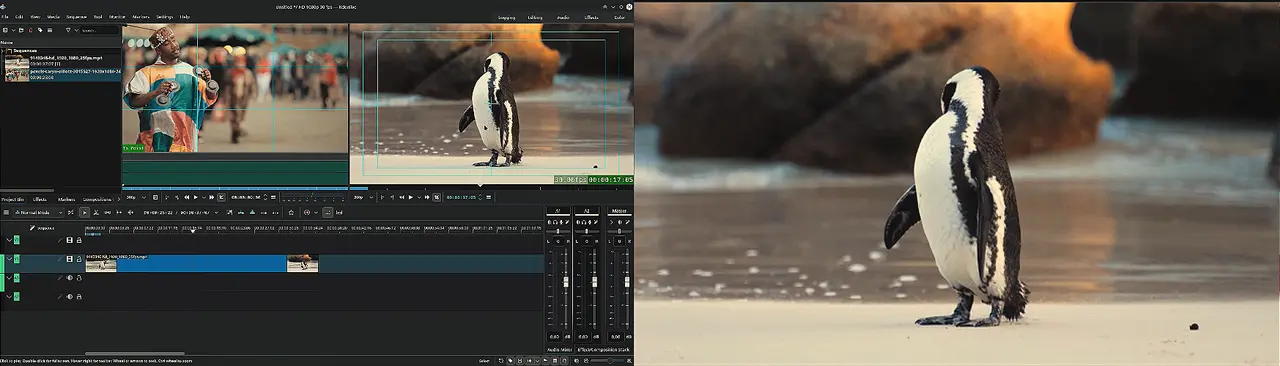
Why the Kdenlive 26.04.2 Linux packaging updates actually matter
The development team continues to push updates through AppImage and Flatpak packages, which means desktop distro maintainers will need to sync their repositories accordingly. Running a nightly Flatpak build now skips rnnoise processing until the underlying implementation stabilizes, which keeps audio tracks from dropping out during heavy edits. The rnnoise module gets quietly disabled in nightly builds until the developers actually finish implementing it properly, which is exactly what should happen when audio processing breaks more than it fixes. Editors who have wrestled with broken tiling compositor layouts know how quickly a misaligned dialog box can derail a workflow. The welcome screen adjustments play nice with sway, i3, and Hyprland without forcing users into awkward workarounds. Adding direct Quit and Open shortcuts to the startup panel speeds up routine navigation for anyone who prefers keyboard driven workflows over mouse hunting. These changes might look small on paper, but they remove the kind of desktop integration bugs that make Linux video editing feel like a compromise instead of a native experience.
Project file handling that makes sense
Linux editors often juggle multiple drives and external storage for raw footage, so the new path resolution logic matters more than most realize. The update stops the software from flagging open projects as modified on launch, which eliminates those annoying backup prompts that clutter the workspace. Remote clip detection also gets corrected to prevent false warnings about missing media, a common headache when working with network attached storage or mounted drives. Project files now stay clean across sessions, meaning editors can jump between workstations without fighting phantom file conflicts. The temporary file routing fix stops projects from scattering cache data across random directories, which saves hours of troubleshooting later.
How to install the update without breaking existing projects
Grabbing the latest binaries happens through the official download page or a trusted package manager depending on the operating system. Linux users should stick with AppImage and Flatpak releases since those are the only formats officially maintained by the development team. Running a quick check on existing projects after updating helps catch any lingering codec mismatches before committing to a full export run, which saves hours of troubleshooting later. Tightening up clip insertion logic and fixing preview invalidation when effect durations shift directly addresses the kind of timeline stutter that forces editors to restart their entire workflow mid render.
Keep those timelines clean and your renders running smooth. Catch you in the next patch notes.


