KDE neon 20260616 ships Plasma 6.7 with per screen virtual desktops that finally stop windows from jumping between displays when switching workspaces. The update also patches system tray ghosting for Flatpak apps, adds a built in microphone tester, and routes notifications to the nearest screen edge instead of spawning randomly over active workspaces. Users get continuous KDE software updates on a stable Ubuntu 24.04 base, though they must rely on Discover or run apt full upgrade to avoid broken dependencies. The distribution targets technically minded users who want bleeding edge desktop features without waiting for traditional release cycles, while explicitly leaving proprietary driver troubleshooting and outdated repository apps behind.
How KDE neon 20260616 Finally Fixes Multi-Monitor Frustration and What You Need to Know
The latest drop of KDE neon 20260616 brings Plasma 6.7 to the table, and this time the team actually fixed the multi monitor window shuffling that has annoyed power users for years. Readers will get a clear breakdown of what changed under the hood, how to update without breaking the system, and whether this rolling desktop stack fits their daily workflow. The release also introduces smarter notification placement, better HDR color handling, and a new theming engine that finally lets developers style interfaces with standard CSS rules instead of fighting legacy code.
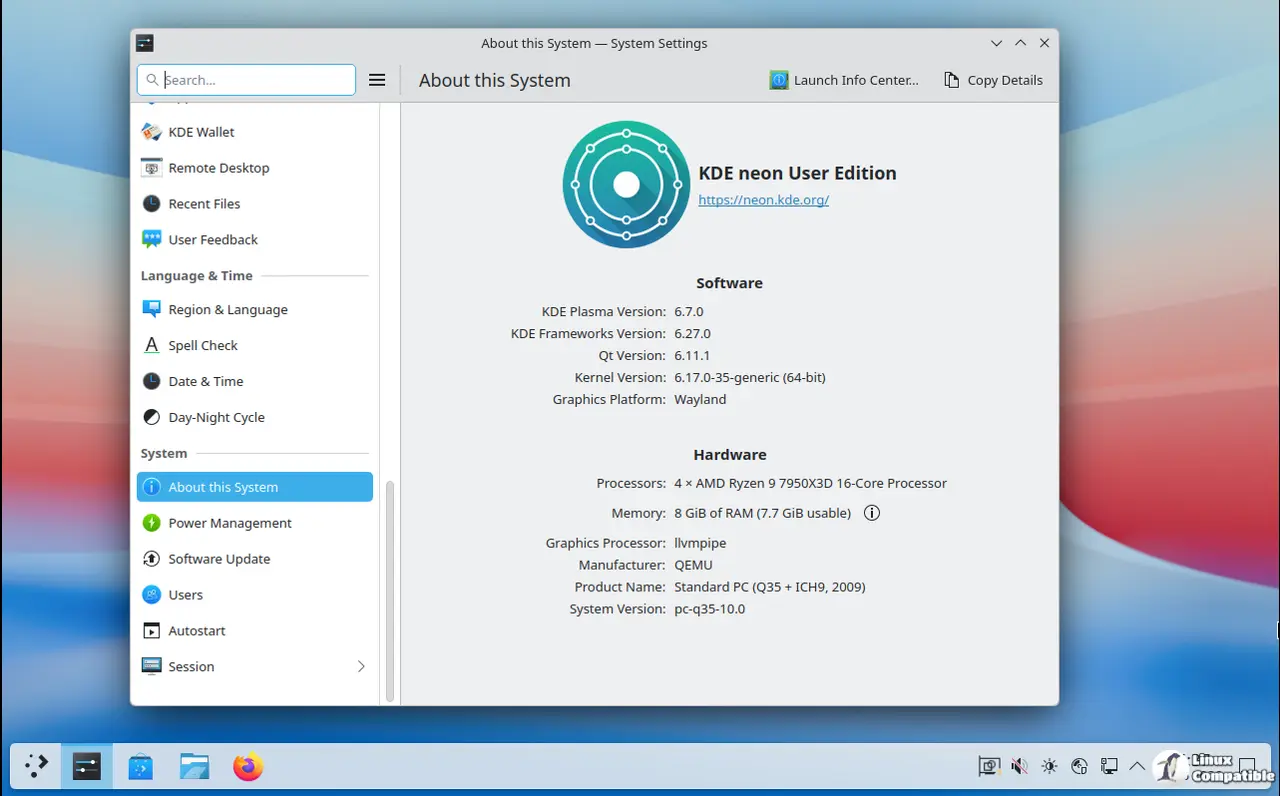
What actually changes in Plasma 6.7
Per screen virtual desktops were the biggest request from anyone juggling multiple monitors, and this update delivers it without forcing windows to teleport across displays during a session switch. The system tray now properly tracks Flatpak background apps through modern portals, which means users stop chasing ghost icons that refuse to close or update. A quick microphone volume tester sits right in the panel so people can verify audio levels before jumping into calls instead of guessing whether their mic is muted or clipping. Anyone who has tried to run a video call while a background Flatpak app refuses to update knows how frustrating that tray ghosting can be, and Plasma 6.7 finally patches it through proper portal integration. Under the hood, Intel and AMD hardware get targeted performance tweaks that actually show up during heavy multitasking or video playback. HDR color management now plays nice with ICC profiles, which fixes the washed out look that plagued creative workflows on Linux for years. Notifications slide in from the nearest screen edge instead of spawning randomly over active windows, a small change that saves hours of accidental clicks over time. The Union CSS theming engine launches as an opt in preview, giving developers a familiar way to style interfaces while Oxygen returns with full light and dark variants for anyone who prefers the classic look without chasing custom themes.
Why KDE neon runs on Ubuntu LTS and not a rolling base
The distribution sticks to Ubuntu 24.04 as its foundation because the team wants a stable OS layer that does not constantly shift beneath cutting edge desktop software. Rolling releases work great for some workflows, but they also mean frequent driver updates and library changes that can break specialized tools or proprietary codecs. KDE neon keeps the base system predictable while pushing Plasma and Qt forward at a much faster pace. Apps from the main Ubuntu repositories stay older because the project explicitly filters them out of Discover. Users are expected to grab software through Snap or Flatpak instead, which keeps the desktop stack consistent without fighting package conflicts. The team also confirmed there will be no non LTS Ubuntu variants coming down the line, since maintaining multiple base branches would split resources and complicate driver backports.
Setting up updates without breaking your system
Plasma Discover handles most routine updates through its panel updater, but command line users need to pay attention to how they run package upgrades. The project blocks the standard apt upgrade switch because it skips essential dependency changes on fast moving platforms like this one. Running sudo apt full-upgrade ensures that all necessary package transitions happen in a single pass instead of leaving half installed libraries behind. People who prefer manual control should keep an eye on Discover notifications since continuous deployment means new Plasma versions drop almost daily. The system also warns users when repository apps slip through the filter, which helps avoid accidental installs of outdated software that conflicts with newer Qt dependencies.
Who should actually install this version
KDE neon targets technical users who want immediate access to the latest desktop features without waiting for a full distribution release cycle. The User Edition offers slightly more polish than the Testing or Unstable builds, but it still focuses strictly on KDE software rather than providing a complete reviewed desktop experience. Anyone running mission critical workstations should probably stick with distributions that delay updates by weeks or months, since bleeding edge packages inevitably introduce occasional regressions. NVIDIA users get official support for the open source Nouveau driver, while proprietary drivers fall entirely outside project scope and require independent troubleshooting. The team also maintains strict 64 bit only builds now that legacy hardware has faded out of relevance, which keeps download sizes smaller and development focus sharper. People who want to swap Kubuntu for this setup can add the APT repository, but the process remains completely unsupported and carries a real risk of breaking existing configurations.
Grab the ISO if Plasma 6.7 matches your workflow, test it in a virtual machine first, and report any Flatpak tray glitches back to the bug tracker. The desktop keeps getting better with each drop, and this release finally gives multi monitor setups the respect they deserve.


