How to Use the New 4MLinux Antivirus Live CD for Quick System Scans
The latest release of the 4MLinux Antivirus Live CD brings ClamAV 1.5.2 into a stripped down environment that actually boots fast enough to be useful. This update targets anyone who needs a reliable way to scan infected drives without installing heavy security suites on the host machine. Readers will learn how to grab the ISO, boot it safely, and run effective scans while avoiding common pitfalls that trip up casual users.
Getting the 4MLinux Antivirus Live CD ISO Ready
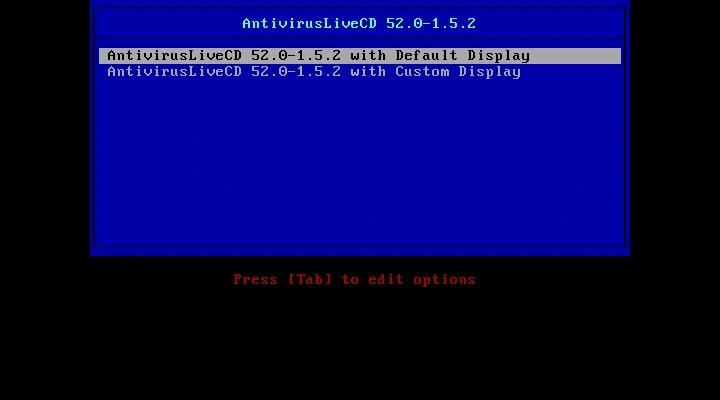
The download page usually hides the actual link behind a wall of ads, so grabbing the direct ISO file takes a moment of patience. Once downloaded, verifying the checksum matters more than most people realize because a corrupted boot image will just hang at the GRUB menu and waste an hour of troubleshooting. It is easy to watch a boot process stall when someone skips checksum verification, which happens constantly after rushed downloads from mirror sites. Burning it to a USB drive with Rufus or Etcher works fine, but setting the write mode to DD instead of ISO prevents partition table errors that leave the drive unbootable on older motherboards.
Booting Without Breaking the Host System
Plugging in a fresh USB and hitting F12 or F8 during startup gets you into the boot menu, but BIOS settings often fight back with Secure Boot enabled by default. Disabling that feature temporarily stops the firmware from rejecting unsigned kernels, which is exactly what happens when you try to run this live environment on modern laptops. The system will load a minimal Xfce desktop in under two minutes, leaving plenty of RAM for actual virus scanning instead of background telemetry services. Most users will never need a dedicated live antivirus environment because modern Windows Defender handles routine threats without slowing down daily tasks. This tool only makes sense when dealing with stubborn malware that refuses to die or recovering data from drives that refuse to mount inside the host operating system.
Running ClamAV Without Wasting Time
The interface looks sparse because it strips out everything except what is needed to mount drives and run the scanner. Opening a terminal and typing freshclam updates the virus database before any scanning begins, which matters since outdated signatures miss modern ransomware variants. A full scan of an external drive requires mounting the partition first, then running clamscan with recursive flags to catch hidden executables in system folders. Skipping the update step is a common mistake that turns the tool into a digital paperweight within minutes of deployment. The real value shows up when running this ISO keeps the infected machine completely isolated while pulling files off safely, which beats trying to fight a bootkit from within Windows itself.


