Wine Staging 11.7 Brings Faster Vulkan Support and Experimental Fixes for Linux Gamers
Wine Staging 11.7 just dropped, bringing a fresh rebase on the main development branch alongside an updated vkd3d-latest patchset that should smooth out DirectX 12 stuttering in several titles. This release skips the usual waiting period and pushes experimental patches straight to users who want to test bleeding edge compatibility before it hits the stable branch. Anyone running Linux games or legacy Windows software will find a handful of targeted fixes worth trying, though the usual staging caveats still apply.
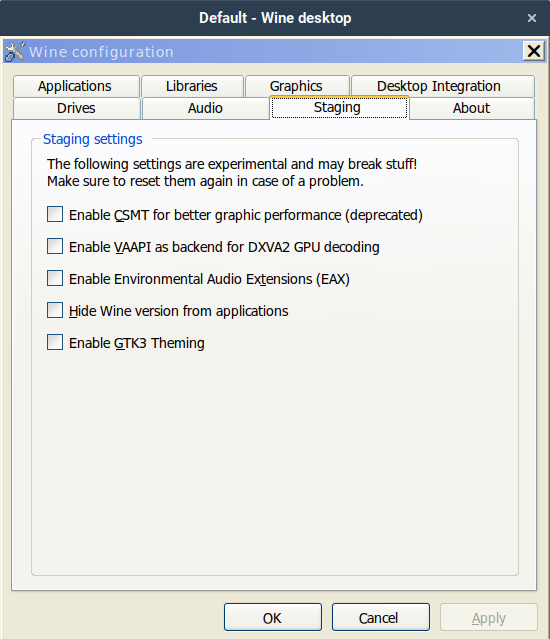
Why This Release Actually Matters
The main branch usually waits for patches to mature, but Wine Staging operates as a rolling testing ground where developers can ship fixes without breaking the stable build. That updated vkd3d-latest patchset is the real draw here since Vulkan translation layers tend to break more often than they improve when Microsoft changes shader compilation routines under the hood. Users often notice games crash on launch after a driver update or Windows feature pack, and this staging branch tends to catch those edge cases first. The tradeoff is that experimental patches sometimes introduce new regressions, so keeping a backup configuration or using containerized setups makes sense before overwriting a working install.
How to Install Wine Staging 11.7 Without Breaking Existing Tools
Most Linux distributions package this release under the wine-staging name and drop it into /opt/wine-staging so users can run multiple versions side by side. That directory structure means the system will not automatically replace the standard wine binary, which prevents games from suddenly pointing at an untested build. Users will need to call /opt/wine-staging/bin/wine directly when launching titles or running configuration tools like winecfg. The same path requirement applies to winetricks and other wrapper scripts that rely on the Wine executable. Adding a symlink or creating a simple shell alias saves time, but only if the target directory matches the actual installation prefix for the distribution being used. macOS users can grab prebuilt packages from the official site, though those builds often require additional framework dependencies that older system versions struggle to resolve.
Ubuntu / Debian
Add the official WineHQ repository:
sudo dpkg --add-architecture i386
sudo mkdir -pm755 /etc/apt/keyrings
wget -O /etc/apt/keyrings/winehq-archive.key https://dl.winehq.org/wine-builds/winehq.key
echo "deb [signed-by=/etc/apt/keyrings/winehq-archive.key] https://dl.winehq.org/wine-builds/ubuntu/ $(lsb_release -cs) main" | \
    sudo tee /etc/apt/sources.list.d/winehq.list > /dev/null
Adding the repository matters because the default Ubuntu repos only contain the stable wine package; without this step you’ll never see wine-staging in the cache.
Update APT and install:
sudo apt update
sudo apt install --install-recommends winehq-staging
Run it with the full path: /opt/wine-staging/bin/wine. Using the explicit binary avoids accidental fall‑backs to the stable version that lives in $PATH.
Fedora
sudo dnf install wine-staging
The Fedora package also lands under /opt/wine-staging, so invoke it with /opt/wine-staging/bin/wine or create a shortcut alias.
Arch Linux (AUR)
yay -S wine-staging-bin
The AUR tarball extracts straight to /opt/wine-staging. Again, call the binary from that directory.
When to Skip This Update
Staging releases are not meant for production workloads or mission critical setups where stability outweighs new features. If a game runs perfectly on the stable branch and performance metrics stay consistent, there is no reason to swap binaries just to test experimental patches. The vkd3d-latest updates help with newer DirectX 12 titles, but older OpenGL games sometimes lose compatibility when translation layers get rewritten too aggressively. Users who rely on specific Windows applications for work should stick to the main release until those patches migrate forward and prove themselves in production builds.
Release Wine Staging v11.7
Release v11.7
Keep an eye on the WineHQ wiki if a particular title starts misbehaving after the upgrade, since staging updates often include quick follow-up fixes within days. The Linux gaming scene moves fast enough without chasing every experimental patch, but this one deserves a look if Vulkan translation has been causing headaches lately.


