Wine Staging 11.12 Ships, Brings Patch Updates on Top of Latest Wine Development Release
The experimental Linux gaming patchset gets a rebase along with a new guard page patch and several updates to existing components.
Wine Staging 11.12 is now available, built on the latest Wine Development Release. The experimental patchset brings a handful of new fixes and rebase updates for users looking to push their Linux gaming beyond mainstream Wine builds.
If you're not familiar with the project, Staging isn't a fork of Wine exactly. It's a collection of patches applied on top of upstream development builds, targeting aggressive bug fixes and performance enhancements that haven't made it into the main repository yet. The original maintainer stepped down back in February 2018, but Alistair Leslie-Hughes kept it alive, and the project has been quietly maintaining that role ever since.
What's Actually New This Time
The changelog is mostly housekeeping. The patchset has been rebased against Wine 11.12, which is the current preview branch. Several patches got refreshed: the mmsystem.dll16-MIDIHDR_Refcount, windowscodecs-TIFF_Support, comctl32_animate_avi, and vkd3d-latest sets all saw updates. One set got pulled entirely: winex11-ime-check-thread-data. And there's a brand new addition — ntdll-gaurd_page — which sounds like it's targeting some edge-case memory protection behavior in the NT layer.
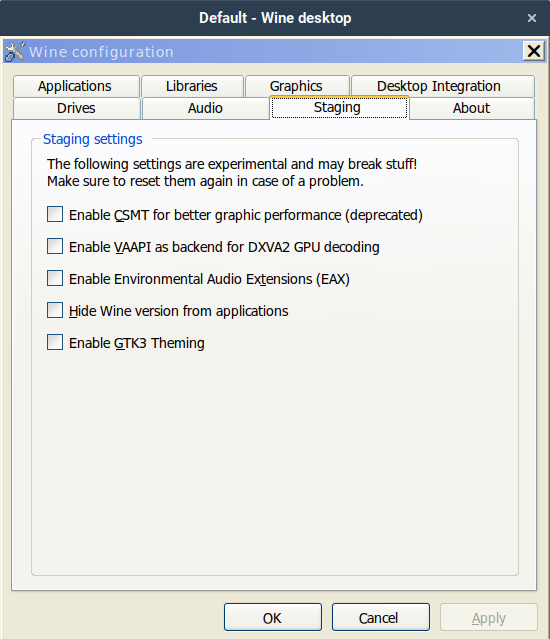
It's not earth-shattering stuff. But that's usually how Staging updates go. The real value is in the long tail of patches that stick around: CSMT for multi-threaded GPU command streams, esync and fsync for cutting wineserver overhead, and the DXVK/VKD3D-Proton integrations that make D3D12 work at all on Linux.
Keep in mind that Staging patches are, by design, experimental. They can dramatically improve gaming performance. They can also break things you weren't broken before. If you're running a production workstation or a machine you can't afford to tinker with, mainstream Wine is still the safer bet. For gaming rigs? Staging earns its keep.
How to Actually Use It
WineHQ has been distributing pre-built packages through its official repositories for a while now. On Debian and Ubuntu systems, that means installing wine-staging through the same APT flow you'd use for mainline Wine. It drops into /opt/wine-staging, which means you can run it alongside the regular Wine release without conflicts.
sudo apt install --install-recommends wine-staging
If you're building from source, you still have to pull the patchset yourself and run patchinstall.sh with whatever categories you want enabled. You can go nuclear with --all, or pick and choose. The definition files make it clear what each patch does and what it depends on, so it's not entirely guesswork.
As of mid-2026, upstream Wine sits at a stable 11.0 from January. The 11.12 preview just shipped with some Wayland fractional scaling improvements. Staging tracks whichever preview release it was rebased against, so you're getting the bleeding-edge stuff whether you asked for it or not.
Not that it matters for most games. The real question is whether your specific title benefits from the extra patches. Some games run perfectly fine on mainline. Others stutter like hell without CSMT and esync. And then there are the D3D12 titles that simply refuse to launch without the VKD3D-Proton integration that Staging bundles in.
For what it's worth, the project keeps evolving. Valve's Proton pulls heavily from patches that originated here. CrossOver picks up improvements once they land upstream. The patch lifecycle is basically: developer proposes patch it sits in Staging it gets tested it gets proposed upstream if accepted, it gets removed. It's a incubator. A messy one. But it works.
If you want to track down the actual release, the changelog and downloads live at the Wine Staging GitHub repository. The project's been at wine-staging/wine-staging since the original maintainers folded, and the archive history goes back to the original wine-compholio commits before that.
Head here to grab the packages or build from source. And if your game runs fine on mainline? Don't touch it. Staging's not a requirement. It's an option.


