Raspberry Pi Imager 2.0.11 Adds Embedded Network Installer and Better Multi-Frame Support
The latest stable release of Raspberry Pi Imager brings several reliability improvements, including an embedded network installer and support for multi-frame compressed images. Released August 14, 2026, v2.0.11 represents the eleventh minor update in the 2.x series since the radical UI overhaul launched in November 2025.
The v2.x line has been under active development for roughly eight months, with lead developer Tom Dewey pushing regular updates to lock down write reliability and expand what the tool can do. If you're still running the original v1.x, this is a good reminder that the rewrite isn't just about aesthetics.
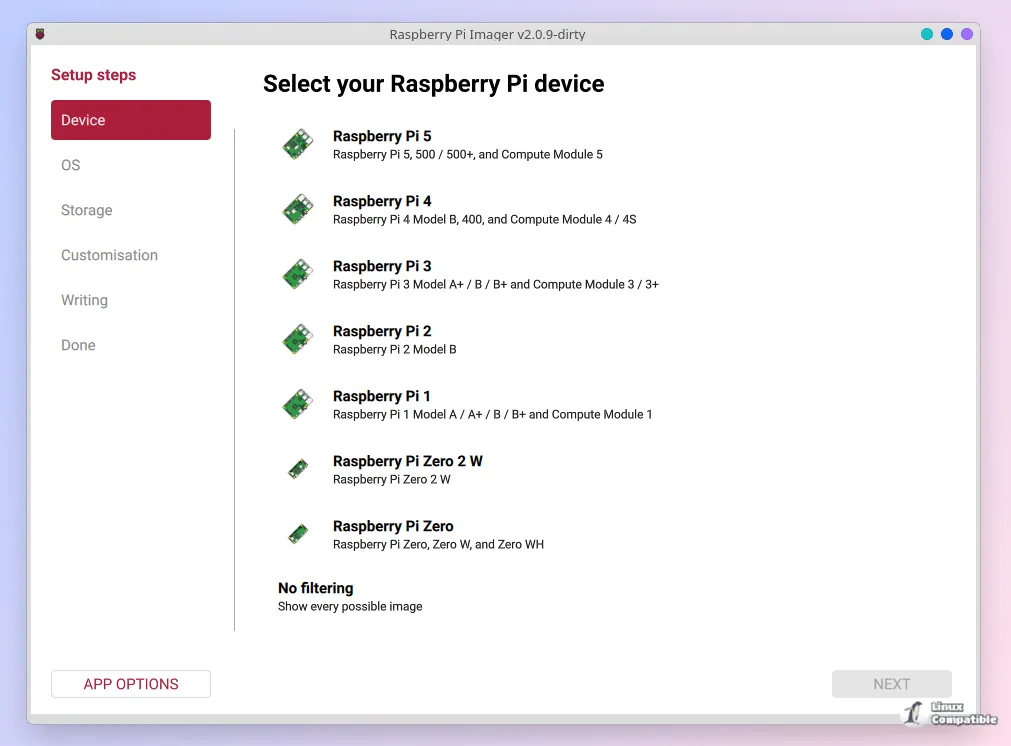
What's Actually New in 2.0.11
The biggest headline here is the embedded network installer. This is a stripped-down version of Imager built with -no-opengl -qpa linuxfb -no-dbus -no-feature-icu specifically for running on actual Raspberry Pi hardware over a network connection. You can use it to flash multiple Pis from a single machine without copying images to local storage first.
Multi-frame .img.zst images now work properly thanks to ZSTD_findDecompressedSize support. If you're working with compressed disk images that contain multiple frames, v2.0.11 will finally handle them without choking.
Write reliability gets another layer of protection with exclusive drive locks on Linux and Windows. The Windows implementation now holds volume locks instead of deleting drive letters, only removes removable mountpoints, and flushes the filesystem to media before writing the partition table. macOS gets a similar treatment with DiskArbitration running on the main run loop.
Customisation gets an rpi-preseed first-boot format option, which always adds your user account to the sudo group. Cloud-init users will appreciate that declining passwordless sudo now actually works instead of silently granting it anyway. The credential derivation logic has been centralised in C++ so hashing happens before anything gets persisted.
Build system improvements are less visible to end users but matter for the project's long-term health. Every architecture now builds inside a bookworm mmdebstrap chroot with no host-native build path. Desktop and CLI AppImages now properly bundle their transitive library closure, which means the arm64 and armhf versions finally aren't missing half their dependencies.
The Speed Trade-off Is Still Bitter
Let's address the elephant in the room. v2.0 intentionally trades write speed for reliability, and that's still the most common complaint. Thomas Goebel reported writing took 35 minutes plus another 10 for verification back in November. That's roughly 5x to 10x slower than v1.x in real-world use.
Dewey has been consistent about this: "2.0 leaves little to chance in ensuring you get the OS you asked for... performance drop in favour of hard reliability."
For most users writing a single SD card, the difference is annoying but acceptable. If you're flashing dozens of devices in a lab setting, it's a genuine pain point. The new embedded network installer at least gives you an option to skip copying images locally.
Customisation Changes Have Users Frustrated
The old v1.x approach to customising local .img files directly is gone. Dewey calls it "a defect" because Imager couldn't verify compatibility of arbitrary custom images. The Content Repository mechanism replaces it, requiring you to annotate custom images before you can customise them.
If you're a complete newcomer, this feels like an extra layer of complexity. If you've been using v1.x for years, it feels like they broke your workflow. Steve Stewart summarized the frustration well: "Complete newcomer to Raspberry Pi... struggling to update to v2."
The new rpi-imager:// URI scheme from v2.0.3 at least lets you deep-link to custom OS repositories. Keep in mind that this includes IDN homograph attack prevention with confirmation dialogs for remote URLs.
Capital City Selector Still Confusing Americans
The timezone and WiFi regulatory domain selection uses capital cities instead of country codes. American users in particular find this unintuitive because they're used to thinking about state capitals, not national capitals.
The list is sorted by city name, which makes it effectively unsearchable if you know the country but not the city. Dewey says the capital city was chosen over country to recommend timezone, language, and most critically, WiFi regulatory domain. That's a reasonable technical explanation that doesn't quite translate to a better user experience.
Where to Get It
All v2.0.11 assets are available at GitHub. Linux users get AppImage variants for x86_64, arm64, and armhf in both desktop and CLI flavors. Debian and Ubuntu users can grab the .deb packages if they prefer that.
The embedded network installer is arm64-only and meant to run on actual Raspberry Pi hardware. If you're setting up a fleet, this is worth checking out.
Three contributors made PRs in this release, including new contributor @elibosley with three pull requests covering Windows device size truncation, UASP storage classification, and archive write coalescing. The project continues to grow with community involvement.
Head here to the GitHub releases page to grab v2.0.11. If you're still on v1.x, the learning curve is real, but the reliability improvements are worth the adjustment.


