D7VK 2.1 brings load-time optimizations and surprising performance gains to legacy DDraw games on Linux
D7VK, the niche translation layer that lets you run Direct3D 3 through 7 titles on Linux, just hit version 2.1. Released on August 14, 2026, the update isn't about chasing higher FPS numbers anymore. It's about cutting loading screens, trimming startup overhead, and squeezing more performance out of older CPUs.
The project lives in the shadow of its parent, DXVK, which handles modern Direct3D versions for Linux and Wine. DXVK has nearly 18,000 stars on GitHub. D7VK sits at just over 700. That's a fair gap, but it serves a very specific purpose. It wraps around DXVK's D3D9 backend and Wine's DDraw implementation to give legacy 3D games a path to modern Vulkan drivers. The developer, WinterSnowfall, maintains the codebase alone. Over 8,000 commits later, that single developer just delivered what might be the most pragmatic optimization push for retro gaming on Linux yet.
The philosophy just changed
The official release notes draw a hard line in the sand: "The age of performance improvements is over. The time of load optimizations has come." That's not a step back. It's a pivot to under-the-hood work that actually matters once you stop hitting CPU walls. Object lifecycle tracking got trimmed. Caching got smarter. Copy paths got shorter. If you're still running v1.x, you're leaving frames on the table regardless of your hardware. Especially on older silicon.
The developer benchmarked v2.1 on a Lunar Lake/Core Ultra 7 256V thin-and-light laptop drawing just 37 watts on battery power. The result? 3DMark '99 and '2000 scores that matched what D7VK 1.12 was pulling out of an RTX 4070 running at 200 watts. That's not a typo. It's a massive generational leap in translation efficiency, though the real-world gain is most obvious if you're trying to run CPU-bound classics like Half-Life or Toy Story 2 without your fan spinning up to jet-engine levels.
What actually got fixed
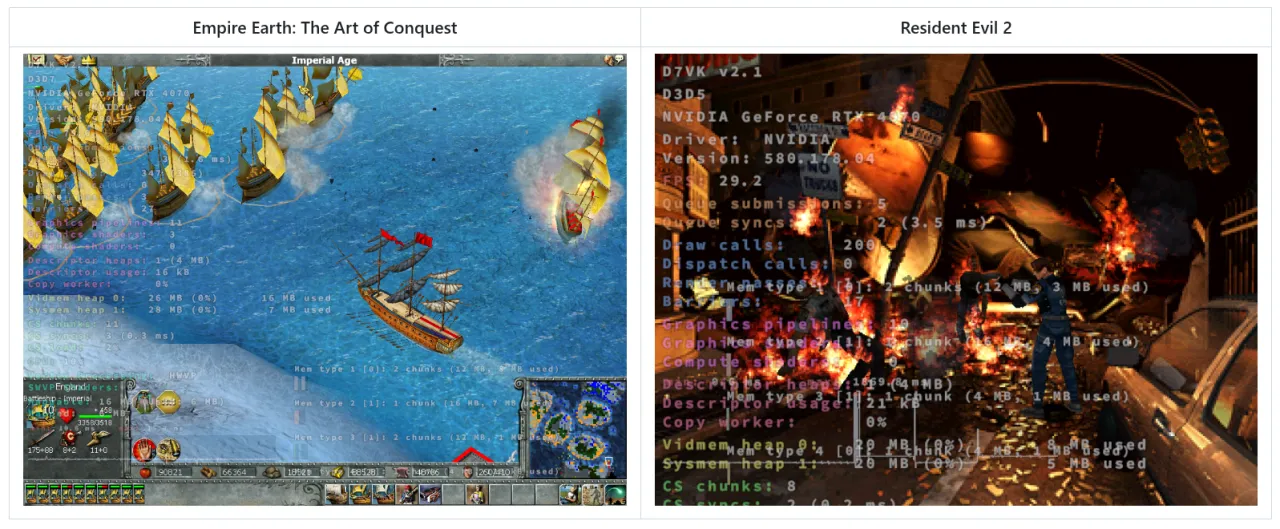
Empire Earth: The Art of Conquest now skips its intro playback in roughly a second instead of three or four. Resident Evil 2's background artifacting got sorted with an alternate pixel center configuration that mimics settings from the Windows 9x driver era. Arx Fatalis no longer crashes on startup thanks to a use-after-free patch contributed by @NemesisElectron. And if you've been wrestling with god-ray rendering in Blade of Darkness or Knight Rider, surface upload downloads are finally quieter.
Running DDraw titles on modern Linux usually means dealing with a tangled web of compatibility layers. Glide wrappers, nGlide, OpenGL fallbacks. The developer's notes actually recommend sticking to those alternatives where available. D7VK is the last resort that somehow works better than expected. There's also brand new ARM support. The developer added non-SSE2 ProcessVertices fallback helpers, mainly for testing and academic purposes since DDraw games rarely shipped on ARM hardware. R3G3B2 8-bit color surface support landed too, though it's disabled by default. The team is cautious about it. WineD3D compatibility quirks and potential quality regressions mean you'll need to enable it manually if your setup actually benefits.
Don't expect this to merge into mainline DXVK. The upstream team has been explicit about maintaining only D3D8 and newer. D7VK's proxy architecture runs on a completely different principle, and keeping it as a standalone project makes sense. If you're stuck on hardware that only supports Vulkan 1.1+, @pythonlover02 maintains DXVK-Sarek, which ports D7VK functionality to legacy backends. It's missing a few features like color key transparency, but it fills the gap.
Getting D7VK running is straightforward if you're already comfortable with Wine DLL overrides. Drop ddraw.dll next to the game executable, add native, builtin overrides for ddraw in winecfg, and you're good to go. If a title demands permanent installation, rename Wine's system ddraw.dll to ddraw_.dll, copy D7VK's version into system32 or syswow64, and set the overrides there. Keep in mind that you'll need an actual DDraw implementation like WineD3D for it to function at all.
Run with DXVK_HUD=1 to verify D7VK is actually active and not quietly falling back to WineD3D. And please, do not drop ddraw.dll into your Windows system directory. You'll break more than you'll fix.
The project tracker shows 40 open issues, and the developer is actively welcoming bug reports for obscure early D3D titles. Vsync defaults to on in v2.1, which plays nice with older APIs, though applications can explicitly request off if needed. If you're keeping a retro setup alive on Linux, this is the update you want installed.
Head here for the change log and download.


