OBS Studio 32.2.0 Beta 1 Fixes Black Screens and Finally Makes Adding Sources Less Painful
The OBS Studio 32.2.0 Beta 1 drop landed this week and it actually fixes the stuff that makes people want to throw their monitors out the window. You get a cleaner way to add sources, a proper SDR to HDR filter, and some serious stability patches.
If a user has ever watched their screen capture turn completely black right after a driver update, this build is worth a test run. Here's the thing. The old dropdown menu was just confusing. You click once. Nothing happens. You click again. The wrong thing pops up. The new dialog groups things logically and lets you search without jumping through hoops. Plugins can also push custom icons for their own source types now. That sounds minor until someone is trying to find a specific audio plugin source in a crowded timeline. The improved FPS selector UX trims down the confusion around frame rate caps. You pick a number and it sticks. No more wondering why a recording looks choppy because the backend defaulted to thirty frames when sixty was requested.
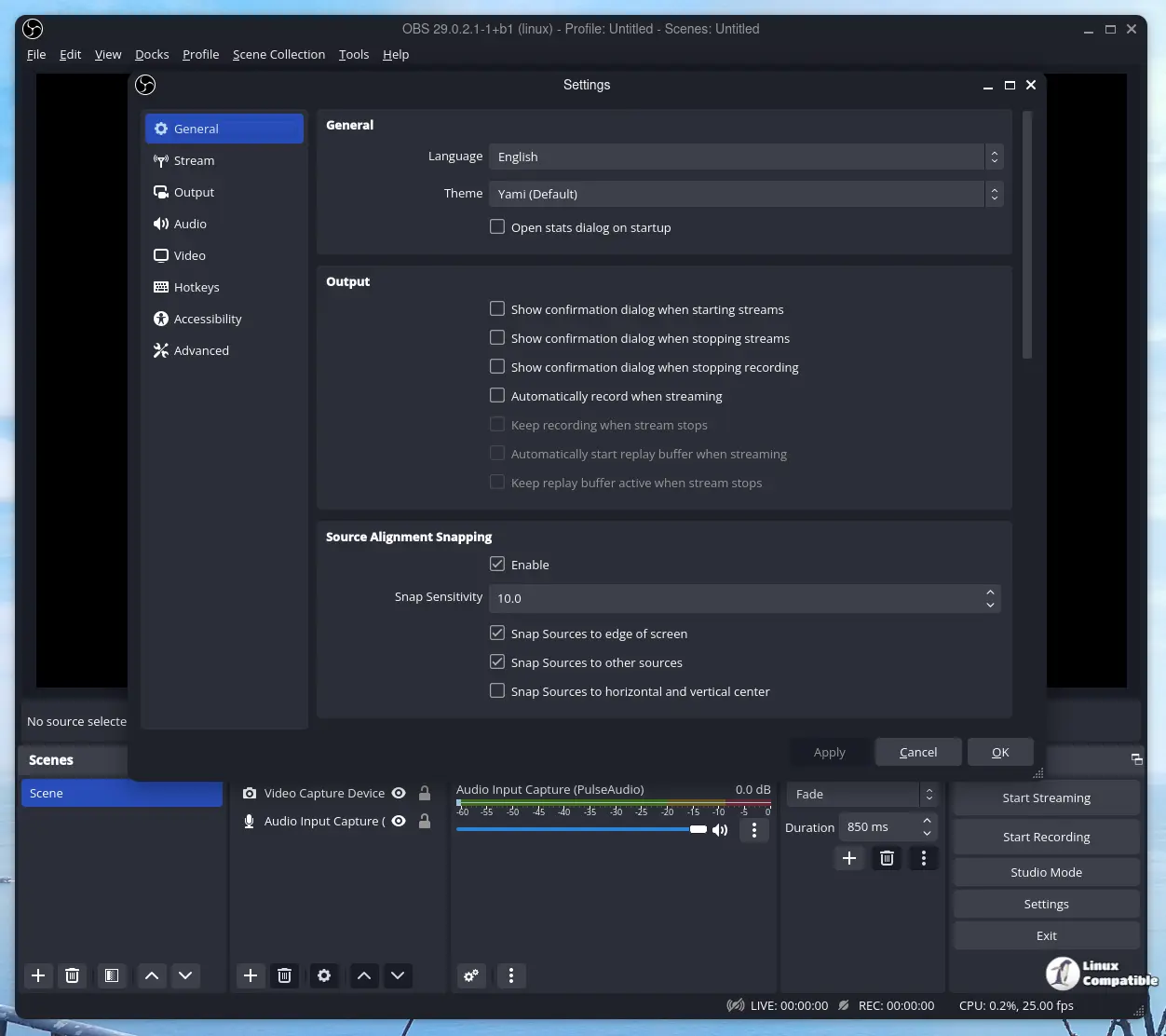
The Source Menu Actually Makes Sense Now
The old add source dropdown was a relic. It just listed everything in alphabetical order and forced you to remember whether you wanted a Display Capture or a Window Capture. The new dialog groups things logically and lets you search without jumping through hoops. Plugins can also push custom icons for their own source types now. That sounds minor until someone is trying to find a specific audio plugin source in a crowded timeline. The improved FPS selector UX trims down the confusion around frame rate caps. You pick a number and it sticks. No more wondering why a recording looks choppy because the backend defaulted to thirty frames when sixty was requested. The copy paste functions in the frontend API open up automation possibilities for custom overlay builders. That removes the guesswork when duplicating complex scene setups.
macOS Users Need to Read This Before Installing
The team forced Intel-based installations to update to the Apple Silicon version on machines with M1 chips or newer. This is a necessary move but it will bite people who still rely on older third party plugins. Those plugins will not load until they are swapped out for native ARM builds. If a Mac Studio or modern MacBook Pro is running the Intel build, it is just wasting resources and causing weird crashes. The beta adds a delete hotkey for sources on macOS, which is something Windows users have had forever. Display capture gets a fix for the black screen bug that usually shows up after a display driver fails to initialize. PipeWire on NVIDIA GPUs finally stops throwing errors. The virtual camera reset failures are gone too. Testing this on a spare machine or a virtual machine is the smartest approach before touching a main editing setup.
Windows Stability and Background Housekeeping
Windows gets process mitigation policies applied to the main executable. That is just security hardening to stop certain types of memory corruption attacks. The DLL loading behavior gets cleaned up as well. Users will notice fewer random plugin failures when OBS starts up. The OAuth and dock state save corruption bug is patched, which fixes the annoying issue where login tokens or window layouts would reset after a crash. Group bounds now resize correctly when items are removed. That saves a lot of time when scenes are reorganized. The source toolbar buttons actually work again after dragging a source into a group. Streamers lose control of their mute buttons mid broadcast because of this exact bug. The shutdown crash fixes are welcome. Nobody likes waiting ten seconds for the application to freeze before it finally closes.
OBS Studio 32.2.0 Beta 1: What Actually Matters for Streamers
The SDR into HDR filter is the real headline here. Standard color footage can now be mapped to a high dynamic range output without breaking the preview. It is not a magic button that fixes bad lighting, but it gives precise control over the tone mapping process. Multitrack video gets dynamic bitrate support now. Output streams can be adjusted on the fly without restarting the session. .webp files are finally included in the Image Slide Show source. That removes the need to convert images to PNG just to get transparency working. The minimum size for the color source is set to one pixel. That stops the interface from choking when a corner is dragged in too far. The virtualcam filter returns the correct value now. The canvas framerate query stops lying to the system. These are the quiet fixes that keep the software from acting weird after settings are tweaked.
Deprecations and What They Mean
The obs_properties_add_button function is officially deprecated. Plugin developers need to switch to the newer UI controls before the stable release drops. If coding plugins is not on the agenda, that line can be ignored. It just means the old button style will disappear in future builds. Some features just sit there and collect dust. This one was bloated from day one. Removing it cleans up the codebase and stops developers from wasting time on outdated interfaces.
Release 32.2.0-beta1: OBS Studio 32.2.0 Beta 1
32.2 New Features Replaced add source dropdown with new dialog [Warchamp7] Improved FPS selector UX [jcm93] Added missing file support for filters [exeldro] Added ability for plugins to set custom...
Release 32.2.0-beta1: OBS Studio 32.2.0 Beta 1 · obsproject/obs-studio
Give the beta a spin if testing new features is part of the workflow. Rolling back to the stable version is always an option if a favorite plugin breaks. The core team is clearly focused on making the interface less frustrating while keeping the background engine from tripping over itself. Drop a comment with any weird bugs and the editorial team will track them down.


