Noctalia 5.2.1 ships as a polish-focused patch for the Wayland desktop shell
Noctalia's latest stable release trades a feature splash for bug fixes and finer config control. Noctalia landed version 5.2.1 on October 1, and it's doing exactly what patch releases are meant to do. Fix bugs. Refine the config. Skip the splash.
The Wayland-native shell released 5.2.1 just four days after the feature-heavy 5.2.0. For context, Noctalia is a native, open-source Wayland desktop shell. It takes over the usual desktop chores: the bar, the dock, the launcher, the control center, notifications, wallpaper, and the lock screen. The tagline is "quiet by design," and the pitch is simple. Control of a custom desktop environment with far fewer moving parts.
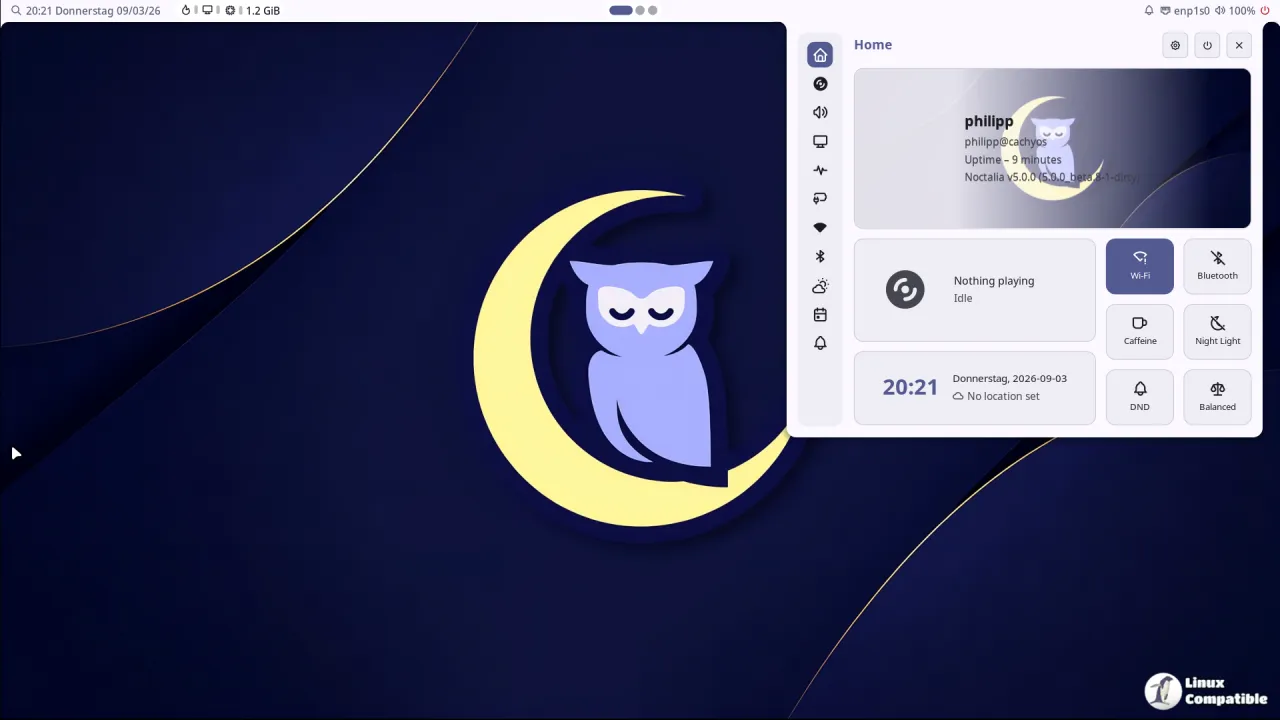
What makes it technically interesting is what it's built on and what it deliberately skips. Noctalia sits directly against Wayland and OpenGL ES. No Qt. No GTK. From the TOML-based config through the IPC, it's one cohesive shell rather than a Frankenstein's stack of panels and scripts.
Keep in mind it isn't a full desktop environment. Window management, tiling, file handling, and the login greeter belong to the compositor or separate apps. Noctalia itself stays non-invasive, leaving your dotfiles alone and hiding niche features behind an opt-in plugin system.
A handful of refinements
The features here are small but pointed. Capsule widgets now take a capsule_border_width option, tunable at the bar, monitor, or widget scope, with a separate border_width for capsule groups. If your bar widgets have ever looked cramped, that's a real knob to turn.
There's also per-bar and per-monitor compositor_blur, so you can control background blur on compositors that support it. And for the handful of people who actually care, a rotate_album_art setting spins the circular media widget while a track plays. Eye candy, yes, but free.
Notifications get smarter too. New notification.follow_focused_output and osd.follow_focused_output route toasts to whichever monitor currently has focus, while already-visible popups stay put. Toast width, borders, and OSD visibility time (via osd.hide_delay_ms) are all configurable now.
The launcher gets the most human-friendly upgrade. It now tracks emoji usage, surfaces your favorites in an empty query, and adds a "Recently Used" filter. Even better, shell.readline_shortcuts brings Ctrl+W, Ctrl+A, and Ctrl+E to the launcher, Settings, auth, and lock-screen fields. Anyone who's ever wiped a whole username with a single keystroke knows why that matters.
Read before you upgrade
Two changes could bite existing configs. Noctalia dropped Triad-specific compositor support entirely, so if you're on that backend you'll need a workaround. Its workspace, keyboard, focused-output, and output-power handling are gone with it.
Palette JSON also grew more demanding. Files passed to noctania theme --theme-json must now include both mHover and mOnHover. Skip either one and the palette fails. Add them to any custom theme that doesn't already define them.
The bulk of this release is the fix list, and it's a long one. The window switcher no longer gets stuck open on quick Alt+Tab taps, and shortcut modifier tracking stops triggering false activations. NetworkManager recovers from late starts or restarts. Bluetooth stops blocking the shell while BlueZ responds. The tray and Secret Service avoid startup deadlocks that used to leave you staring at an unresponsive bar.
Audio gets an underrated fix. Finished UI sounds now release their streams, so idle devices can actually suspend and PipeWire can flip sample rates. Rendering gets tidied as well, with images now fading to the correct opacity instead of darkening twice.
The bigger picture
Noctalia sprinted through its v5 cycle, going stable in early September 2026 after a long beta. 5.2.0 alone added a redesigned window switcher with an animated carousel, calendar reminders over CalDAV and Google, Freedesktop sound themes, Japanese localization, and Teams meeting-link handling. v5.1.0 shipped a screenshot editor, cellular support, enterprise Wi-Fi, and Korean.
Compared to those, 5.2.1 is deliberately incremental. Three small feature areas, two compatibility adjustments, and a massive, mostly unglamorous bug-fix list. It's the sound of a team that stopped chasing features and started chasing reliability.
If you're on the bleeding edge, this one's worth the update. It lands across most major distros. Arch gets it from the [extra] repo with sudo pacman -S noctalia. Fedora users can run sudo dnf install noctalia on 44 or grab the git snapshot from the LionHeartP Copr. openSUSE, Gentoo, Guix, Debian/Ubuntu, and NixOS all have channels, and Chimera Linux is now officially documented in the user repo.
There's also a per-user manual install for anything else. One caveat: v5 is a fresh install and won't auto-migrate config from the Quickshell-based v4, so back up first.
Head here to the GitHub release announcement.


