Krita AI Diffusion 1.52.0 adds Krea 2 support, patches auto-update regression
Krita AI Diffusion just landed version 1.52.0, bringing basic support for the new Krea 2 generation model, extending regional prompting to Anima, and finally fixing the auto-updater bug that shipped in v1.51.x. If you are running this plugin right now, do not trust the automatic update. Download and install it manually.
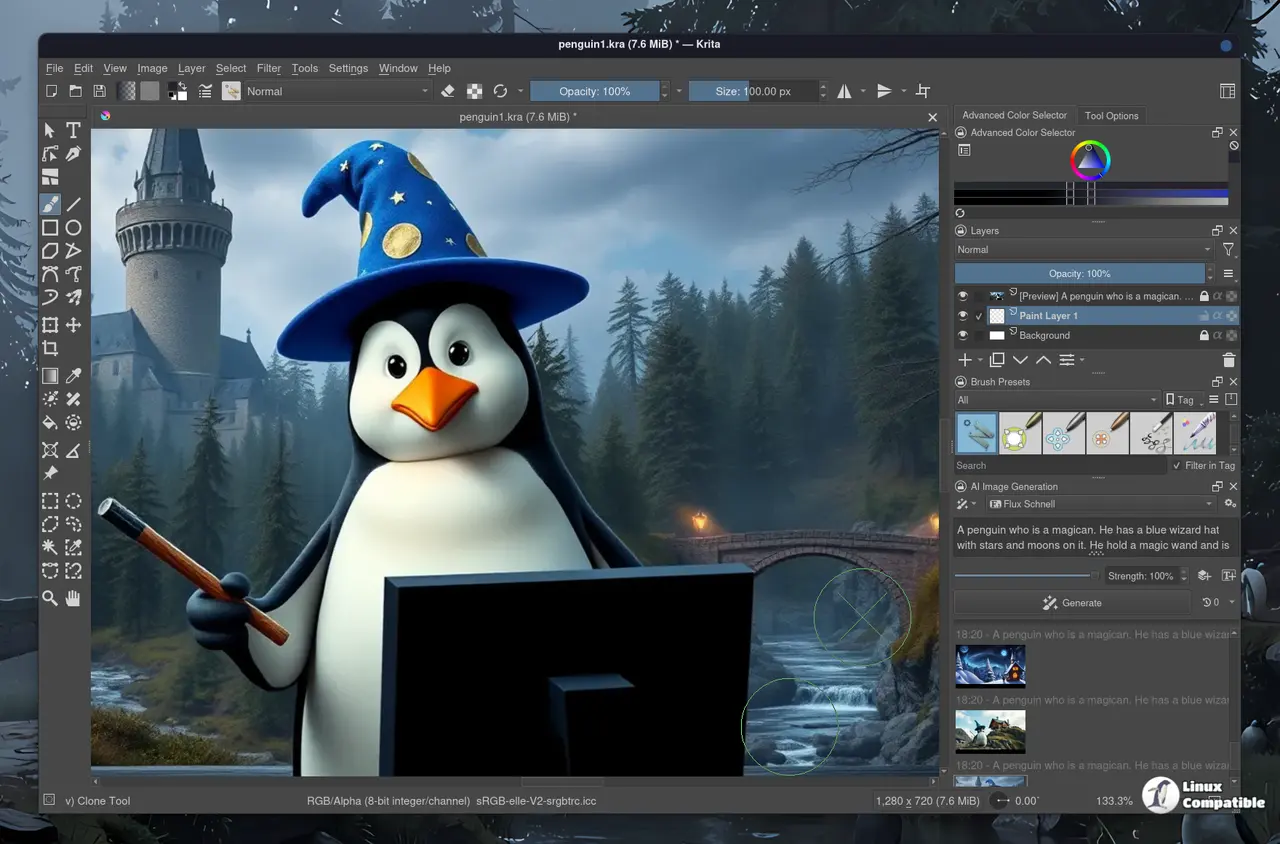
The project has quietly become one of the most starred open-source tools on GitHub, sitting at over 10,300 stars and 80 releases since its debut. It turns Krita into a hybrid canvas where you paint with a stylus one minute and prompt AI the next. The catch is that everything runs locally through ComfyUI, which means you still need a decent GPU and a little patience during setup.
What changed in 1.52.0
The headline grabber here is Krea 2 model support. The team lists it as basic for now, but it opens the door to a newer generation of local image models without forcing you to chase beta builds. Regional prompting now works with Anima, which matters if you are building multi-subject compositions and tired of the AI blending your subject into an indistinct smear. The patch also fixes a regression where custom workflows were pulling the wrong model architecture from saved styles, bumps up the prompt text box so you can paste full paragraphs, and improves Flux Klein 9B edit mode for outpainting.
Next, the auto-update fix. Previous versions shipped with a path bug that would drop new files into a stale directory. Manual install is the only safe route until the next release cycle.
Why it keeps earning stars
Open-source AI art tools have a habit of bouncing between brilliant and broken. Krita AI Diffusion has stuck to the brilliant side by letting artists stay inside a familiar interface. You get inpainting, outpainting, ControlNet, IP-Adapter, live painting, and prompt-guided upscaling without ever touching a node graph. The architecture is clean, too. Krita handles the canvas, the plugin acts as a translator, and ComfyUI does the heavy lifting on your GPU. Remote servers work if you want to push workloads to a beefier machine.
Hardware requirements are not exactly forgiving. You will want at least a 6GB VRAM GPU, ideally an RTX 3060 or equivalent AMD card. Apple Silicon works, but it trades speed for convenience. CPU-only setups are technically possible and practically useless. The optional Interstice Cloud backend costs money, but local generation stays completely free. No subscriptions. No per-image fees. No data leaves your machine unless you explicitly ask it to.
Setup can still eat an hour of your evening. Python environment mismatches and driver conflicts tend to make first-time installs a mild puzzle. Acly's team has automated most of it, but if you are not comfortable spinning up a ComfyUI instance on day one, you will want to follow along in the official Discord. The community there is active, and pull requests like the Krea 2 integration and the Anima region patch show that the project is still very much a team effort.
How it stacks up
In a market where Midjourney wants $30 a month and Adobe Firefly lives behind a Creative Cloud subscription, Krita AI Diffusion occupies a fairly specific lane. It is the only tool that combines local model execution, native Krita integration, and an artist-first interface without forcing you to learn node-based workflows. That said, it is not part of Krita's official release channel. You are managing the plugin through GitHub, which means support runs through Discord and issue trackers, not Krita's foundation.
Version 1.52.0 requires Krita 5.2 or newer, with 5.3.2.1 recommended for stability. Grab the ZIP from the GitHub releases page, import it via Tools > Scripts > Import Python Plugin from File, and run the ComfyUI setup wizard inside the docker panel. If you hit the auto-update bug, skip it entirely and go manual. The plugin documentation and Discord server are the best places to track upcoming changes and report bugs.


