KDE's Plasma team confirmed that Plasma 6.8 will ship later this year with fully bi-directional remote desktop clipboard syncing, finally letting users copy-paste freely between host and client machines. The August 15 development update also introduces kscreenctl for custom display modelines, inline event descriptions on the digital clock, and precise scroll-speed spinboxes in mouse and touchpad settings. Beyond the interface tweaks, the cycle focuses heavily on stability for immutable Linux distributions like Fedora Kinoite, alongside performance gains for large PNG pasting, Spectacle captures, and Baloo file indexing. All listed features are currently in testing and subject to change before the official 6.8 release, though corresponding Frameworks 6.30 patches are already landing for immediate distribution.
Plasma 6.8 Development Update Shows Bi-Directional RDP Clipboard Sync Moving Into Testing
KDE's Plasma team published a new development update this week, and the headline feature for Plasma 6.8 is fully bi-directional remote desktop clipboard syncing. The desktop environment is still in active development and will ship later this year, but the changelog shows exactly where the team is putting its effort. If you've ever struggled to copy text from a Linux host to a remote Windows client or back again, the fix is already in the pipeline.
The August 15 edition of "This Week in Plasma" tracks ongoing work across Plasma 6.8, 6.7.5, 6.6.7, and Frameworks 6.30. Development cycles move in stages, and this one focuses on remote desktop reliability, immutable Linux distribution support, and interface refinement.
Remote Desktop Clipboard Sync and kscreenctl
Bi-directional RDP clipboard syncing has been a long-requested feature for Linux remote desktop users. Nick Haghiri's pull request closes that gap and lets the clipboard flow freely in both directions. The same update also addresses a crash that used to trigger when closing RDP connections. It's still being tested, but the core functionality is taking shape.
KDE also introduced kscreenctl, a new command-line tool that will let display power users set custom CVT timings and modelines directly from the terminal. It's a small addition, but developers who have been asking for a proper CLI display configurator will likely appreciate it.
Discover Stability and Quiet Performance Wins
One of the more practical updates targets RPM-OSTree-based distributions like Fedora Kinoite. Discover has a history of choking on atomic Linux setups, and this round includes a dedicated crash fix for those environments. The patch also makes Discover resilient against broken or masked fwupd services, so system updates won't silently break just because a background daemon decided to take a nap.
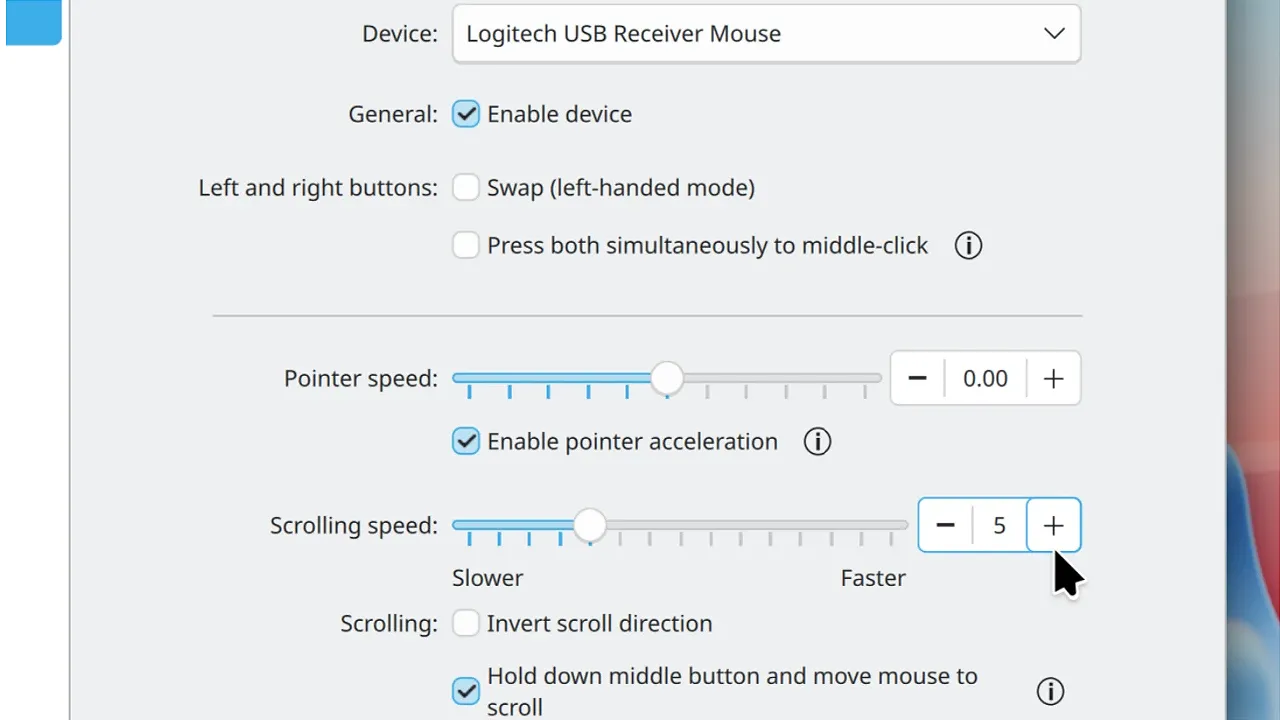
The rest of the 6.8 changelog is a mix of interface tweaks and behind-the-scenes optimization. Digital clock events will show their descriptions inline instead of forcing you to hover over them. Mouse and touchpad settings are getting spinboxes alongside the usual sliders, which means you can dial in scroll speeds with actual precision. Discover will also surface every external link an app declares in its metadata.
The logout screen will render exclusively on your active monitor, matching the lock and login screens while speeding up the transition. KDE has also squashed a persistent double right-click issue that would spawn the wrong context menu on the second click, and the shake-to-find-pointer cursor will render sharply at oversized dimensions. Large PNG paste operations are getting performance fixes for Plasma 6.6.7, and Spectacle captures on vertically flipped displays are running slightly faster in 6.7.5. Frameworks 6.30 trimmed down disk reads for the Kirigami icon component and taught Baloo to skip Btrfs snapshots in home directories. That one alone should save meaningful indexing time for snapshot-heavy systems.
It's a rather quiet development cycle on the surface, though the underlying work is exactly what keeps Plasma competitive. The bi-directional RDP clipboard is the kind of feature that stops being noticeable the moment it works. However, at the same time, the consistent push to support immutable distros and specific hardware profiles shows KDE is actively listening to power users rather than just chasing desktop-wide polish. Steady progress. The kind that builds a reliable foundation.
Keep in mind that Plasma 6.8 is still in development, so these features are subject to change before the official release later this year.


