Fort Firewall 3.21.1 Lands Days After Users Finally Get Domain Blocking
The solo-developer firewall adds a new Main window, an Activity panel, and drops an installer dependency, polishing an interface that gained its biggest feature just weeks earlier.
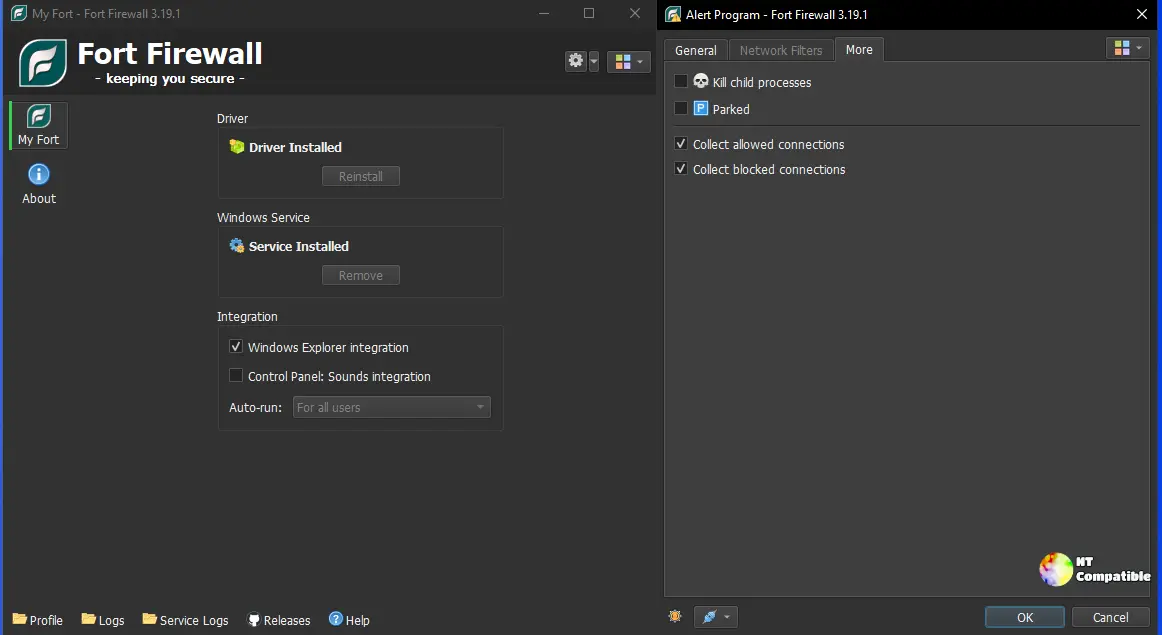
Four years of nagging, and Fort Firewall can finally block traffic by domain name. That capability arrived on November 17th in version 3.21.0, and today's 3.21.1 release rides along on its coattails. The newer build adds nothing network-wise. Instead it reworks the window you actually look at, drops a dependency you used to install by hand, and quietly fixes a couple of things that were broken.
The feature you actually waited four years for
Let's be honest about what mattered here. The ability to block by domain name has been tracked as issue #28 since 2022. For most of that stretch, Temirkhodjaev pushed it back. He considered bundling dnscrypt-proxy in 2022 but couldn't reliably tie a domain lookup back to the program that asked for it. He told one asker the feature "is not implemented yet" in early 2023. By July 2024 he said plainly there were "no plans for updates in the near future."
Then it just landed. On November 17th he closed issue #27 with a single line: "Implemented in v3.21.0."
The mechanism is decent, if a bit clever. A built-in DNS forwarder sits between your OS and your upstream resolvers, watching returned host names and matching each lookup to the program that triggered it. Domains caught in a Block Zone get stopped cold. Fort also blocks the DNS ports of other programs, which stops you from simply pointing elsewhere to work around the whole thing. Three blocklists ship ready-made: OISD Big, StevenBlack, and NetAPI Honeypot.
It's arguably the most useful single thing anyone has asked for in the project's history. Domain blocking is something people reach for constantly, and having it baked in means you don't need a separate blocklist manager to make it work.
The trade-off that won't go away
Here's the catch, and it's a real one. Fort's driver creates a region of memory that is both writable and executable at runtime, because it loads its image on the fly. Windows Memory Integrity, the Core Isolation piece also called HVCI, exists precisely to forbid kernel code like that. So running Fort means turning Memory Integrity off, or the driver simply won't load, which can end in a blue screen.
Version 3.21.0 changed how that's enforced without removing the requirement. Before, the installer refused to run at all when HVCI was on. Now it starts the service, detects that Memory Integrity is running, and tells you. It's a gentler degradation. You can attempt to launch Fort and get told why it fails instead of being bounced at the door. The hard line stands, though: Fort still can't operate under Memory Integrity.
That trade-off has teeth. Issue #803, opened November 11th by a user on Windows 11 26H2, traced a PAGE_FAULT blue screen squarely at the Fort driver, fortfw.sys. WindBG analysis of two minidumps put the fault offset right inside the driver. After a reboot, all the Fort entries were just gone. The developer suggested Windows Update may have re-enabled Memory Integrity on its own, and one corroborating commenter said a crash kicked off after auto-updates rolled in. Temirkhodjaev wrote that they needed to "deactivate the driver to not BSOD after enabling the HVCI," and closed the issue November 17th, again noting it was implemented in 3.21.0.
Keep in mind that was a single-user report, not a flood. Still, it illustrates exactly what goes wrong when the balance tips: turn Memory Integrity back on after installing Fort, and you may lose both the firewall and your desktop stability.
The other story here is the timing. Fort's release log shows a long, slow crawl, 3.19.8 in August 2025, then 3.19.9 in October, then a full year of quiet before 3.20.0 in October 2026. Independent analyst Hysen Labs flagged that year-long gap as odd for a product that installs a kernel driver. Then November broke wide open: 3.20.6, 3.20.7, all the way through 3.21.0 and 3.21.1 within days of each other. Someone finally sprinted, and it was just one person doing it.
The kernel attack surface here is inherent to what Fort is: a per-application firewall making allow/block calls on every packet, where bugs can mean a crash or potentially something worse. Because Fort can't register with Windows Security Center, disabling the native Windows firewall alongside it can strip away a safety net you might want. There's no telemetry, to be fair, but there's also no published test suite or coverage numbers, even though static-analysis badges show up.
The 3.21.1 release is a safe-feeling polish pass on top of a genuinely useful update. If you're on a machine where Memory Integrity is required, an enterprise box, or anything with a strict hardening policy, get sign-off first, since re-enabling it later will likely break the firewall without warning.
Head here to download the release from the project's GitHub page. Three builds are available in 64-bit, 32-bit, and ARM64.


