Bazzite Linux 43.20260420 ships with kernel 6.17.7, updated Mesa graphics drivers, and a proper patch for those window management bugs that routinely broke Steam Gaming Mode. The release also tightens the CPU scheduler to reduce input lag while giving Lutris and other non-Steam launchers cleaner integration into the unified library. Applying the update through the built-in rollback helper command keeps the immutable filesystem intact and prevents the boot loop headaches that come from mixing standard package managers with OSTree systems. It stays one of the most practical drop-in replacements for SteamOS if you want a console-like setup that actually respects how people buy games today.
Bazzite Linux 43.20260420 Brings Faster CPU Scheduling and Cleaner Non-Steam Integration
The latest Bazzite Linux release ships with a newer kernel, updated Mesa drivers, and some actual fixes for window management that used to break Steam Gaming Mode. This update keeps the distro on track as a solid drop-in replacement for SteamOS without requiring users to manually patch together their own gaming environment.
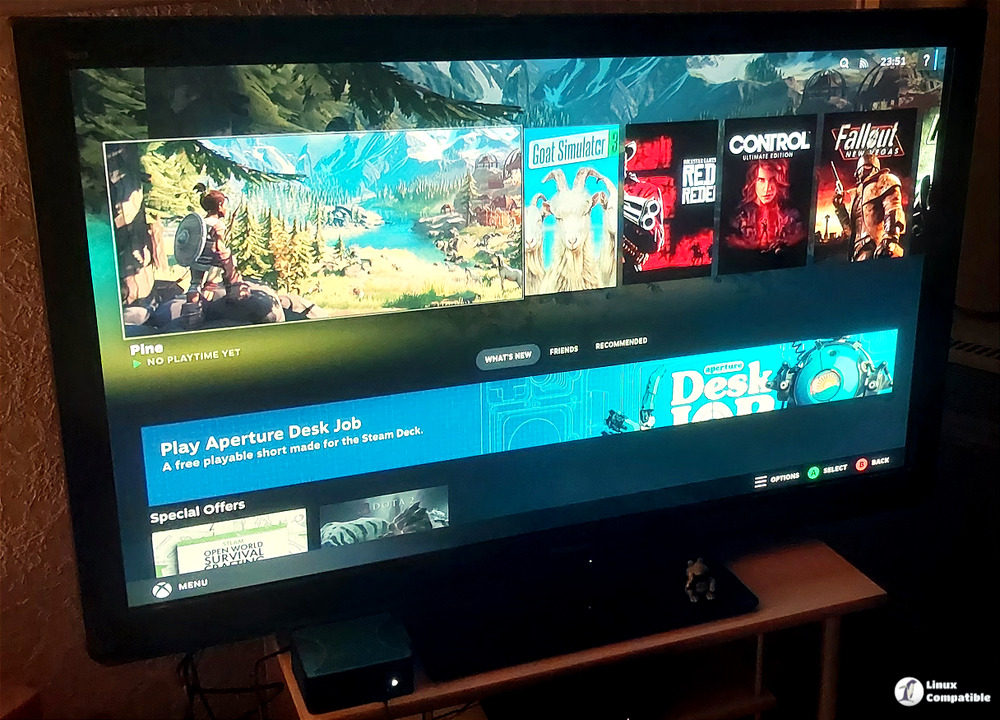
What Actually Changed in Bazzite Linux
The kernel jumped to 6.17.7 while Mesa moved to version 26.0.4-2, which means better graphics pipeline handling for both Intel and AMD hardware. Nvidia users get the 595.58.03 driver alongside the LTS branch at 580.95.05, so older cards or stability-focused setups stay covered without chasing bleeding edge code. Gamescope received a bump to ba148-1.bazzite, and that matters more than most people realize because it handles frame pacing and upscaling when games refuse to play nice with the desktop environment. The window rules fix in commit b474b02 actually addresses a bug where certain applications would spawn in the wrong workspace or ignore focus settings during Steam Gaming Mode sessions. Users frequently report random tiling behavior after driver updates, and this patch finally closes that loop by tightening how Bazzite handles window placement across different desktop environments.
Non-Steam Games Finally Get Proper Treatment
Lutris ships preinstalled and now plays much nicer with the Steam overlay ecosystem. The update improves how external launchers like Epic Games Store, GOG, or even Ubisoft Connect get added to the Gaming Mode library without requiring manual script editing. HDR and VRR support continue to mature behind the scenes, which helps prevent screen tearing on modern monitors that previously forced users into workarounds. The improved CPU schedulers also reduce input lag during heavy multitasking scenarios where background services try to steal cycles from the game loop. Some distros still treat non-Steam titles as second-class citizens, but Bazzite keeps pushing toward a unified library experience that actually respects how people buy games today.
How to Update Without Breaking the System
Rolling this update requires running the built-in rollback helper instead of chasing manual package installs. The command bazzite-rollback-helper rebase stable pulls the latest stable branch while keeping the immutable filesystem intact. Users who want to lock into a specific build can swap stable for 43.20260420 in that same line. This approach matters because Bazzite relies on OSTree versioning, and mixing standard dnf commands with system files will corrupt the transaction log or leave the machine unbootable. The update process handles driver fallbacks automatically, so graphics stacks do not need manual intervention after a reboot.
bazzite-rollback-helper rebase stable
That tells the system to pull the latest stable manifest, which now points to 43.20260420. If you prefer to lock onto this exact build rather than whatever future “stable” may become, invoke the same script with the explicit version string:
bazzite-rollback-helper rebase 43.20260420
You can also download the Bazzite 43.20260420 installation images from here.
Who Should Actually Install This
Newcomers who want a console-like experience without fighting through Arch or Fedora base systems will find this release stable enough for daily use. Power users running mixed hardware setups benefit from the updated Mesa and Gamescope versions, especially when testing titles that push Vulkan limits. The distro still avoids bloatware by default, which keeps disk usage low and leaves room for actual game files instead of telemetry daemons. Grab the ISO or run that rebase command when the current build starts feeling sluggish. Happy gaming, and may your frame times stay flat.


