Zed 1.8.2 Patches Agent Terminals, Git Performance, and Selection Quirks
The code editor’s latest point release tightens up worktree workflows, adds Anthropic-compatible provider support, and fixes a handful of agent and other bugs.
Zed 1.8.2 has landed. The point release brings a tighter grip on agent terminal permissions, a new command to equalize pane sizes, and a few long-requested editor tweaks. If you’ve been wrestling with the AI agent’s sandboxing or just want a faster Git experience, this one’s worth installing.
The sidebar got its first real worktree shortcut. You can now spin up a new worktree directly from the “new thread” icon, which means you’re one click away from isolating a project branch without navigating menus. On top of that, the archive view finally filters by project name instead of just thread titles. That’s a relief if you keep a dozen active repositories open.
Agent and terminal hardening
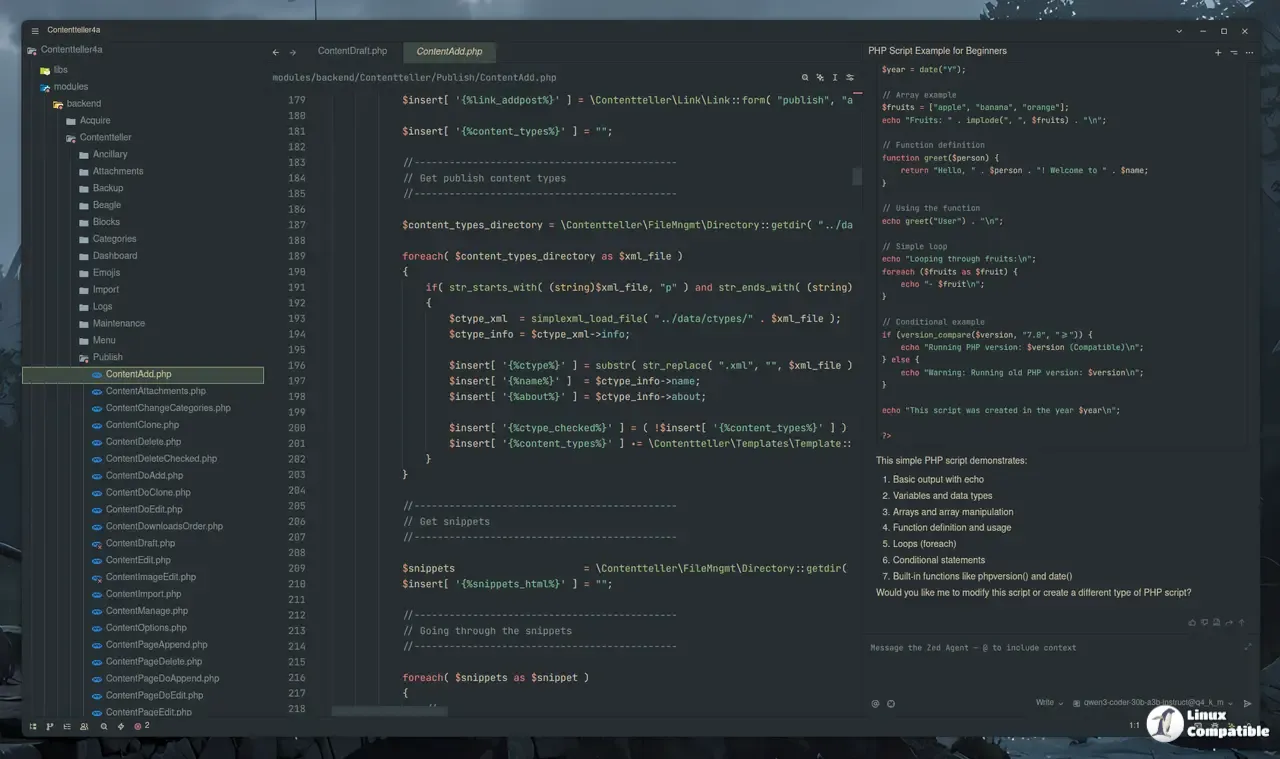
Zed added an agent.terminal_init_command setting that runs a command the moment you open a new terminal thread. It’s a small tweak, but it saves you from manually configuring shell environments every time the AI spins up a subprocess. Network access for agent terminals is also getting stricter. Instead of a blunt all-or-nothing toggle, you can now allowlist specific hosts behind a proxy. Permission prompts show the actual command being requested, which is exactly the kind of transparency you want when letting an AI tool talk to your network.
As the Zed team noted, the permission updates were designed to give you explicit control over what the agent can actually reach. Scroll smoothness improved while responses stream, and markdown rendering now respects single newlines like GitHub comments do. External agent command labels got truncated cleanly, and pressing up in an empty message editor recovers your last queued prompt.
Editor tweaks and Git speed
Editor-wise, 1.8.2 introduces editor: select inside delimiters and editor: select around delimiters. Hit them repeatedly to expand your selection through nested brackets, braces, or quotes. It’s a familiar pattern for anyone who’s used other modern editors, but it’s here now and it works cleanly. There’s also a workspace: reset pane sizes command to equalize split buffers. Useful when your layout inevitably collapses into an unmanageable mosaic.
Git performance got the heavy lifting. The team reduced background process calls on every file change and trimmed operations triggered by external repo updates. Contributor lgeiger helped optimize HEAD resolution, uncommit routines, and remote listing, which means you’ll notice the editor stay responsive during heavy commit cycles. The push toast now always shows the “Create Pull Request” button, and placeholder copy in the branch pickers actually tells you you can type-to-create. Not revolutionary. Just consistent.
Anthropic-compatible providers are officially supported in settings, which opens the door for third-party endpoints without needing custom adapters. Prettier now respects .editorconfig files for formatting, and notebook REPLs finally got a stop button to kill runaway kernels. The file watcher also runs faster in large worktrees, and long filenames in the tab switcher keep extensions visible instead of truncating them.
The bug list is where point releases live or die. Zed fixed a macOS file descriptor leak, cleaned up orphaned processes, and resolved a race condition that broke collaborative audio. Agent threads no longer vanish mid-stream after quitting or updating, and the agent permission dialog now respects API keys correctly instead of throwing misleading prompts. External agent servers and debug adapters stopped leaking helper processes on Windows, which was a minor but persistent headache.
I’ve been tracking Zed’s iteration cycle since the public beta, and the pattern is pretty clear: ship bold UX changes, then follow up within weeks to patch the edge cases. Version 1.8.2 fits that rhythm perfectly. It’s not a feature dump. It’s a cleanup pass with a few genuinely useful additions. The agent sandboxing improvements alone justify the update if you rely on AI-assisted debugging, though the permission UI still feels a bit heavy-handed for casual users.
The update rolls out through Zed’s standard release channels. If you’re on the beta or release candidate track, you’ll likely already have it. Head here to check the full changelog, file bugs, or grab the installer directly. Keep in mind that Zed’s dev extensions sometimes need a quick rebuild after minor updates, so use zed: rebuild dev extension if something feels off.
Release Zed v1.8.2
This week's release includes the ability to create a new worktree right from the sidebar's new-thread button, a new agent.terminal_init_command setting to automatically run a command