Valve has updated the SteamOS 3.8 DIY install image, closing the gap between the official release and the flashing tool while massively expanding third-party hardware support. The update currently requires an AMD GPU, but it brings sweeping improvements to desktop mode, defaulting to Wayland with KDE Plasma 6.4.3 and a Linux 6.16 kernel. Valve also packed in numerous developer tools, audio routing fixes, and low-latency controller support for dozens of PC handhelds. This release effectively transforms SteamOS into a viable foundation for custom Linux gaming rigs ahead of the company’s next hardware wave.
Valve Drops SteamOS 3.8, Making DIY Steam Machines Actually Viable
The latest update brings broad hardware support, KDE Plasma 6.4.3, and a major push toward Linux gaming outside the Steam Deck ecosystem.
Valve has finally updated the DIY SteamOS install image, and the gap between the official release and the installer is now closed. SteamOS 3.8 arrived with a sweeping overhaul aimed at PC builders who want to run Valve’s Linux distribution without buying a pre-built console. If you’re planning to skip the upcoming Steam Machine and go custom, you’ll want to pay attention.
The install image was noticeably lagging behind the main release for months. If you tried flashing a copy a few weeks ago, burn a fresh drive and try again. The update brings substantial improvements to hardware compatibility, discrete graphics management, and desktop performance. There is still a catch, though. You’ll need an AMD GPU. Driver support for NVIDIA remains incomplete, so Intel or Radeon systems are your only real options right now.
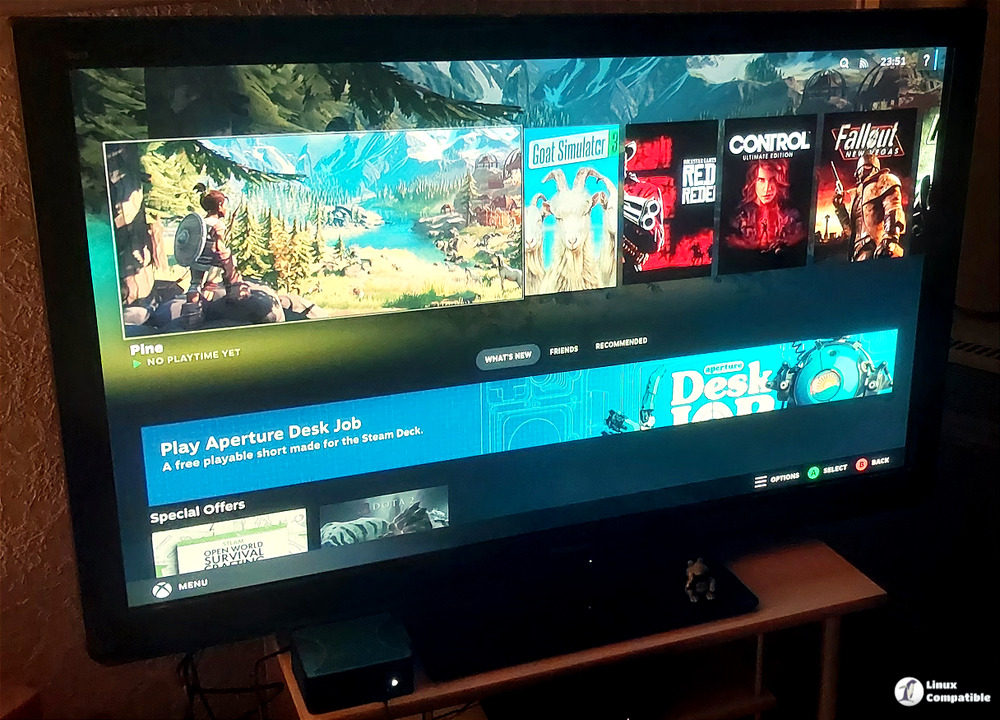
Broadening the Hardware Net
Valve says the update greatly improves video memory management on discrete GPU platforms. That’s a direct nod to PC builders who’ve previously hit walls running AAA titles on Linux. The release notes also confirm preliminary HDMI Variable Refresh Rate support, better frame pacing, and fixes for per-app performance settings that used to break during game launches.
Under the hood, the system base has shifted to a newer Arch Linux build. Desktop Mode now defaults to Wayland instead of X11, and KDE Plasma has jumped to version 6.4.3. You’ll also find the Linux kernel bumped to 6.16, along with added hibernation support and routine security patches. The OS is no longer tied to Valve’s own hardware either.
Controller support now covers the Lenovo Legion Go 2, ASUS ROG Xbox Ally series, MSI Claw lineup, OneXPlayer devices, GPD Win hardware, and several Anbernic models. Input latency for supported controllers dropped from a 5 to 8 millisecond window down to 100 to 500 microseconds. Input latency dropped. For PC builders, that matters.
Desktop Mode and Developer Tweaks
Valve didn’t ignore the power users this time. Developer settings now include a way to set the desktop password, switch to X11 if you prefer it, and trigger the SteamOS boot menu via EFI variables. There’s also initial support for running SteamOS as a virtual machine guest using virtio drivers.
The desktop experience itself got a serious overhaul. Rotated displays, external HDR monitors, and per-display scaling all work out of the box now. Keyboard layouts and language settings finally sync properly between Game Mode and Desktop Mode. Night color settings no longer refuse to turn off when you switch back. Audio routing got cleaned up too, with HDMI channel detection, Bluetooth headset mic support, and fixes for audio underruns after sleep.
It’s not a perfect conversion to Windows yet, and that’s fine. The AMD GPU requirement means you’ll still need to check compatibility before pulling the trigger. The NVIDIA drivers are still in progress, which limits the install base for now. However, at the same time, the underlying architecture is finally catching up to what Linux gamers have been asking for. Better discrete VRAM handling, Wayland defaults, and broader handheld support make this feel like the actual foundation for a PC-native SteamOS. The long wait for a viable DIY installer is over, though the ecosystem is still catching up.
You can grab the SteamOS 3.8 install image directly from Valve’s Steam support website. Flash it to a 16GB USB drive, boot your AMD-based PC, and run through the standard setup. Keep in mind that the installer will format your target drive, so back up your data first. Head here to download the full release notes and hardware compatibility matrix. Valve is clearly spacing out its hardware rollout to dodge the same memory shortages that hit its first batch. Expect updates to trickle in as developers port titles and driver support expands. If you’re watching the Linux gaming space, this is the update to watch.


