Ungoogled Chromium picks up Chrome 156's 353 security fixes while keeping Google out
The privacy-focused fork inherits Google's largest browser security haul in years, and still doesn't phone home.
This build tracks Chromium 156, which Google promoted to the Stable channel on 20 October alongside 353 security fixes. That's roughly ten times the haul of Chrome 155, which fixed a mere 37. The breakdown alone is staggering: 6 critical, 61 high, 197 medium, and 89 low. Six of those criticals live in the core subsystems you'd rather not think about, Skia, accessibility, CSS, paint, WebRTC, and one more accessibility flaw. Notably, nobody's being exploited in the wild, at least according to Google.
A browser that quietly removes a company
Ungoogled-chromium isn't a browser with its own engine or agenda. It's a drop-in replacement for stock Chromium with every dependency on Google web services stripped out. The project describes itself in four words: "Google Chromium, sans integration with Google."
It's not Brave, and it's not a Firefox fork. The objective is deliberately modest: take a browser that already does security and privacy well, then remove a company from it.
Founded in December 2015 by a hobbyist named Eloston, the project began shipping prebuilt binaries. It stopped doing that. Eloston released the patches instead and let volunteers build their own, then wound down his personal involvement by 2019, and in 2022 moved the repo to the "ungoogled-software" organization. It now sits at roughly 28,100 stars and 1,300 forks, run by a collective of hobbyists under a BSD-3-Clause license.
It runs on Linux, macOS, Windows, Android, and the BSDs, so the platform list is thorough. That particular release, though, ships as a Linux-only tag. Recent months have seen ungoogled-chromium builds go Linux-only more often than not, tagged by whoever happened to be free among the volunteers. An all-platforms tag counts as a small win for everyone else; a Linux-only tag just reflects where the attention landed that cycle. Worth keeping in mind if you're on Windows waiting for your build.
Ungoogling in three steps
The actual ungoogling happens using three techniques, applied as patches during the build.
The first is domain substitution. Google's web service domains get rewritten to nonexistent domains ending in the top-level domain qjz9zk. Chromium is then patched so any request to such a domain is blocked locally, meaning no network connection is ever attempted. It doubles as a runtime fail-safe: even if Google shifts a tracking component past earlier patches, the browser still won't call home. The HSTS preload list is carved out so it doesn't break.
The second is binary pruning. Proprietary binary blobs are stripped from the source and swapped for system-provided alternatives where feasible, removing embedded Google binaries at the source rather than just at runtime.
The third disables Google-domain functionality. The Google Host Detector, the Google URL Tracker, Google Cloud Messaging, and Google Hotwording all go away. You can actually watch these patches work by trying to reach a Google service. It just returns an error mentioning the trk: protocol handler and a made-up domain.
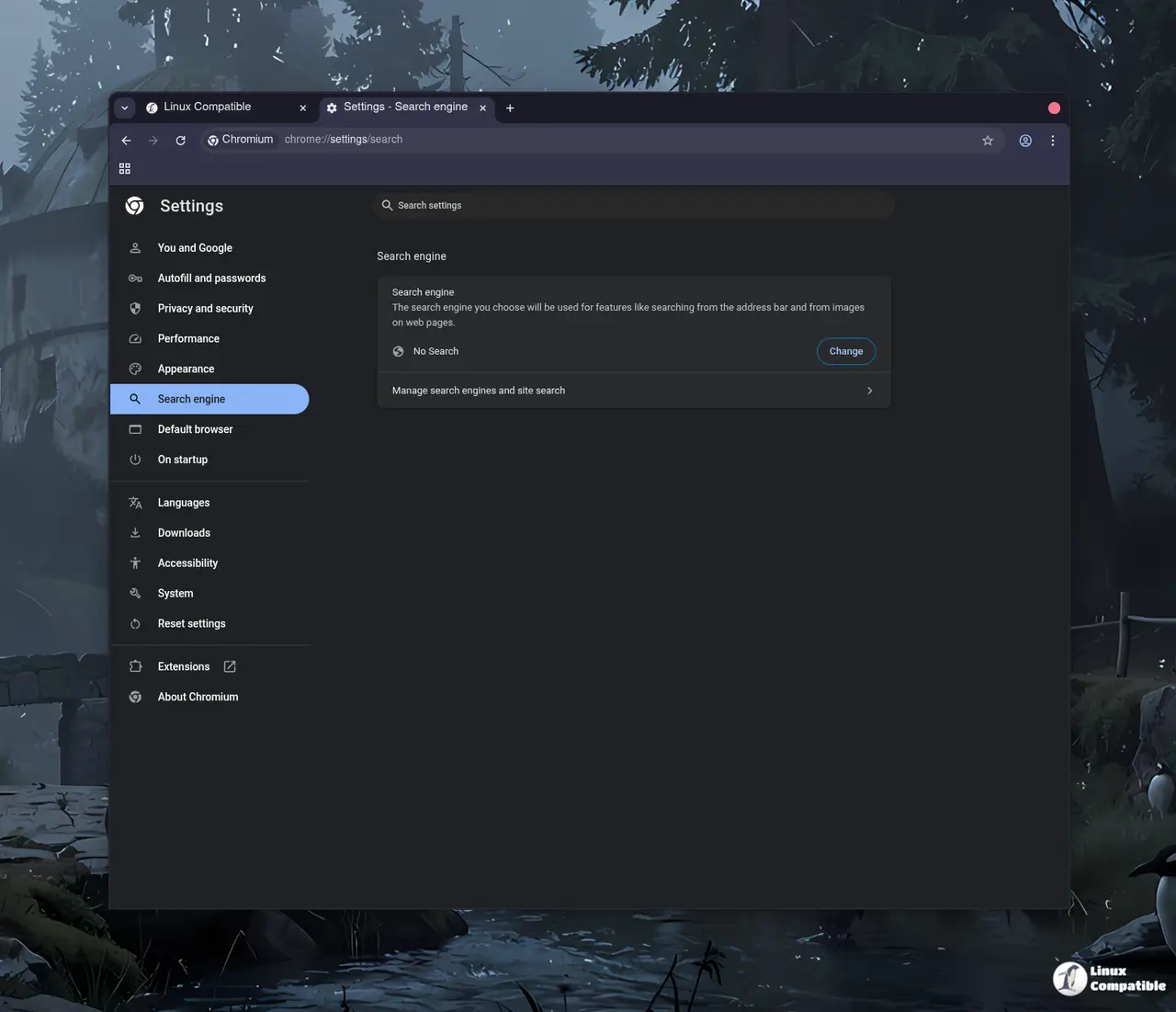
The project also adds dozens of switches and flags, sitting disabled until you enable them. Force pop-ups into tabs. Kill URL auto-formatting. Add a "No Search" omnibox provider. Several of these are lifted from Bromite, the Inox patchset, Debian's packaging, and the Iridium Browser.
The convenience tax
Here's the honest part. Ungoogled-chromium buys control at the cost of convenience, and browsers.to captures it crisply: Privacy 5/5, but Ease of use 2/5 and Extensions 2/5.
You lose the auto-updater. Staying current becomes your job, or your package manager's. Google Safe Browsing is off by default because it talks to Google servers, so the project nudges you toward uBlock Origin. Cookies clear on close by default, which surprises newcomers who then spend a confused afternoon wondering why they're logged out constantly.
The Chrome Web Store isn't wired in, so extensions require a manual CRX-download workaround or a community helper. Widevine DRM is absent, meaning streaming Netflix requires extracting Widevine from a matching Chrome build, which the project describes as genuinely fiddly and fragile. WebRTC can leak your real IP even behind a VPN unless you dig through the flags.
What you get is vanilla Chromium that renders pages exactly as Chrome does, no background requests to Google or anyone, and fine-grained control with the privacy tweaks kept behind switches you turn on by choice.
Because it's unmodified Chromium underneath, ungoogled-chromium has become the yardstick other privacy forks measure themselves against. Helium, for instance, is essentially ungoogled-chromium with uBlock built in and a layer of conveniences stacked back on top. In an era of built-in ad blockers and one-tap sync, that's a deliberate philosophy. The best privacy feature here is the thing you removed, not something added.
Grabbing it
You don't have to build from source, though you probably should if trust actually matters to you.
The packaging options are plentiful. Arch users have the AUR, Ubuntu has an XtraDeb PPA, Fedora has a COPR repo, and a Flathub Flatpak covers essentially any distro. macOS users can brew it, while FreeBSD and OpenBSD ship it in the ports tree.
One wrinkle worth flagging. The third-party contributor binaries, the AppImages and portable builds, are explicitly flagged as not reproducible. The project is blunt about it: authenticity cannot be guaranteed, and there's always a non-zero probability that a binary may have been tampered with. To actually trust what you run, build from source using the 156.0.8078.73-1 tag and work through the project's instructions. It's a patient process, but it's a verifiable one.
Also note that the contributor-binary portal's newest builds still track Chromium 156.0.8078.47-1 as of this writing. If you're pulling a prebuilt binary, check whether your provider has caught up to the .73 point release before you install.
Head here to the GitHub release to read the notes yourself.


