Simple Taskbar 70 Adds a Windows 10 Theme to a Power-User GNOME Extension
GNOME's Simple Taskbar extension has hit version 70, and the latest release leans heavily into nostalgia. The update adds a Windows 10 theme, running-app buttons for the plain GNOME panel, and an auto-hide mode that reveals the bar over fullscreen apps. It also ships a long list of bug fixes.
This is the kind of niche desktop customization that almost never gets covered, so it's worth a moment. The extension reclaims GNOME's slim top bar and turns it into something closer to a real taskbar — without discarding the shell's own UI logic.
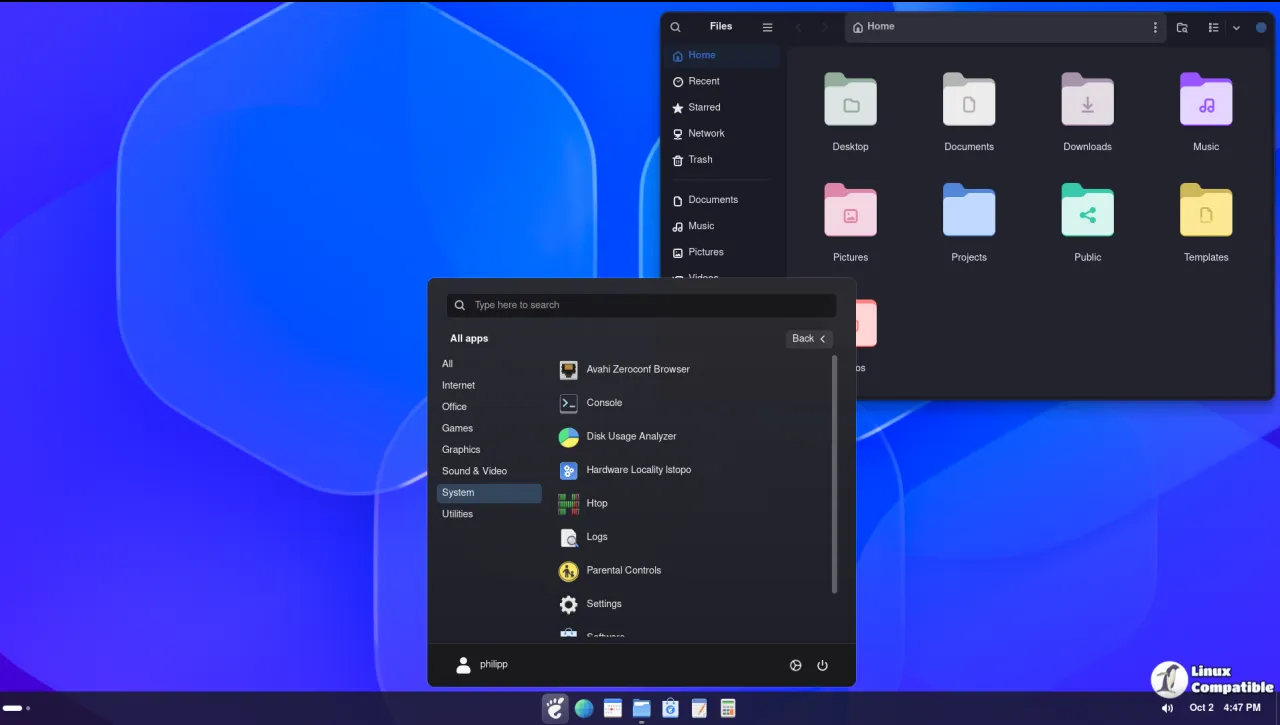
What Simple Taskbar Actually Does
The author describes the project as "a configurable application taskbar for GNOME Shell." In practice it layers pinned apps, running-application groups, window previews, and an Eleven-style Start Menu on top of GNOME's native panel, while keeping Activities, the clock, Quick Settings, and calendar intact.
One detail that matters more than you'd expect: it follows GNOME's own application favourites. Pin an app once and it updates the taskbar, the Dock, and the native Overview Dash at the same time. There's a single source of truth for what's actually pinned.
The extension is JavaScript, ships under the identifier simple-taskbar@sultech, and runs under the GPL-2.0-or-later license. As the report notes, it collects no telemetry, touches no network, and launches no external programs. That privacy posture counts for something these days.
Four panel modes
Simple Taskbar offers four distinct styles. The Taskbar mode shows favorites and running apps, the Dock mode relocates apps to a separate panel, and Default GNOME Panel hides the extras while restoring the native Dash. The Windows XP Theme mode imposes a 30px panel with 16px icons and tightened spacing, the new V70 release adds a Windows 10 look alongside it.
Beyond the modes, the feature list is unusually long for a single extension. You get per-icon click and hover actions, hover and click animations, window peeking, a grid Alt-Tab replacement, per-app volume mixing in Quick Settings, and even a Task Manager entry in the panel menu.
Version 70: The Windows 10 Theme
Released today, the latest build is titled "Windows 10 Theme." On top of the theme itself, V70 adds optional running window buttons to the default GNOME panel, each with its own icon, label, and indicator, plus a "Reveal Over Fullscreen Apps" auto-hide option. It also improves keyboard navigation in the Start Menu and lets fullscreen games use direct scanout while the panel is hidden.
The changelog also notes that Start menu pins are now shared across all panel modes, and default icon spacing is set to 6 for both the taskbar and Dock. Compatibility tweaks touch newer Blur My Shell versions and a handful of translations.
The fix list is long enough that it deserves a raised eyebrow. Nearly a dozen issues are called out, including the clock staying hidden after disabling the extension and window peeking leaving things dimmed after a workspace switch.
And here's a tell-tale detail. The commit message for V70 literally reads "remove trailing blank line from defaultPanelWindows.js." That single line captures the entire development pace of this project: small, frequent, tightly scoped changes rather than grand periodic releases.
A Streak of Releases
The tag history is staggering for such a young project. The repository was created July 19, 2026. By mid-October it had reached version 70, roughly one tagged release every four or five days, backed by about 888 commits against just 70 tags.
If you're keeping score, that's a single maintainer chasing GNOME's internal APIs as fast as they move. The V54 to V70 flip-flop on GNOME 51 support says as much: tag 54 dropped 51 from the metadata, then V70 brought it back. Not cheap, but it's the reality of writing extensions against a moving target.
The reception seems healthy for something this niche. The project sits at roughly 155 GitHub stars and 11 forks, with about 9,300 downloads on the official GNOME Extensions site.
It's a somewhat expensive proposition in terms of maintenance effort for what is essentially a panel rewrite, though the sheer breadth of options and the privacy-first approach do help make the case. As a single-maintainer effort, its longevity depends entirely on the author sticking around against GNOME's API churn. Worth watching.
Installing It
Grab it it using the extension manager:
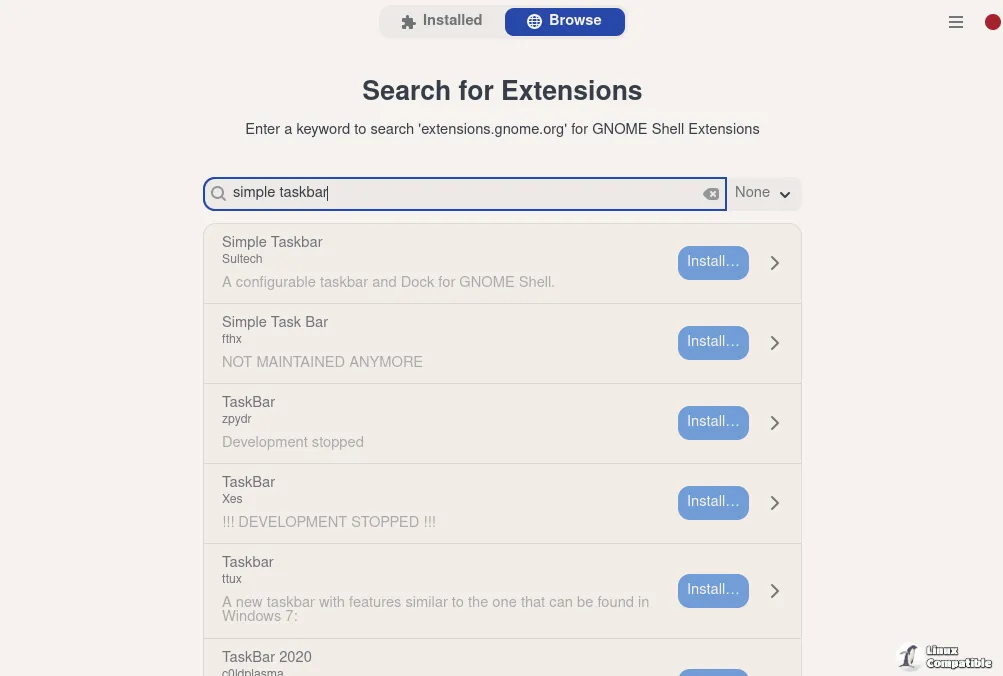
Or build from source if you prefer the raw route:
git clone https://github.com/Sultech/simple-taskbar.git
cd simple-taskbar
./package.sh
gnome-extensions install --force dist/simple-taskbar@sultech.shell-extension.zip
gnome-extensions enable simple-taskbar@sultech
If GNOME Shell doesn't pick it up immediately, log out and back in. To open settings, run gnome-extensions prefs simple-taskbar@sultech.
For anyone running Dash to Panel or Dash to Dock, be aware those get auto-disabled while Simple Taskbar is active, since both restructure the same panel.
Head here to the GitHub repository for the full changelog.


