Noctalia v5.3.0 ships a redesigned launcher and locks the calculator down
The independent Wayland shell's latest drop swaps the old launcher, loosens dock and desktop personalization, and quietly locks down a bunch of credential and injection vectors.
Noctalia, the independent Wayland desktop shell that wants to replace your pile of separate bars, launchers, and lock screens with a single TOML file, just pushed v5.3.0. It arrived today via automation, landing about six weeks after v5.2.1 and continuing a release pace that's genuinely fast for an unfunded project.
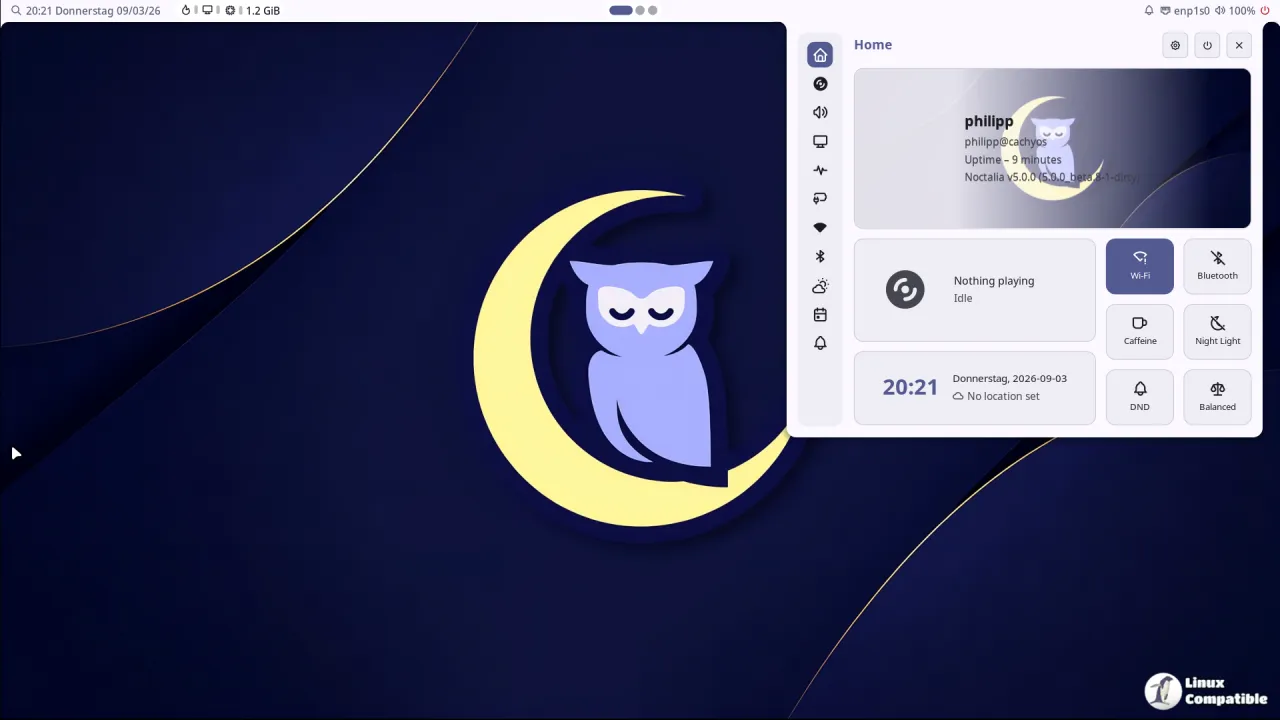
The headline here is a redesigned launcher. The old minimal layout survives as a "simple" mode, so you haven't lost the look that first caught people's attention on Hacker News. But there's more going on than a fresh app grid.
Keep in mind that the release leans as much on security as it does on cosmetics.
Not the usual feature drop
Most Wayland shells ship improvements that pile up into a grab-bag. One tool for the bar, another for launchers, a daemon for notifications, a separate lock screen, a wallpaper manager, and so on. Noctalia's pitch has always been to collapse that stack into one configurable layer. This release keeps pushing that idea.
The launcher gets improved browsing, icon-only category toggles, and usage tracking that no longer gets tangled up with result sorting. There's also a per-monitor dock, desktop media-artwork backgrounds with a visualizer and adjustable blur, and a configurable pointer auto-hide delay for bars.
It's a fair amount of personalization packed into one build.
The security half matters more
Here's where v5.3.0 distinguishes itself. Noctalia has now blocked the built-in calculator from executing programs or touching files while you type or paste. For something that sounds harmless, that's a real injection vector. You'd be surprised how many self-contained tools hand you a mini shell and call it convenience.
Password handling got tightened too. Revealed passwords stay out of the clipboard, undo history, and input-method buffers. The lock screen can no longer be stuck in an endless authentication-retry loop, and disconnected fingerprint readers are finally released for reuse.
A couple of thoughtful defaults deserve mention. The optional passwordless unlock grace period ships disabled by default and stays unavailable for sleep locks, so it can't quietly weaken the most sensitive state.
The rest, briefly
Beyond the big themes, Noctalia bundled calendar deduplication, which merges duplicate events with optional patterns that ignore title differences. Notifications now warn you when a Wi-Fi connection fails, and Bluetooth service names in authorization prompts became actually readable.
There were plenty of fixes too. Some newsworthy ones: pinned launcher apps click correctly after scrolling, applications whose desktop entries start with environment assignments actually launch, and symlinked directories are followed when searching wallpapers. On the performance side, stalls during wallpaper loading and icon-theme scans got trimmed, and high CPU use after the compositor disconnects is gone.
The v5 era itself is worth a moment. The project started as noctalia-shell, a "sleek and minimal" experiment that surfaced on Hacker News around eight months ago with automatic wallpaper-based theming. It reached its first stable line, v5.0.1, in September and has shipped a new release roughly every two weeks since. The main repo now sits at around 11.3k GitHub stars, for what it's worth — strong numbers for a project running on donations and the MIT license.
Worth considering
It's arguably one of the more honest attempts at a toolkit-independent Wayland shell. The no-QT, no-GTK choice in C++ and OpenGL ES pays off in predictability, though it does leave you in the minority since most of the ecosystem leans on those same toolkits. If you're running a slimmer stack on Niri, Hyprland, Sway, or Umbriel, the single-config draw is real.
That said, the lack of a full environment is a deliberate trade-off. Noctalia won't manage your compositor or take over your dotfiles, and you're still responsible for window management. Some people want exactly that separation. Others will find the whole thing too much responsibility for a desktop.
Where to get it
Noctalia v5.3.0 is available now. It's MIT-licensed and builds from source with Meson, with a Nix flake and a Home Manager module, plus distro packages for Debian, openSUSE, Chimera Linux, and Guix.
Head here to read the full changelog and here for the documentation.


