Simple Taskbar V68/V69 brings a music pill and smarter Blur My Shell integration
The "Extension Integration" release is the feature-heavy drop the maintainer had to patch the same evening.
Simple Taskbar, the open-source GNOME Shell extension, shipped V68 on October 7. It's the most feature-heavy release the project has put out in a while, and it arrived with enough loose ends that the maintainer followed up within the hour with V69 to kill a crash. But the real story is what V68 itself actually brought, not the cleanup that came after it.
Simple Taskbar turns GNOME's panel into a configurable taskbar, adds an optional separate dock, and leaves the Activities button, clock, and Quick Settings alone. It runs on GNOME Shell 48 through 51, sits under the GPL-2.0-or-later license, and has gathered a little over 150 GitHub stars. It collects no telemetry, touches no network, and runs no bundled programs. Which, for a desktop extension, is a welcome change of pace.
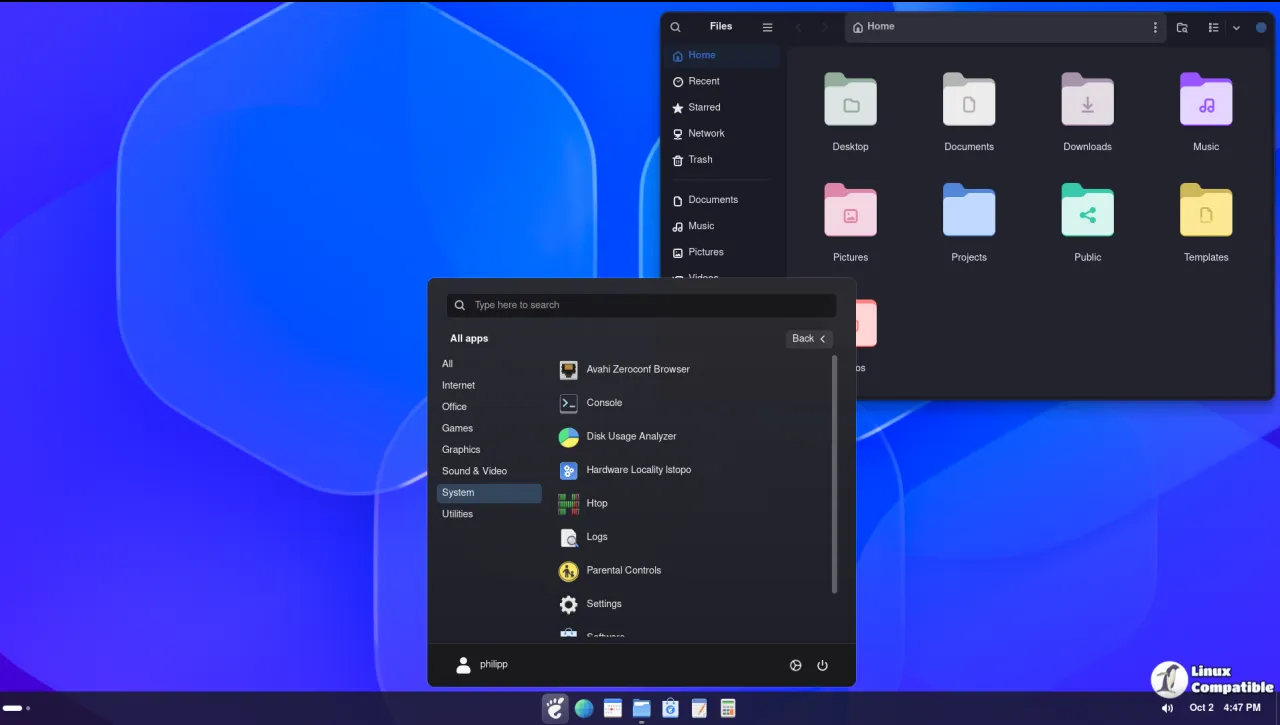
New integrations
The headline additions are integrations with tools you probably already run. V68 adds a dynamic music pill for the dock, so your now-playing track shows up right there in the taskbar instead of living off inside Quick Settings. It's a small thing, but it's exactly the kind of feature you'd wonder how you lived without.
The other new piece is Blur My Shell support aimed at the dock itself. On newer versions of Blur My Shell, the dock now uses its own blur instead of falling back to the panel blur, which gives more sensible translucency. It's a nice bit of housekeeping, and it means the dock and panel can finally blur independently of one another.
Everything else
V68 didn't stop at new features. It reshaped a bunch of behaviour around secondary monitors and resizing. Secondary-monitor taskbar sizing and adaptive icon behaviour improved, and the dock now resizes more cleanly when its contents change size. Files shortcuts got moved into the taskbar and dock location settings, which is where you'd expect them anyway. Default panel mode also got GNOME animations and app shortcuts restored, since that mode was leaving them out.
The bug fixes hit the usual suspects. V68 patched uneven dock borders under fractional scaling, overflow updates that cancelled open window previews, and secondary taskbars shifting as icons shrank. It fixed minimum icon sizing on secondary-monitor taskbars, overview space reservation for secondary docks, and drag behavior while taskbar magnification was active on GNOME 48.
Keep in mind that several of those fixes touch the very same subsystems the next day's hot fix had to repair: magnification, window dodge, and dock blur. That's a tell that feature growth outpaced the stability testing, which is why the maintainer jumped straight to a dedicated patch instead of waiting for the next feature release.
Why V68 is the story here
The V68/V69 pairing says something honest about this project. Feature momentum is real, and the maintainer reacts fast when a common setup breaks. V69's sub-hour turnaround fixed a crash that only appears when window dodge and icon magnification are both enabled on the main panel, but it exists entirely because V68 pushed those features harder.
There's also a pattern worth flagging. Icon magnification has been a recurring headache across several releases: V63 fixed dock icons sliding as magnification ended, V66 stopped the dock blur from flashing, and now V68 brings it into the integration mix. It's one of the extension's signature features and also one of the trickiest to get right across lock-unlock cycles, fractional scaling, and Blur My Shell.
So V68 is plenty stable on its own for most people. If you happen to run window dodge plus icon magnification together, grab V69 too. Otherwise the feature drop is the reason to update.
Simple Taskbar supports GNOME Shell 48, 49, 50, and 51. Grab it from GNOME Extensions or Extension Manager. Source installs work through the repo's package.sh script and the usual gnome-extensions commands. One caveat: Dash to Panel is disabled while Simple Taskbar runs, and Dash to Dock plus the Ubuntu Dock step aside in Taskbar, Dock, and Windows XP Theme modes.
How to Install it
Pull it from GNOME Extensions or Extension Manager. Or build from source:
git clone https://github.com/Sultech/simple-taskbar.git
cd simple-taskbar
./package.sh
gnome-extensions install --force dist/simple-taskbar@sultech.shell-extension.zip
gnome-extensions enable simple-taskbar@sultech
Open the settings via Extension Manager, by right-clicking empty panel space, or by running gnome-extensions prefs simple-taskbar@sultech. If you feel like funding the work, there's a Buy Me a Coffee link.
Head here to the GitHub release announcement.


