Simple Taskbar 7.3.0 ships a macOS-style Dock for GNOME
The GNOME extension adds Apple-style icon magnification, a reshaped "Magic Lamp" animation, and a batch of bug fixes to the popular bottom-bar replacement.
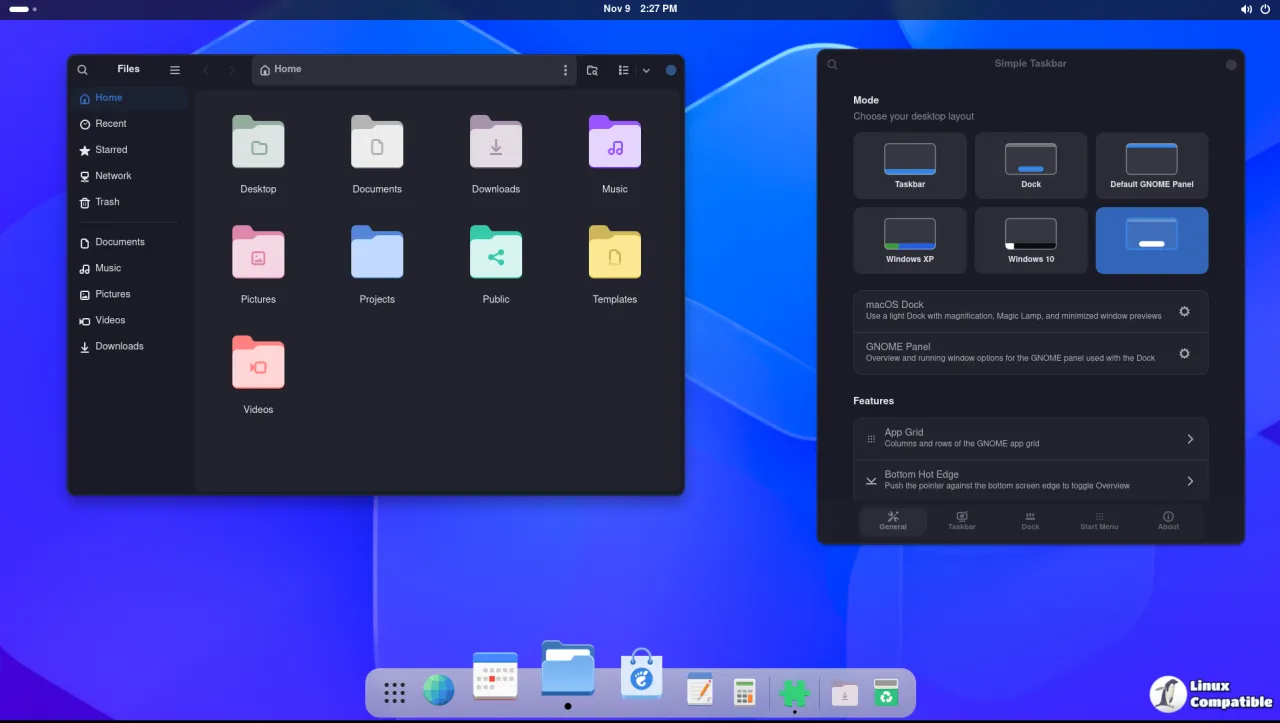
Simple Taskbar 7.3.0 is out, and it brings a macOS-style Dock to GNOME. The release shipped today. Icon magnification, a "Magic Lamp" minimize animation, and thumbnails of minimized windows round out the feature set.
For those not living in the Linux desktop trenches, here's the setup. GNOME keeps a single slim bar across the top of your screen, with Activities, an app grid, a clock, and Quick Settings. People migrating in from Windows or macOS tend to want a real taskbar at the bottom instead, with pinned icons and window previews. Two extensions have filled that gap for years: Dash to Dock and Dash to Panel. Simple Taskbar is the younger entrant, and it's been climbing the ranks fast.
What 7.3.0 actually adds
The release is titled "macOS Dock Mode." The headline feature is an Apple-inspired Dock where icons grow as your pointer nears them and minimized windows dissolve into their taskbar icon. You also get clickable thumbnails of minimized windows in the Locations area, appearing before folders, drives, and the Trash so you can jump straight to a hidden window.
There's polish to go along with the feature. The Magic Lamp itself now bends and slides more smoothly. Overview settings that don't apply while a Dock is active are hidden to cut down on confusion. The logo got refreshed, and the new options were pushed into all nine supported languages.
Then comes the bug pile. App menus now open aligned with their icon instead of drifting sideways while magnification spreads the row. Floating taskbars on secondary monitors stopped recomputing their width every frame while idle. Magnification errors triggered when switching panel modes got squashed, and the minimum icon size now restores correctly when you go back to Taskbar mode.
It's arguably the fastest-moving extension of this type on the market. The project was created on July 19, 2026, and within about three months it had roughly 155 GitHub stars and around 9,300 downloads on the official GNOME Extensions site. In October, the developer was dropping a tagged update every four to five days. As of today it sits at about 163 stars and 13 forks, with 25 commits already ahead on the main branch.
Behind the project
The developer goes by Sultech and he's working entirely alone. He's been chasing GNOME's APIs hard. GNOME 51 support was added and reportedly dropped across builds, a flip-flop that makes the difficulty of writing extensions against a moving target pretty obvious.
On the privacy front, there's not much to worry about. No telemetry. No network access. It launches no external programs at all. The one caveat is that GNOME's own search providers supply results, and some of those may copy result text to your clipboard when you activate a piece of it. At least that's disclosed in the metadata.
It also slots neatly into the existing ecosystem. When you're in most modes, Simple Taskbar auto-disables Dash to Panel so you don't end up with two launchers fighting over the same screen edge. Dash to Dock and the Ubuntu Dock stick around only in Default GNOME Panel mode. It plays along with Blur My Shell for blur effects, and desktop-icon extensions can add shortcuts straight from the Start Menu.
If you want to try it, install it from the GNOME Extensions website or just search "Simple Taskbar" in the Extension Manager app. It supports GNOME Shell 48, 49, 50, and 51, across both X11 and Wayland sessions. You can also build from source, though you'll want to log out and back in if GNOME Shell doesn't pick up the new extension.
Head here to the GitHub release page for the full changelog.


