Shelly 3.4 Adds Firmware Update Support to Its Arch Linux GUI Package Manager
A day-later bugfix quietly walks back a promise the feature release made.
Shelly, the open-source pacman alternative for Arch Linux, shipped 3.4.0 on November 19. Its lead developer followed up with 3.4.1 a single day later, and that patch quietly dropped a theme mode that 3.4.0 had explicitly promised to leave untouched.
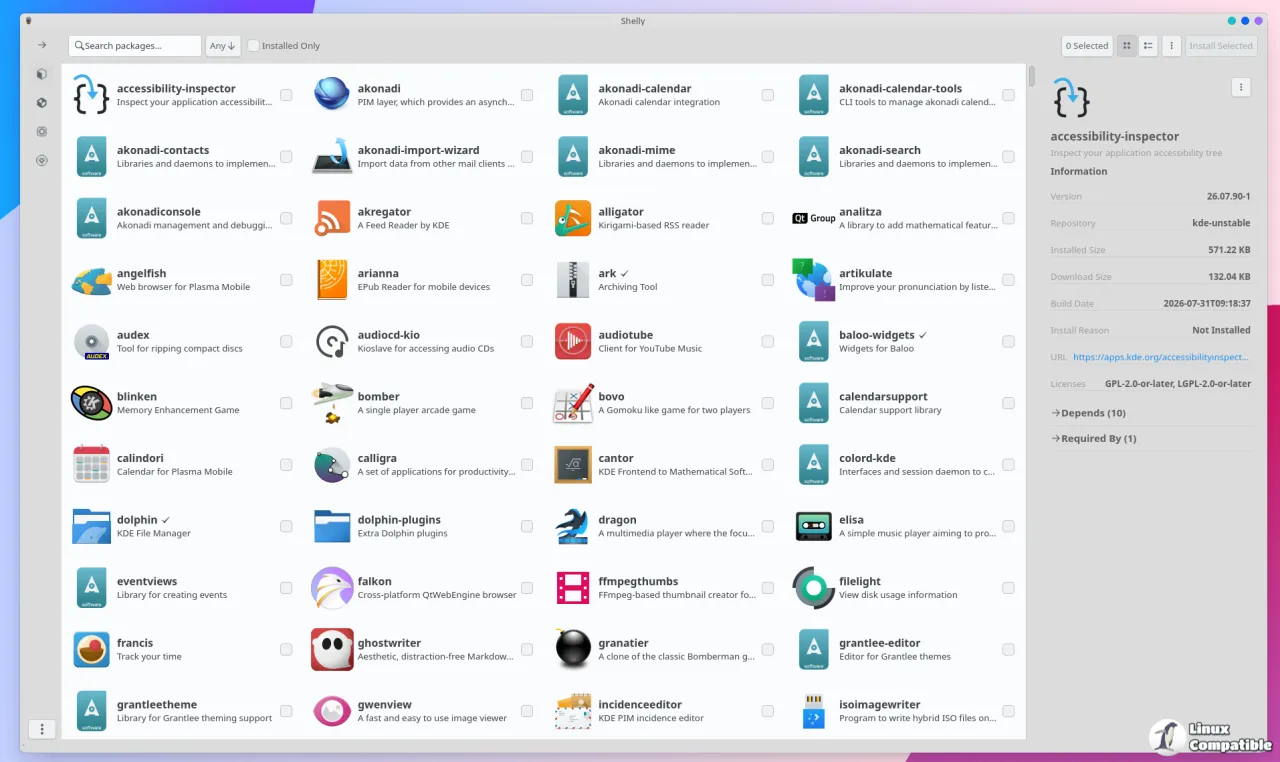
The headline feature in 3.4.0 is firmware management. For the first time, the GTK4 desktop app can update, downgrade, and reinstall device firmware (UEFI/BIOS and peripherals) through fwupd and the Linux Vendor Firmware Service, without you opening a terminal.
The firmware integration landed with little fuss. The theme reversal is where it gets interesting.
The firmware page
Here's the part that actually made Linux press. A new opt-in Firmware page talks to fwupd over LVFS, reaching the same catalog a Windows machine or a Fedora box would hit, now sitting inside Shelly's interface.
It stays opt-in by design, which is the right call given what flashing firmware can do. The page hides itself until you tick Firmware on the welcome screen or flip Enable Firmware in Settings. Shelly installs fwupd on demand through the normal privileged transaction, and because the daemon is D-Bus-activated, there's no service to enable. It also stays an optional dependency of the UI packages, so a barebones install stays barebones.
The device list ranks updatable hardware with upgrade badges. The detail pane shows current, minimum, and latest versions, plus vendor, flags, and GUIDs. Per-release buttons let you Update, Downgrade, or Reinstall. Blocked releases stay greyed out, with the reason attached.
It's live too. Devices appearing, changing, or dropping off get tracked in real time, and a battery banner mirrors fwupd's own low-power gate.
The consent flow is where Shelly at least thinks about the danger. The confirm dialog names the device and version, shows download size and estimated install time, and warns the device goes dark mid-flash. On full-disk-encryption setups, the confirm button stays disabled until you tick the recovery-key checkbox. Alternate-branch releases get an explicit warning before anything gets written.
A recovery path exists if fwupd quits on you. The page shows a disconnected banner while the last device list stays browsable, and Check Again re-activates the daemon.
The rest of 3.4.0
Beyond firmware, 3.4.0 refines the Pearl theme from last month. A correctness pass (PR #2229) keeps lists rendering as designed in both light and dark, moves table headers to a single pill bar, and adds hairline buttons so sizes don't shift. The stray teal window border is gone.
Package tables gained a column menu (PR #2237): show or hide columns, drag them into any order, with each layout saved between launches.
Two fixes underneath the polish are worth a mention. Split-package AUR builds used to fail when later package() functions ran from the wrong working directory; Shelly now builds the full split set in one pass, the way makepkg does. A new valgrind gate runs UI tests and a live session under memcheck, landing on zero definitely-lost bytes.
3.4.1 walks it back
Three commits into the tag, twelve changes in the full branch diff. Its public changelog is deliberately terse next to the richly documented 3.4.0.
The one that matters: it drops the System GTK mode entirely. Shelly now follows the desktop's accent color and scheme. Follow-up commits keep Shelly's own design when a desktop's colors prove unreadable, so the app degrades gracefully rather than tossing the whole theme out the window.
This is the detail worth flagging. 3.4.0's notes had promised System GTK mode was untouched. One day later, that promise was gone. For anyone watching the UI direction, it's a fairly clear signal that the team reconsidered the decision almost as soon as it shipped.
Where to get it
Shelly is free and open source under GPL-3.0. The easiest install is via CachyOS (sudo pacman -S shelly), an AUR helper like yay or paru, or building from source with Zig 0.17.1.


