OpenShot 4.1.0 Ships With Native Text Editing, 4K Auto-Optimize, and an AI-Driving Command Line
The free and open-source video editor now lets you type directly onto the video preview, optimize heavy 4K+ footage automatically, and hand the whole thing to an AI coding agent. OpenShot Studios released 4.1.0 on October 31, 2026, under the tagline "Type, Create, Automate." It's the third major drop in three months, following OpenShot 4.0 and 4.0.1.
For a project funded by donations rather than subscription tiers, that's a fast pace. The team behind it is lean. Founder Jonathan Thomas ("jonoomph") shipped the release as commit dd237c6, requiring the newly updated libopenshot 1.1.0 alongside libopenshot-audio 1.0.2.
What's actually new
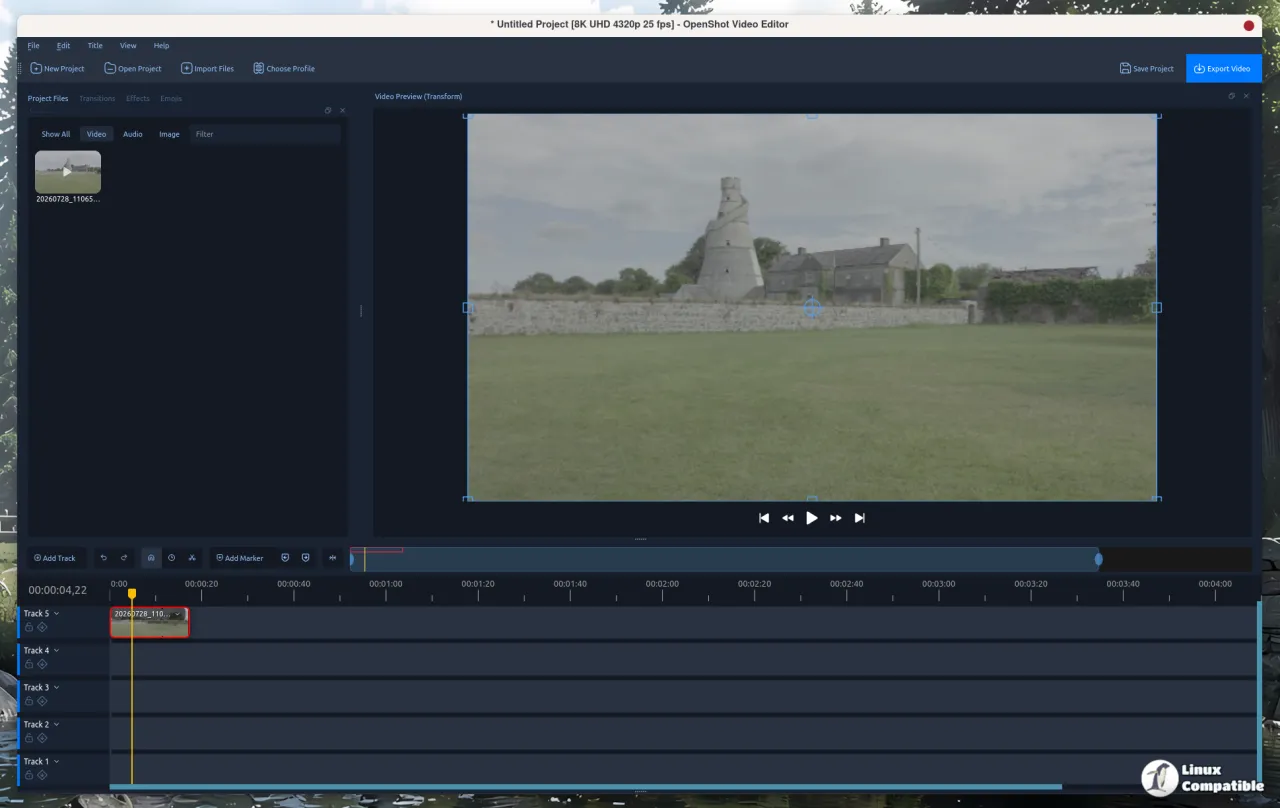
The headline feature is on-video text editing. You add and style text right in the preview window, no external tool, no placeholder image slapped down as a workaround. Hit the Tt button on the timeline toolbar, go to Title => Text, or press Shift+T. A text clip pops up at the playhead with the placeholder already selected, you type, then press Enter.
A floating style bar hovers over the preview while you type, offering font, size, bold, italic, color, and alignment. It's smart about it, repositioning itself so it doesn't cover the very thing you're editing. The redesigned Edit Style dialog now keeps every setting in one place, and outlines render behind the letters this time, so a thick outline grows outward instead of eating your glyph.
Not cheap in effort, this. Colors, outlines, borders, and corner radius are all keyframe-animated like any other property. The old Title editor and Captions still exist for SVG work and timed subtitles, if you need them.
Editing heavy footage without the lag
Auto-Optimize was a thing in OpenShot 3.5.1 as a manual "optimized videos" workflow. Now 4.1 makes it automatic, which is the difference between a feature people find and one that gathers dust.
High-resolution footage, 4K files, fat ProRes exports, long camera clips, is slow to decode, which is exactly what makes previews lag and scrubbing stall. OpenShot now creates a much smaller optimized copy (720p by default) for instant previews and seeking. Crucially, exports always pull from the original full-quality files, so your final output stays genuinely 4K.
Here's a nice detail: it identifies slow files without extra decoding. It uses the timing data it already collects for the first thumbnail of each clip, so it's not burning CPU to figure out what's slow. Accept it once and later-imported slow footage queues up while you keep working. Exports always use the originals. Toggle it anytime with File => Auto-Optimize (Ctrl+Alt+O), or set it to Ask, Always, or Never in a new Optimize preferences tab.
Let an AI drive your timeline
This is the part that'll get people talking. The new openshot-cli is an experimental command-line interface for scripting, batch exports, and AI-assisted editing.
You can import files, add and trim clips, apply Motion / Look / Speed / Waveform presets, set keyframes, drop in text, and export, with every result returned as JSON for easy scripting. The trick is that each command documents itself and returns structured output, so tools like Claude Code and Codex can actually drive it. Describe a video and the agent imports footage, builds the timeline, and exports.
And it's not a blind one-shot. Agents can inspect the edit as they go. The CLI returns thumbnail strips, audio waveform data, and timeline previews, and it can generate contact sheets, timestamped sampled frames, so an agent has context without playing through every single clip.
openshot-cli session start
openshot-cli file import /home/me/Videos/clip.mp4
openshot-cli clip add FILE_ID --position 0 --start 10 --end 17
openshot-cli clip motion CLIP_ID --preset slide-in-left
openshot-cli export start /home/me/Videos/video.mp4 --wait
It runs headless on a server, or alongside the desktop editor via openshot-cli session show, sharing the same timeline, undo history, and active export jobs. So humans and agents can actually collaborate on the same live project. The whole thing is flagged experimental, and you can validate export settings from the command line with openshot-cli export validate.
The boring-but-useful stuff
Smarter exports matter more than the headline feature, honestly. Incompatible settings, think MP3 audio jammed into a WebM container, are now caught before you export. FFmpeg validates your settings in the background as you change them, outlines problem fields in red, shows badges on the tabs, and a Problems button lists each issue with FFmpeg's own explanation plus a one-click fix, or Fix All. Export stays locked until the errors clear up.
There's a More menu grouping every format and codec into Sharing & Playback, Editing & Mastering, and Hardware Accelerated. A new Complete tab summarizes each finished export, location, format, resolution, quality, size, duration, export time, with one-click Watch Video and Open Containing Folder. The first successful export celebrates with a burst of confetti. It's a small thing. You'll appreciate it the day it saves you.
The release also expands keyboard-only editing across more of the app, redesigns the Preview windows around a shared filmstrip, and, new on Linux, adds native ARM64 builds, available from the daily PPA and the edge Snap channel. Native builds for Apple Silicon and Windows on ARM are still cooking.
Worth a look
It's a capable machine for what it costs, which is nothing, though OpenShot has never been the tool for pros who want fine-grained control. The free price tag and the small footprint help. The lack of deep color-grading or advanced audio post still hurts it, somewhat. But native text, real 4K workflow help, and a live export validator close the gap for anyone doing day-to-day cuts on a budget.
The AI-agent automation is the genuine story here. Free creative software exposing its entire editing surface to tools like Claude Code and Codex, while keeping a human in the loop, is exactly the kind of thing proprietary editors can't easily replicate, since their automation lives behind API walls and paid plans.
Head here to the GitHub release page.


