OpenShot 4.0.0 has been released, delivering a massive workflow overhaul led by creator Jonathan Thomas after a year of development. The release replaces the web-based timeline with a native Qt engine, adds a dedicated color grading workspace, and introduces local AI object masking that runs entirely offline via ONNX models without subscriptions. Users also get a new recording view for screen and webcam capture, ten fresh effects including audio visualization and film grain, plus significant speed boosts like a 61.8% improvement in blur processing. OpenShot remains a free, open-source project available on Windows, macOS, and Linux, with MSIX packaging now supporting Windows Store distribution.
OpenShot 4.0.0 Lands with Local AI Masks, New Color View, and a Native Timeline
The veteran free video editor gets a year-long creative overhaul from creator Jonathan Thomas.
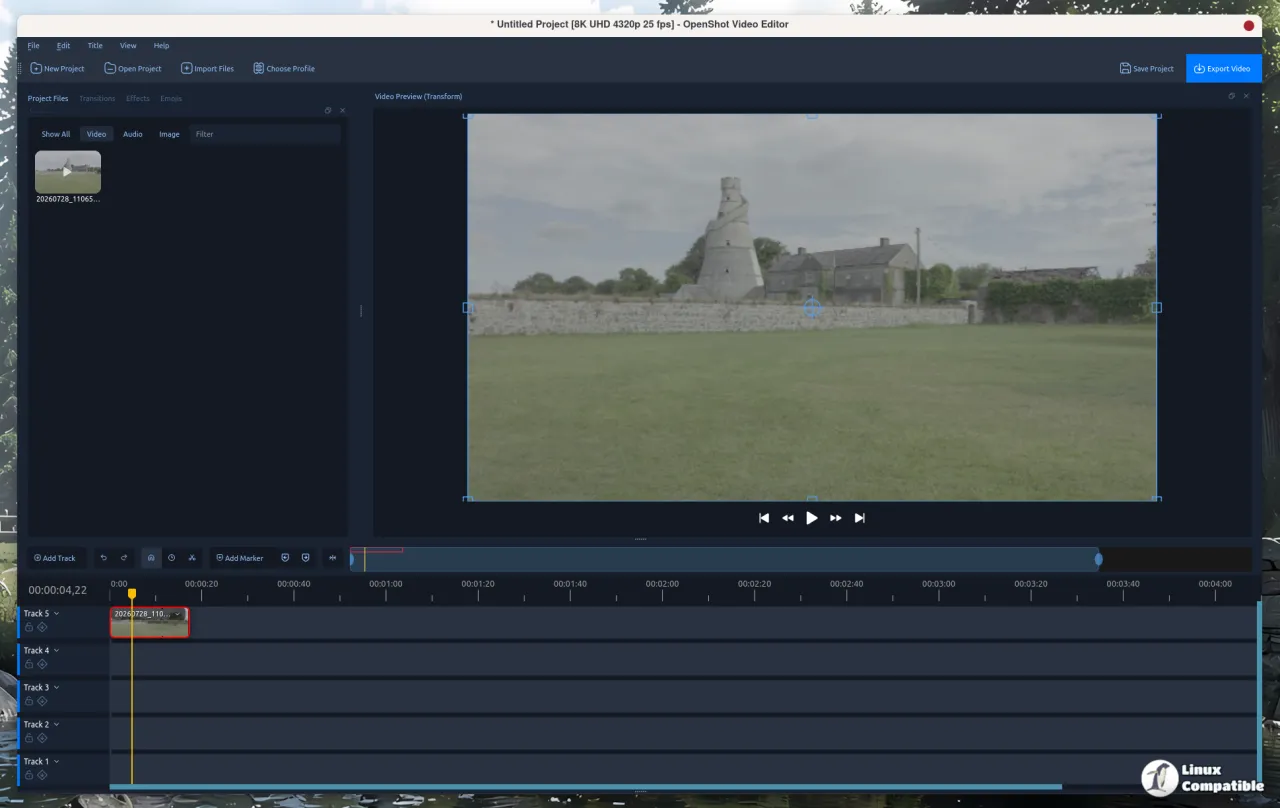
OpenShot 4.0.0 is officially here. Creator Jonathan Thomas pushed the release on August 30, 2026, marking what he's calling the most ambitious upgrade to the project since its inception. The new version spans roughly a year of development and brings a redesigned native Qt timeline, dedicated color grading, screen recording, and fully local AI-powered masking.
If you've been editing with OpenShot since the Ubuntu days of 2008, the changes here feel like a different program. The previous major release was 3.5.1 back in April 2026, with interim drops like 3.5 and 3.4 filling the gaps. This v4.0 build, however, is a complete workflow shift.
Color, Recording, and Effects
The headline feature for many will be the new Color View. OpenShot is adding a dedicated workspace for color correction, complete with color wheels, curves, LUT controls, and live video scopes that update in real time.
You get separate wheels for global, shadow, midtone, and highlight adjustments. There are four editable curves with full Bezier support for R/G/B channels, plus support for .cube LUT files with blend intensity control. The live scopes include Luma Waveform, Histogram, RGB Parade, and Vectorscope, all of which update as you work. A region probe tool and a skin-tone reference line on the Vectorscope help dial in skin tones without guessing.
Quick presets like Auto Contrast, Lift Shadows, and Warm Up are included for when you need to get something close to done fast. And yes, the whole workflow is fully keyframeable.
Thomas also added a Recording View. You can now record screen, webcam, microphone, and system audio directly into a project. Each source becomes its own media file and timeline clip, so you can keep your microphone separate from system audio if you prefer. There's a picture-in-picture layout for combined screen and webcam takes, along with live feedback from meters and previews.
The Recording View also supports PipeWire on Linux Wayland, which should make screen capture work smoother on modern distros. You can preview an existing project while recording, which is handy for voice-overs or commentary tracks.
On the effects front, ten new tools land in this build. The Audio Visualization effect handles waveforms, bars, radial patterns, and spectrum displays at up to 2,200 FPS. Film Grain offers repeatable, animated looks based on 35mm, 16mm, and Super 8 formats. The Glow effect adds halos for text and logos, while the Displacement Map uses images or video to warp clips for water ripples or heat haze. A new Timer effect handles count-up and count-down displays, and the Object Mask effect powers the local AI segmentation.
Local AI and a Native Timeline
One of the smarter moves in this release is the shift to fully local AI masks. The Object Mask effect uses positive and negative points to generate a selection preview, then follows the subject through the clip.
The underlying models run locally via YOLOv5 ONNX, EfficientSAM, and Cutie. You can download them for free, and they convert to work with libopenshot and OpenCV. No cloud processing. No AI account required. No subscription. Finished masks can be reused as sources for Blur, Pixelate, Color Grade, and other effects.
For privacy-conscious editors who don't want footage leaving their machine, this is a significant win.
The timeline itself has been completely rebuilt. OpenShot is migrating from the old web-based HTML/JavaScript/AngularJS timeline to a native Qt implementation. The result is smoother zooming with less jitter, editable timecode fields in the ruler, improved keyframe controls, and new clip context menus organized around editing workflows like Transform, Look, Audio, and Speed. Mouse-wheel horizontal scrolling and more reliable cache bar behavior round out the changes.
Performance numbers also look solid. Compared to OpenShot 3.5.1, the Blur effect is now +61.8% faster. Sharpen is +12.8% faster. Timeline operations with transforms see a +5.1% boost, and basic rendering is +3.4% faster. The rest of the optimizations cover video scopes, color grading, film grain, and audio visualization.
Performance and Platforms
OpenShot 4.0.0 expands Qt 6 and PySide6 compatibility across the board. MSIX packaging for Windows Store distribution is new in this release, along with high-DPI scaling improvements for all platforms. Linux desktop portal integration handles file access and screen capture on Wayland more cleanly.
There are also foundations laid for Android compatibility in the codebase. That's not a supported platform yet, and no release date has been announced, but the groundwork is there.
OpenShot remains free and open source under GPLv3. The project is funded primarily through user donations to OpenShot Studios, LLC, the Texas-based company Thomas incorporated back in 2012. The team is a member of the Open Invention Network for patent protection, and the GitHub repo currently sits at over 6,200 stars and 770 forks.
Fun fact about the name: OpenShot was inspired when Thomas installed Ubuntu in early 2008 and couldn't find a video editor that met his criteria. He was named after a missed basketball shot during a game of PIG. OpenShot equals Open source plus cinematic Shot.
Head here to download OpenShot 4.0.0. You can also support development through the donation page at openshot.org.


