ML4W OS 2.17 Adds a macOS-Style App Switcher and a Wallpaper Carousel to Hyprland
The popular Hyprland dotfiles project leans into workflow tweaks, not architecture.
Hyprland users have a fresh update on their hands. Stephan Raabe, the developer behind ML4W OS, shipped v2.17 of his dotfiles repository on November 4, adding a macOS-style app switcher, a wallpaper carousel, and a grab bag of workflow tweaks.
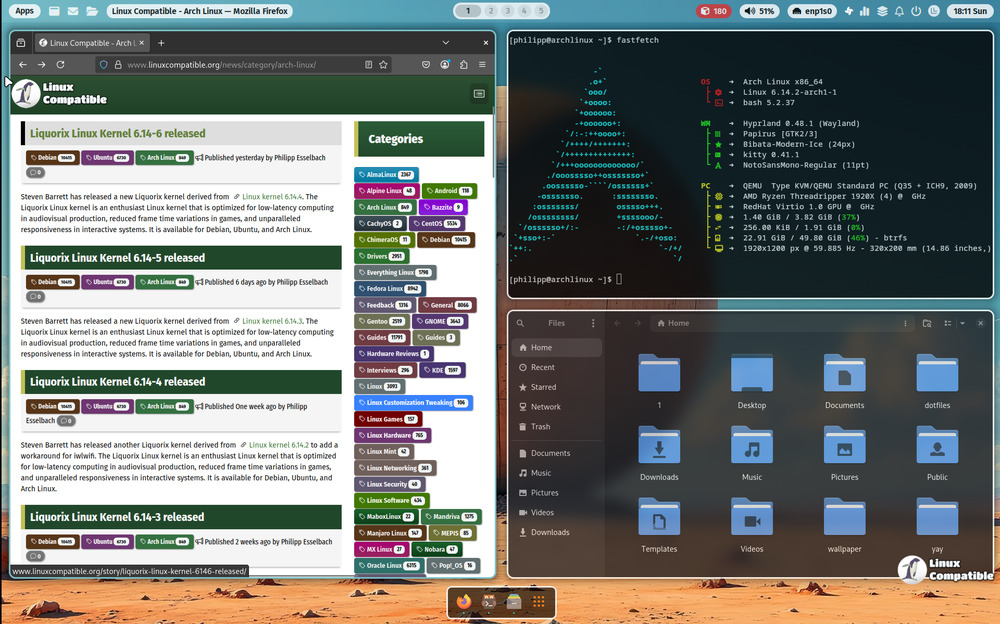
Before you go reconfiguring your desktop, though, it helps to know what ML4W OS actually is. Despite the "OS" in the name, it isn't an operating system. It's a full-featured dotfiles package built on top of Hyprland, the dynamic tiling Wayland compositor that's become the go-to for anyone who spends too much time customizing their Linux desktop. Run the installer once and you get a wallpaper-adaptive color theme, a sidebar, a dock, a launcher and a welcome app, all wired together so you don't have to stitch them up by hand.
It targets Arch and Arch-based distros primarily, though Fedora, Ubuntu and openSUSE Tumbleweed are now supported too. Everything's GPL-3.0-licensed, and there's a bootable Live ISO if you want to try before committing.
A macOS-style switcher and the rest of v2.17
The headline feature, well, if you can call it that, is the Hypr App Switcher. It's a small, MIT-licensed project by Muhammed Anshif, and it does exactly what its name says: swap between apps on your active workspace with ALT + Tab. Hold the key past roughly 150 milliseconds and a carousel HUD pops up; tap fast enough and it switches silently, no popup at all. That's the macOS trick, done right.
The switcher renders live window previews via Wayland screencopy, reads ML4W's wallpaper palette for its accent colors, and only fires up on the monitor you're actually looking at. It's tiny by the numbers, a handful of commits and what looks like single-digit stars. But its integration with ML4W's config paths is tight enough that it feels intentional. That says something about how this ecosystem pulls in community projects and makes them stick.
The switcher was probably the most-visible change here, but it's one of ten. There's now a wallpaper carousel, opened with SUPER + W or a button beside the search field. Move through images with the arrow keys or mouse wheel and commit with Return or a click. No transition effect kicks in, and the whole thing closes a second after you pick. You can also trigger it from the command line with qs ipc call wallpaper-carousel toggle.
Windows get some new handling too. The floating toggle (SUPER + SHIFT + T) now arranges floating windows into a 16px grid inside the free monitor area, respecting the bar and dock. A new "Window Mode" switch in the sidebar lets you force every new window to open floating across all workspaces, and that choice persists to disk. There's a microphone slider next to the volume one, a mute toggle that actually restores your previous level, and an audio output menu in the status bar that ships currently-playing audio over to whichever device you pick.
Screenshots got a redesign as well. Pick the type first, then whether it's immediate or delayed, with three one-tap grabs at the top. And one for the privacy-minded and the particular: default apps (kitty, neovim, nautilus, gnome-text-editor, firefox) now install only on the very first setup, not on every update. So if you swap Firefox for something else, an update won't quietly shove Firefox back in.
Why this release matters
This is a quality-of-life release more than an architectural one. It's the latest step in ML4W's multi-year migration to a native Quickshell (QML) UI, following v2.12 through v2.16 that replaced the welcome app, dock and status bar with native widgets and peeled away Arch-only dependencies. v2.17 isn't changing that direction. It's just making the thing you touch every day feel a touch smoother.
The default-apps change especially reflects a project growing up. For years, dotfile maintainers would happily reinstall your old favorites on the next update, trampling deliberate choices. ML4W is finally respecting the ones you make.
At roughly 5,080 stars, the repo stays one of the most popular Hyprland configs around, and this update keeps that momentum. It's arguably the most polished "just works" setup you can bolt onto Hyprland right now.
If you want to try it, install or update with the official one-liner (Arch recommended):
bash <(curl -s https://ml4w.com/os/stable)
A rolling variant, a Live ISO, and full documentation live at ml4w.com. Head here to the GitHub release page.


