Valve pushed SteamOS 0.5.7 to the Steam Frame's beta channel today, bringing a tracking fix for pose prediction, WebXR support in Chromium 157, and an audio repair that stops speakers from cutting out when an app accesses the microphone. The update rides along with SteamVR 2.19.1 for better streaming image quality, adds a 30-second display dim before sleep, and gives the Frame Controllers correct 0% battery reporting. However, the most-discussed change is the quiet removal of Advanced Supersampling support, which Valve never explained. The update is opt-in only and ships to stable later, but it does so alongside a reported foveated-streaming regression in the underlying SteamVR build.
Valve ships SteamOS 0.5.7 beta for the Steam Frame
The headset's latest tweak brings a tracking fix, WebXR, and a real audio repair, though the line that has people talking is the one quietly removing Advanced Supersampling.
Valve pushed SteamOS 0.5.7 to the Steam Frame's beta channel today, and the update is as much about removal as it is about addition. A tracking fix tops the list, a streaming-quality upgrade rides along with SteamVR 2.19.1, and there's an annoying audio bug being squashed. But the line that's got people talking is the one that takes something away.
Keep in mind that this is opt-in only. A headset sitting on the stable channel won't see a thing. It's Valve's usual play: surface the changes to enthusiasts first and catch regressions before they reach everyone.
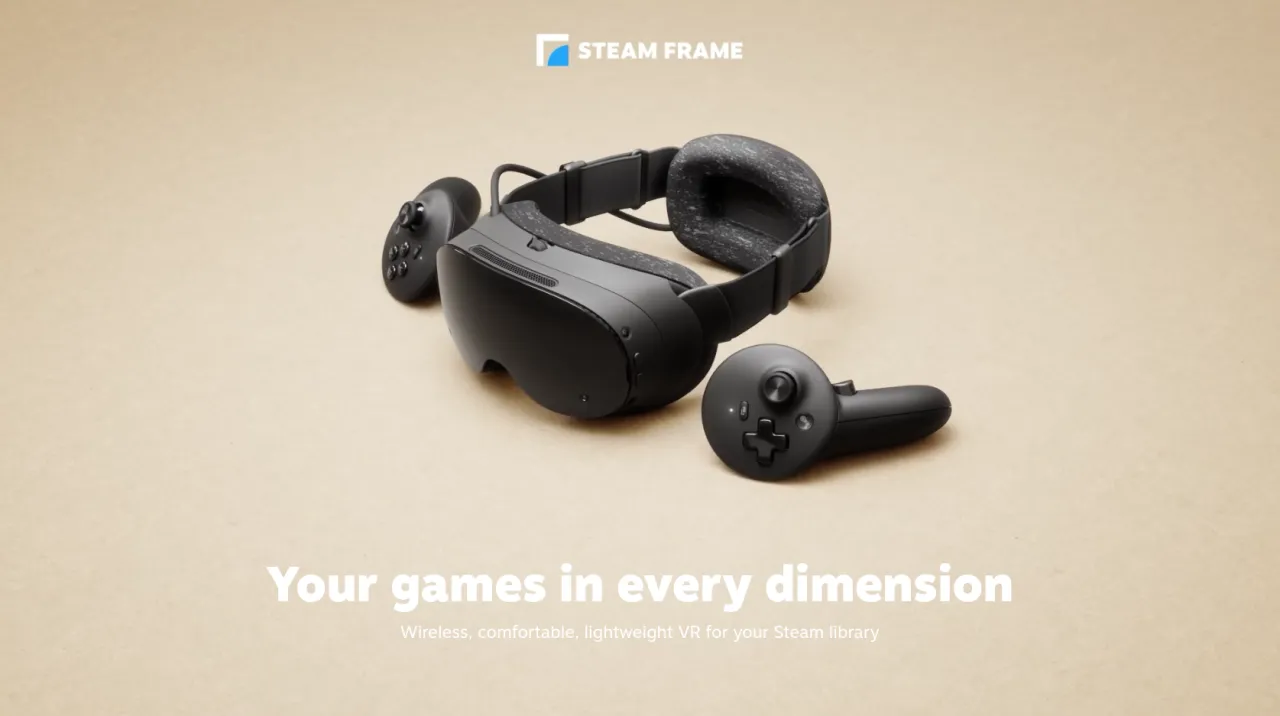
What's in the box (and what's been taken away)
The update rides on SteamVR 2.19.1, which Valve shipped to the PC beta channel two days earlier. Most of that release is about streaming image quality: a higher default resolution, a bumped encoded video size on the Frame from 1152 to 1216, and a new rendering pipeline that drops an intermediate texture plus an extra resampling step.
So the OS update basically packages those PC-side gains for the headset, then adds Frame-specific tuning. That includes improved vibration filtering for pose prediction, which the notes say "was affecting some units." It's a tracking fix, not a blanket upgrade. On that same front, foveated sharpening now runs independently of eye tracking. Turn eye tracking off and it stays on, defaulting to centered.
There are smaller touches too. The display dims for 30 seconds before sleep. WebXR is enabled in Chromium 157 and newer. Battery reporting on the Frame Controllers finally reads 0% correctly. New controller bindings landed for Chromalab, Batman Arkham, and Doom VFR.
The audio fix is arguably the most useful one in practice. Before this update, plugging in a mic or having an app grab the microphone killed your speaker output entirely, on either USB or Bluetooth. That wrecks voice chat and multiplayer comms, so getting it back on both speaker types is a genuine quality-of-life win.
You'll also get separate toggles to disable mic echo cancellation and noise suppression. These used to be bundled and can now be managed on their own, though there's a catch: they need the current Steam Client Beta, so stable users won't see them until they opt into another beta tier.
Almost every outlet that covered the 0.5.7 notes flagged the same line. Valve has removed Advanced Supersampling support on the Frame, and it didn't say why. That's unusual for a patch. Most updates add. This one takes away image-quality processing with no justification. If you leaned on Advanced Supersampling for crispness, expect the image to behave differently once you install.
There's one wrinkle worth flagging before you jump. The parent SteamVR build that 0.5.7 carries onto the headset, version 2.19.1, has a filed bug against it. Issue #1047 in Valve's SteamVR-for-Linux tracker describes a "gaze-locked image mismatch" during foveated streaming whenever an app can't hold its refresh rate. In short, the high-detail area following your eye can lag a frame behind the rest of the picture. The workaround is locking the app to a clean fraction of the refresh rate, or rolling back to stable SteamVR 2.18.4.
It's a beta-channel report against the VR runtime itself, not a direct claim about the OS update. But since 0.5.7 ships that same 2.19.1 runtime onto the headset, it's fair to note the foveated-streaming regression is showing up right beside the image-quality improvements it's supposed to bring. There's no user-facing foveation toggle on the Frame either, so you can't just switch it off to isolate the problem.
The Frame that gets the update
Those who missed it: the Steam Frame launched September 14 as Valve's first standalone VR headset, pitched mostly as a wireless streaming box for a PC library while also handling some standalone play. The guts are a Snapdragon 8 Gen 3, 16 GB of unified LPDDR5X, and a 256 GB or 1 TB storage option, all behind a dual 2160 by 2160 LCD panel per eye.
Prices sit at $1,059 for the 256 GB kit and $1,299 for the 1 TB version. Both include the two Frame Controllers, a Wi-Fi 6E adapter, and a copy of Half-Life: Alyx. No power supply in the box, though Valve sells a 45W unit for $29 and any 45W+ USB-C charger does the trick. Not exactly cheap.
Reviews were mixed, to be frank. Comfort and cable-free streaming drew praise. Battery life, measured at roughly one to two hours, and the price drew the criticism. The Frame's been described as the headset to grab if you already play VR on a PC and just want to ditch the cord, and a poorer deal if you want a self-contained console experience.
That framing matters. A good chunk of what 0.5.7 touches, tracking, streaming image quality, audio, targets the "wireless PC VR" pitch. In the two months since launch, Valve has been iterating quickly, and this one is tuning the subsystem that actually makes the hardware worth the money.
For the version-nerds, one fun detail: this is SteamOS 0.5.7, not 3.5.7. The Frame runs its own 0.x track, separate from the Steam Deck's 3.x line. And if you were wondering about the jump from 0.5.6 straight here, Valve skipped 0.5.0 through 0.5.5 without explanation.
To install the OS update, head to Settings => System => System Update Channel, select Beta, and check for updates. Grab the mic toggles too by opting into the Steam Client Beta in the same menu. Beta builds "include new features that are still being tested," per Valve, and changes like this usually trickle down to stable once they settle.
Head here for Valve's official announcement on the Steam Store.


