ML4W Dotfiles for Hyprland 2.13.0 Fixes the Config Mess
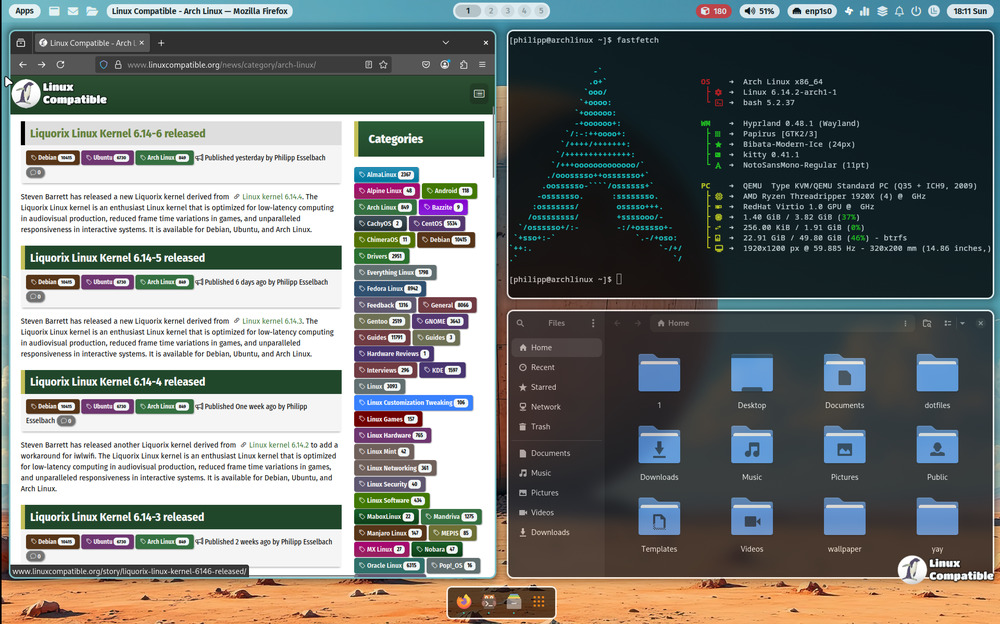
The latest update to the ML4W Dotfiles for Hyprland brings a much needed overhaul to how configurations are handled, along with practical tweaks that actually matter for daily use. Arch based distributions get a cleaner setup process, better wallpaper integration, and a welcome app that stops guessing what tools you need. This release swaps out the old config structure for something more maintainable while keeping the adaptive theming intact.
Why the ML4W Dotfiles for Hyprland Lua Migration Matters
The biggest change in this release is the migration from traditional configuration files to a new lua format. Long time users know how quickly those config files multiply and turn into a tangled mess after a rushed kernel upgrade or a failed graphics driver install. This shift keeps related settings grouped logically instead of scattering them across dozens of text files that fight each other during startup. A cleanup script now lives at ~/.config/ml4w/scripts/ml4w-remove-conf to strip out the leftover .conf files that get replaced during installation. Running that script matters because old config fragments often conflict with the new lua setup and cause silent window manager crashes. The welcome app handles most of this automatically, but keeping a backup before running any cleanup routine saves hours of troubleshooting later.
Welcome App Gets Real Tools Instead of Filler
The welcome app now includes hyprsysteminfo and hyprshutdown, which actually replaces the usual guesswork when tracking down hardware details or safely powering off a tiling setup. Most custom Hyprland configs ship with half baked shutdown scripts that leave background processes hanging or require manual intervention to kill stuck services. Adding proper system info means users can quickly check GPU drivers, input device mappings, and active monitors without digging through terminal history. The power app integration ensures clean session termination while keeping the adaptive material color themes intact across all components.
Wallpaper Selection and HyprMod Integration Feel Less Clunky
Setting a custom wallpaper folder now happens directly inside the wallpaper widget instead of forcing users to edit paths in hidden config files. This small change removes one more barrier for people who swap backgrounds frequently or test different color palettes against their desktop setup. The release also prepares the environment for HyprMod, which installs through the welcome app and adds extra launch buttons to both the sidebar and main interface. Drop shadows on Quickshell PanelWindows round out the visual updates, making the interface feel less flat without sacrificing performance. Some users will skip the mod entirely since extra launch buttons just add clutter to an already busy workspace, but the option stays cleanly isolated so it never forces itself on the base experience.
Release ML4W v2.13.0
Hyprland Configuration converted into new lua format. hyprsysteminfo added to Welcome App hyprshutdown added to Power App Add .conf cleanup script ~/.config/ml4w/scripts/ml4w-remove-conf to remove ...
Grab the update through your package manager or pull it from the official repo if you want a smoother daily workflow without wrestling with config files. The tiling window manager scene moves fast, and updates like this keep things usable for people who actually spend hours tweaking their setups.


