Krita AI Diffusion 1.51.0 Cleans Up the Messy Interface and Fixes GPU Headaches
The latest update to Krita AI Diffusion strips away the clunky workflow that has plagued digital painters for months and replaces it with a streamlined interface that actually makes sense. Version 1.51.0 brings inpaint and outpaint features that work right out of the box without forcing users to tweak sliders until their eyes bleed. Anyone who has wrestled with broken layer references or crashed plugins on AMD hardware will find this release worth the download.
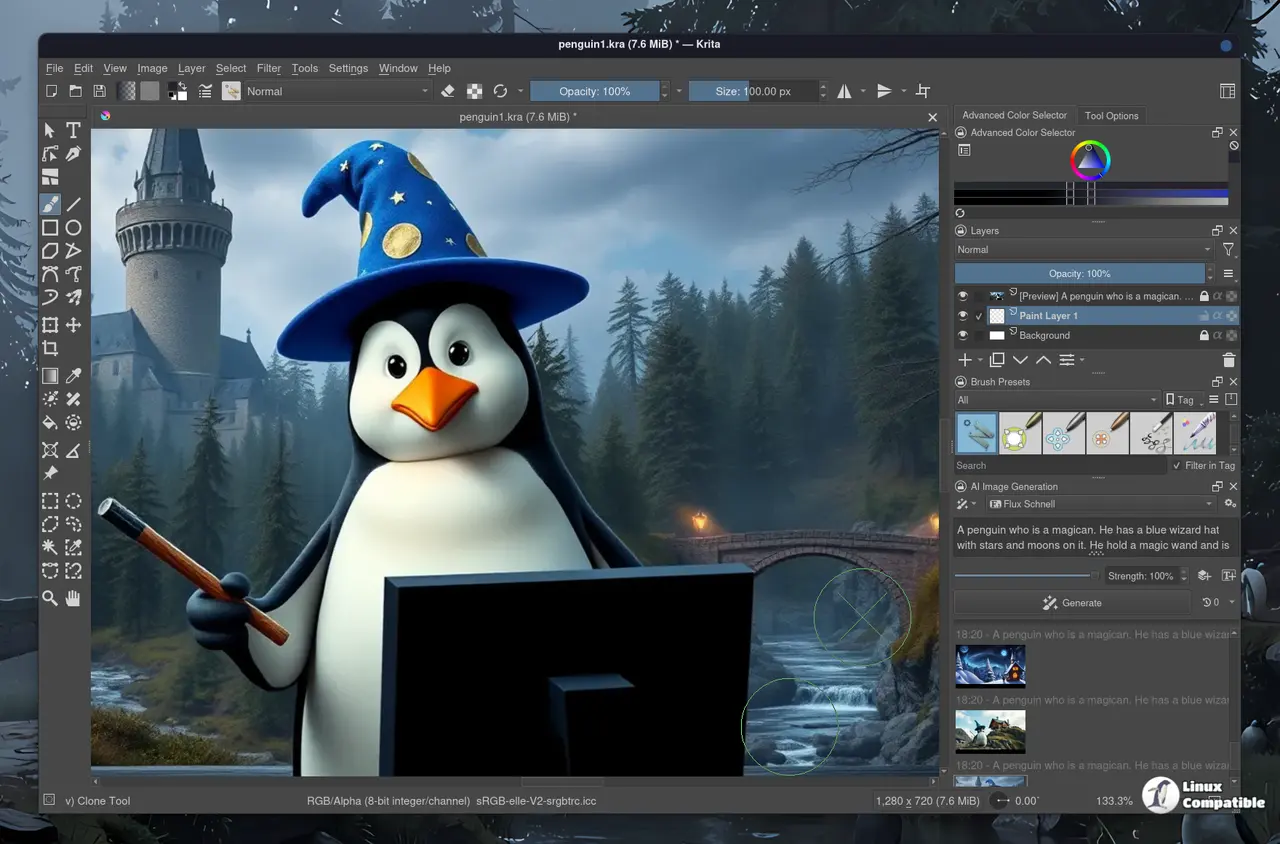
Streamlined Interface for Krita AI Diffusion Generation
The new interface removes the guesswork from generating images directly inside the painting canvas. Inpaint and outpaint now run with optional text prompts, which means artists can skip the endless parameter hunting that usually breaks creative momentum. Fill and expand operations at full strength finally demand the inpaint control model, and the results look noticeably cleaner than before. The developers also tightened up color matching so it stops guessing when there is no color data outside a selection. This small fix alone saves hours of manual cleanup on masked areas because the plugin now respects actual canvas boundaries instead of bleeding colors into empty space.
Control Layers and Model Support
Control layers for Anima get a proper overhaul with support for Scribble, Line Art, and Unblur on the official v1.0 models. Older preview models still work but stick to Depth and Pose tracking. The plugin now de-duplicates layer references so the model does not waste processing power on identical inputs. Anyone who has watched their GPU fan spin up while Krita fed the same transparency mask three times will appreciate this optimization. Reference layers that lack proper support trigger clearer error messages instead of throwing silent failures mid-generation, which keeps the workflow from stalling at critical moments.
AMD GPU Support and Stability Fixes
ROCm now ships as a managed install option for supported AMD graphics cards, which removes the manual dependency hunting that usually breaks on fresh Windows installs. The update also patches several crashes tied to single-channel layers and fixes an annoying bug where the upscale strength slider locked up after picking an edit model. Document opening routines run smoother across custom workflows, and file permission errors get handled gracefully instead of freezing the entire canvas. These backend tweaks matter because they stop the plugin from throwing random exceptions right when a deadline approaches or when working with heavily layered project files.
Release Krita-AI-Diffusion Version 1.51.0
Download krita_ai_diffusion-1.51.0.zip For Krita 5 (recommended: Krita 5.3.1) Control layers for Anima Supported control modes: for official v1.0: Scribble, Line Art, Unblur for old preview model...
Grab the update through Krita’s built-in plugin manager and let it sort out the dependency mess automatically. The workflow feels tighter, the crashes are gone, and generating images inside a painting app finally stops feeling like debugging a server rack. Keep your brushes clean and your layers named properly.


