Kdenlive 26.04.1 Release Fixes Critical Project File Vulnerability
The latest maintenance update for the open source video editor drops a serious security patch alongside a handful of timeline and interface fixes. Users should upgrade immediately because opening a crafted project file from an untrusted source could trigger remote code execution on the system. This release also smooths out several crashes that have been annoying editors during routine editing sessions.
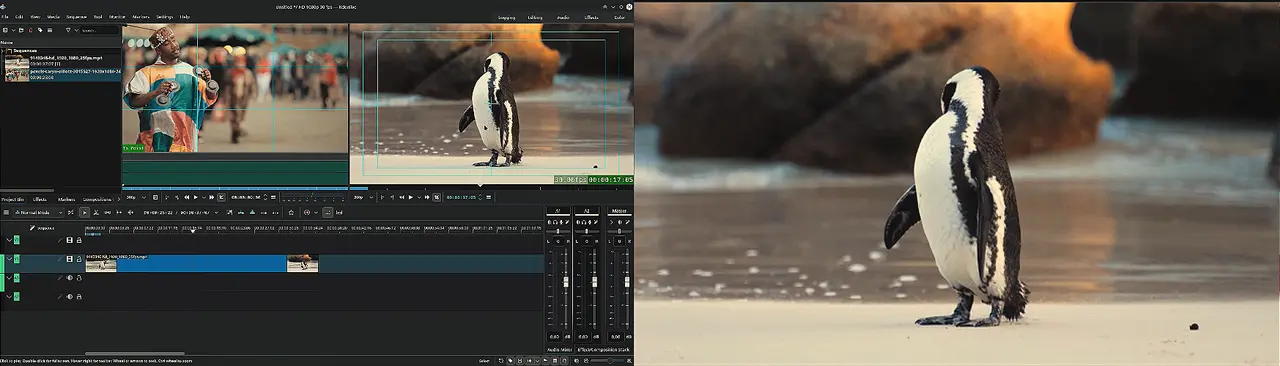
Kdenlive 26.04.1 Release Addresses Project File Parsing Risks
Developers partnered with Radically Open Security for a grant funded by NLnet and NGI0, which uncovered a serious flaw in how the application parses project files. The vulnerability allows remote code execution when a malicious .kdenlive file is opened. While no active exploits have been spotted yet, the risk remains real for anyone who downloads templates or shares projects with collaborators outside their immediate circle. Editors working strictly on personal footage face zero threat from this issue, but anyone importing assets from forums or third party sites should treat unverified project files like suspicious email attachments. The fix lands in Kdenlive 26.04.1, and the team plans to add extra validation warnings in the upcoming 26.08.0 release to catch unexpected input before it reaches the parser. Until then, sticking to trusted sources or avoiding external project files altogether is the only safe workaround for those who cannot update right away.
Timeline Behavior and Interface Tweaks
Beyond security, this maintenance build targets several workflow friction points that have been dragging down editing sessions. The clip monitor playhead now stays locked to the correct position when switching between clips instead of freezing on a previous frame. Sequence resizing no longer triggers an endless confirmation loop that forces users to click through dialog boxes repeatedly. Editors will also notice cleaner behavior when dropping sequences without audio tracks, since the timeline previously mishandled empty audio lanes and caused playback glitches. The welcome screen recently fixed a profile mismatch bug that opened incorrect project settings when selecting from recent files, which saved a lot of time wasted on manual adjustments. Transition previews now render as gif files instead of webp, aligning with how most binary distributions handle image decoding without requiring extra system libraries.
Platform Specific Fixes and Build Notes
macOS users get targeted attention in this release, particularly around microphone permissions and monitor scaling. The application now explicitly requests audio input access before attempting to record, which prevents silent failures when capturing voiceovers or external microphones. A separate fix addresses monitor offset drift when applying transform effects at high zoom levels, keeping the preview window aligned with actual footage dimensions. Linux distributions continue relying on AppImage and Flatpak packages for official support, so desktop environment users should grab those formats directly from the project download page rather than waiting for repository updates that often lag behind upstream releases. Windows builds follow standard installation procedures without requiring special configuration steps.
Grab the update through your package manager or visit the official download page to replace the current build. Editing software breaks when left unpatched, and this one actually fixes things that matter during a real project deadline. Keep the timeline clean and watch those file sources.


