Kdenlive 26.04.0 release notes and what actually matters for editors
The latest Kdenlive 26.04.0 update lands with a heavy focus on workflow polish rather than flashy new tools, which is exactly how video editing software should evolve. Editors will find smoother timeline navigation, better transition handling, and some long overdue fixes to subtitle workflows that have caused headaches for years. This breakdown covers the changes that actually impact daily editing routines and skips the usual developer changelog fluff.
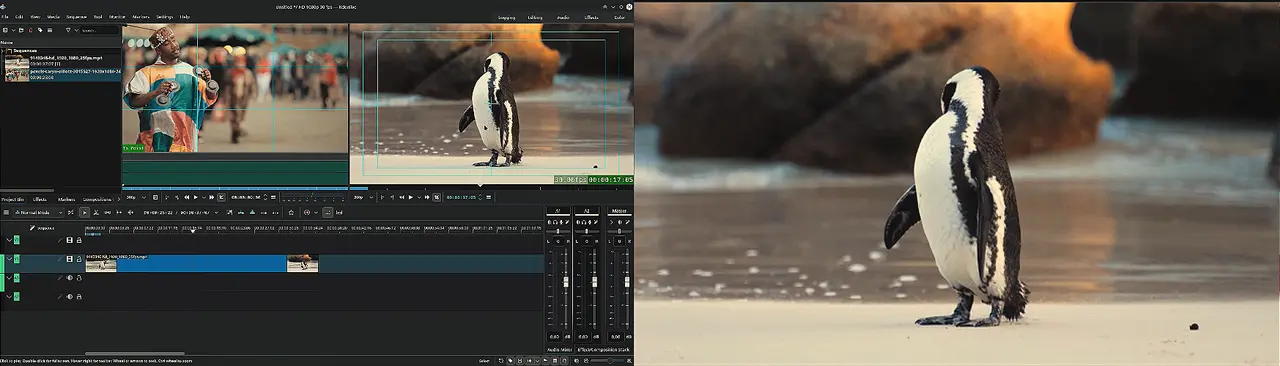
Timeline navigation and Kdenlive 26.04.0 speed controls get a serious upgrade
The continuous panning feature lets editors drag through long sequences without constantly resetting the view, which saves time when reviewing complex cuts. Holding the middle mouse button and moving past screen edges keeps the workflow uninterrupted instead of forcing manual resets. Editors who have wrestled with timeline navigation on ultrawide monitors will appreciate this change, since resetting the view after every cut used to break focus during long review sessions. A fixed playhead option locks the cursor to the center during playback or scrubbing, making it much easier to track audio sync issues without losing visual context. Multi clip speed changes now support direct control plus dragging in the timeline, so adjusting pacing across multiple clips no longer requires opening individual effect controls. The zoom toggle between mouse position and playhead position also reduces accidental timeline jumps when working at high magnification levels.
Transition handling finally stops feeling like guesswork
Animated previews for transitions remove the need to render full sequences just to check how a wipe or fade looks before committing. Dropping a transition onto clips now automatically matches its duration to the surrounding footage, which eliminates the constant manual stretching that used to waste editing time. The new Euclid Eraser and Heatmap effects add fresh visual options without bloating the interface, while improved luma file logic ensures downloaded overlays adapt correctly to different project profiles. Dragging transitions directly onto timeline clips now works as expected instead of requiring menu diving. Some editors hoard transition packs hoping for a magic fix, but this update actually trims the fat by focusing on core workflow reliability rather than adding more cluttered menus.
Audio capture and subtitle workflows get long overdue fixes
External recording devices now display only the channel count and sample rate combinations that the hardware actually supports, which prevents drivers from throwing confusing errors during setup. Sample format selection covers eight bit through float options, giving podcasters and streamers better control over input quality without relying on third party routing software. Subtitle editing finally stops crashing when cutting or moving clips, a bug that has plagued users since early beta cycles. The speech editor search function now handles multiple words correctly, making it easier to locate specific dialogue segments in long recordings. These fixes matter because subtitle misalignment and audio driver conflicts have historically forced editors to bounce between applications just to get clean exports.
Interface tweaks and rendering improvements worth noting
Monitor mirroring in fullscreen mode helps editors working with clients or collaborators by sharing the exact workspace without breaking focus. The clear undo history option removes clutter from projects that accumulate dozens of failed export attempts, keeping performance stable during heavy editing sessions. Adding rendered files directly to the project bin skips the manual import step that usually interrupts workflow momentum. External program editing support now integrates smoothly with tools like Gyroflow for stabilization work, while AMF encoding profiles provide faster hardware acceleration on Windows systems without relying on outdated software encoders. The HD ready resolution profile also gives smaller production teams a quick preset for web delivery without manually tweaking project settings.
The new version can be downloaded from here.


