Heroic Games Launcher 2.21.0 Brings Console Mode, GOG Deals, and ARM64 Support
The latest update to the Heroic Games Launcher 2.21.0 finally brings a proper fullscreen interface for controller users, fixes the stubborn How Long To Beat integration, and adds native Windows ARM64 support. This release focuses heavily on living room navigation and cleaning up the backend Wine management tools that have frustrated power users for months. The changelog reads like a direct response to years of community feedback about clunky menus and broken third party integrations.
Controller Navigation in Heroic Games Launcher 2.21.0 Gets a Proper Overhaul
Previous versions forced gamepad users to navigate interfaces designed strictly for mouse and keyboard, which made setting up SteamOS or Windows gaming PCs unnecessarily tedious. The new fullscreen console focused mode restructures the entire layout around controller input, allowing smooth scrolling through libraries and launching titles without constantly reaching for a peripheral. PC owners who run their rigs in the living room will notice the difference immediately. The toggle sits right in the settings menu under display options, so switching between desktop and console layouts takes seconds rather than requiring a restart or manual config file edit. Launcher developers usually ignore controller support until forced, but this implementation actually works instead of just adding a broken toggle that crashes after an update.
GOG Integration and Achievement Tracking
GOG users finally get achievement tracking directly on the game info page, which removes the need to jump into third party trackers just to check progress. The launcher also introduces a dedicated deals page that pulls current promotions straight from GOG. This feature works exactly as advertised, though it quietly reminds readers that purchasing games through the built in store helps fund ongoing development. The achievement system relies on local cache files now, which means faster load times and fewer sync errors when switching between titles. Anyone who has dealt with broken achievement popups after a Wine update will appreciate the stability improvements here. Third party deal trackers usually break anyway, so keeping promotions native to the launcher cuts through unnecessary noise.
Wine Management and Sideloading Tweaks
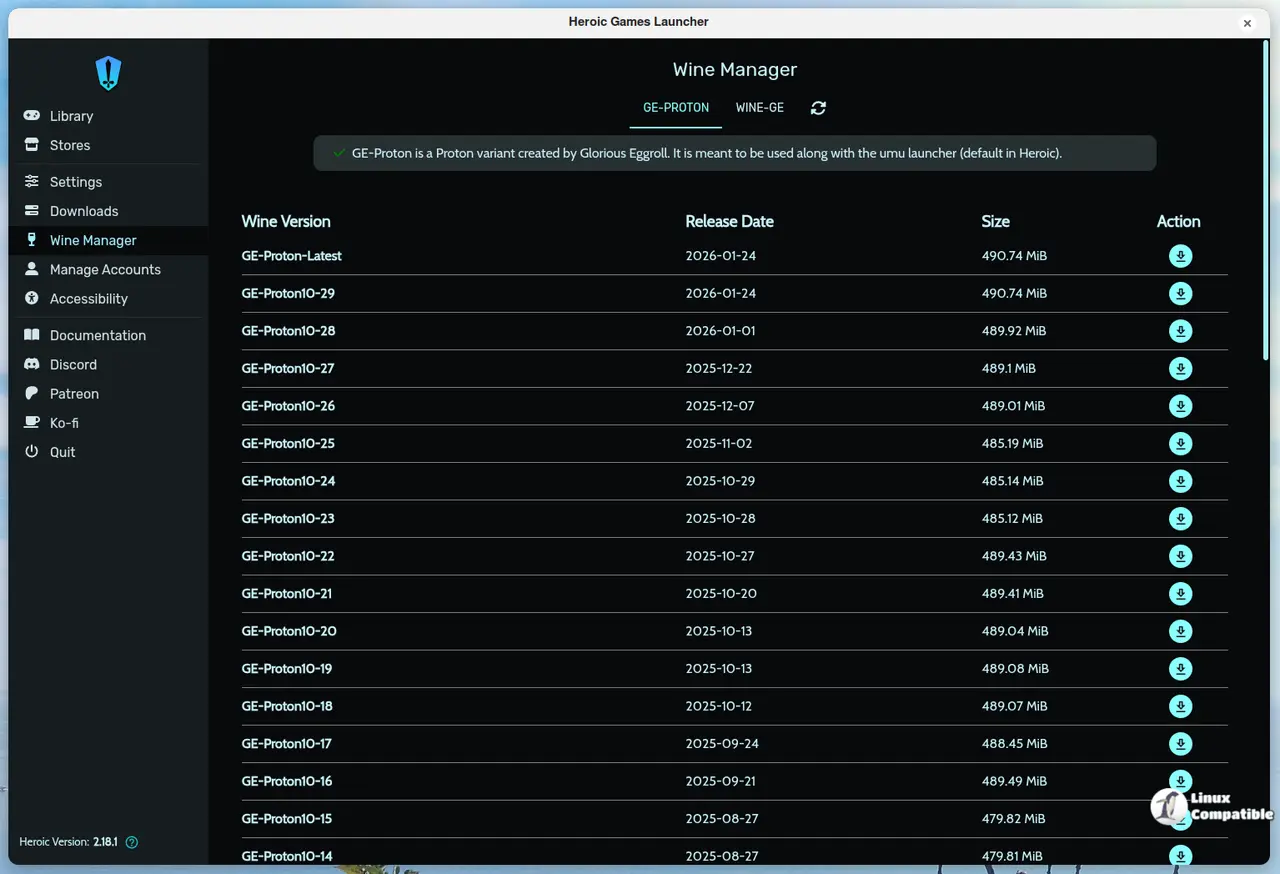
The wine manager screen received a complete overhaul, splitting cluttered options into a dedicated settings panel that actually makes sense to navigate. Power users who manually tweak prefix configurations or switch between GE Proton and vanilla builds will find the new layout far less frustrating. The sideload dialog now pulls game covers directly from SteamGridDB when an API key is configured in the settings. This saves hours of hunting through Discord servers or Reddit threads for missing box art. The import button also moved right next to the install button, which fixes a discoverability issue that made adding external libraries feel like searching for a hidden menu. Previous Wine management screens buried critical prefix settings under three submenus, so this cleanup was long overdue.
Platform Support and Under the Hood
Native Windows ARM64 builds finally arrived, meaning Snapdragon and other ARM based laptops can run the launcher without relying on emulation layers or workarounds. The underlying Electron framework jumped to version 41.1, which brings better memory management and faster rendering across all platforms. How Long To Beat data stopped working after a recent API change, but this release restores the integration so playtime estimates load correctly again. Ubisoft game installations on Epic accounts also got a fix that resolves authentication loops during setup. The developers cleaned up log files to strip unnecessary noise, making it much easier to troubleshoot crashes without scrolling through pages of redundant system info. Community members can grab the update from GitHub or the official site and test the controller layout if a living room rig sits in the main entertainment area. Results regarding ARM64 performance will likely surface quickly once installation finishes.
Release Heroic 2.21.0 "Loki" · Heroic-Games-Launcher/HeroicGamesLauncher
Hi! This new Heroic release brings amazing and exciting new features! We now have a brand new console-like fullscreen mode built for joystick/TV navigation, a new Deals page showing current GOG pro...
Release Heroic 2.21.0 "Loki" · Heroic-Games-Launcher/HeroicGamesLauncher