GOverlay 1.8.6 lands with targeted bug fixes, capping off a sweeping 1.8.5 overhaul
GOverlay 1.8.6 dropped on July 6, and if you're running the project on Linux, there's a quick reason to update. The release patches a stale global path that was bleeding into the BGMOD command label, and it finally gets OptiScaler to actually check for updates when you launch the app. It's a small fix release. But after everything 1.8.5 threw at users, targeted patches like this are exactly what keeps the wheels from wobbling.
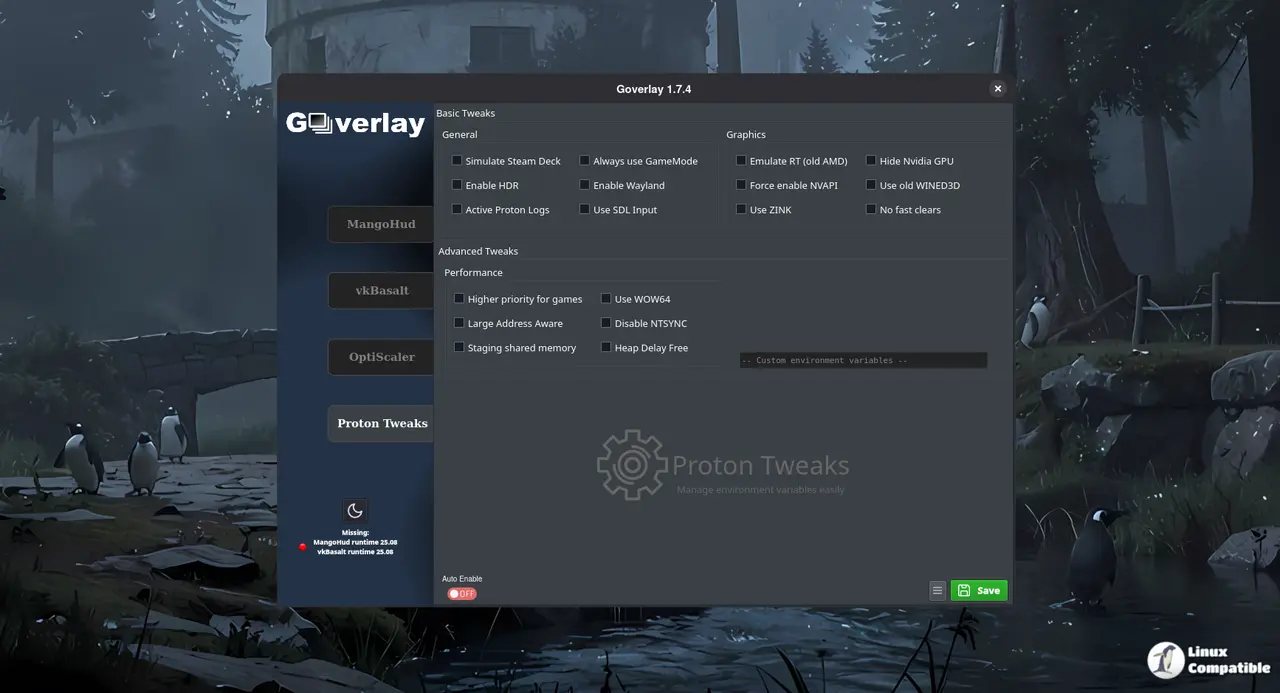
For those who haven't touched it yet, GOverlay is a Qt6-based GUI that wraps MangoHud, vkBasalt, OptiScaler, and Proton environment tweaks into a single card-based interface. You pick a game, toggle the settings you want, and paste the generated launch command into Steam or Lutris. No more hunting through config files or praying your environment variables survive a Proton update. At this point, the project has been around long enough to outgrow the early-access hype cycle and settle into something genuinely useful for anyone pushing hardware limits on Linux.
The 1.8.5 Overhaul
That's mostly thanks to the version that came in ahead of it. Benjamim Gois and the team rewrote OptiScaler's update and uninstall logic to sidestep GitHub's rate limits, moved DLL backups into game-specific directories to stop corruption, and added automated builds for OptiScaler, OptiPatcher, and fakenvapi. Bleeding-edge users finally get the latest git code instead of waiting on a release tag.
On the UI side, the project got a major polish pass. Scrollbars are now thin and semitransparent across every tab. Game cards got a floating action button for quick options. There's a frameless release notes popup now, and the multi-badge list on game cards collapsed into a single transparent GOverlay icon. The Pascube Vulkan benchmark also picked up nickname support and syncs scores directly from its database.
Smaller wins add up, too. The environment variables tab now exposes OBS_VKCAPTURE for streamers who want to capture Vulkan rendering. Cover art pulls from multiple CDNs with a web search fallback when Steam's servers are slow. And the dynamic GPU fallback kicks in at 360p if framerates drop into the gutter, which keeps the whole system from throwing a fit on weaker hardware.
It's a solid chunk of work, though the project remains firmly in enthusiast territory. You're trading config file headaches for a learning curve, and if you're not already juggling MangoHud and vkBasalt, you'll want to stick with Steam's built-in performance overlay. That said, for anyone pushing OptiScaler or managing per-game Proton tweaks, GOverlay cuts through the noise better than most. The project's sitting at roughly 1,400 GitHub stars and pulls in over 9,400 monthly downloads on Flathub, which tells you it's already past the cool toy phase.
If you're running Arch, sudo pacman -S goverlay gets you in. Flatpak users can grab it straight from Flathub, and AppImage builds are waiting on the GitHub releases page. Head here to read the full changelog and report any lingering issues.


