Faugus Launcher 2.5.1 ships with refined GPU selection and cuts two dead Proton backends
A one-person Linux game launcher just got smarter about which GPU it uses, and a bit more honest about the ones it dropped.
Faugus Launcher 2.5.1 went live today, and it is one of those rare updates where you can practically hear the developer thinking out loud. The new version refines how the launcher picks a GPU for your games, and quietly drops two Proton backends that have stopped being maintained. It won't make your games run faster. It does trim dead weight and clear up a couple of real headaches, though.
If you haven't heard of Faugus, here's the quick version: running Windows games on Linux used to mean living in a terminal. You hand-configured Wine, built a prefix, injected DLLs, and generally fiddled with environment variables until a single .exe finally launched. Valve's Proton smoothed all that over inside Steam, but it did nothing for games living outside it, titles from GOG, Epic, EA App, Ubisoft Connect, Battle.net, or some installer you dragged into your Downloads folder.
That is the gap Faugus fills. It's a free, open-source app that gives you a clean, Steam-like library grid while pushing the actual compatibility work off to a backend called UMU-Launcher. You never touch a command line. And nearly all of it is being run by one person.
Faugus is really just the GitHub handle of Felix Ribeiro, who joined the site in September 2022 and follows nobody. He writes the release notes, answers bug reports in the issue threads, and publicly asks people to test risky changes before they ship. That last habit is the entire reason 2.5.1 looks the way it does. Aside from the launcher, his repository shows a subtitle-downloader tool and a personal UMU-Launcher fork, a small sign of someone deeply embedded in this particular corner of Linux gaming.
A GPU selector and some housekeeping
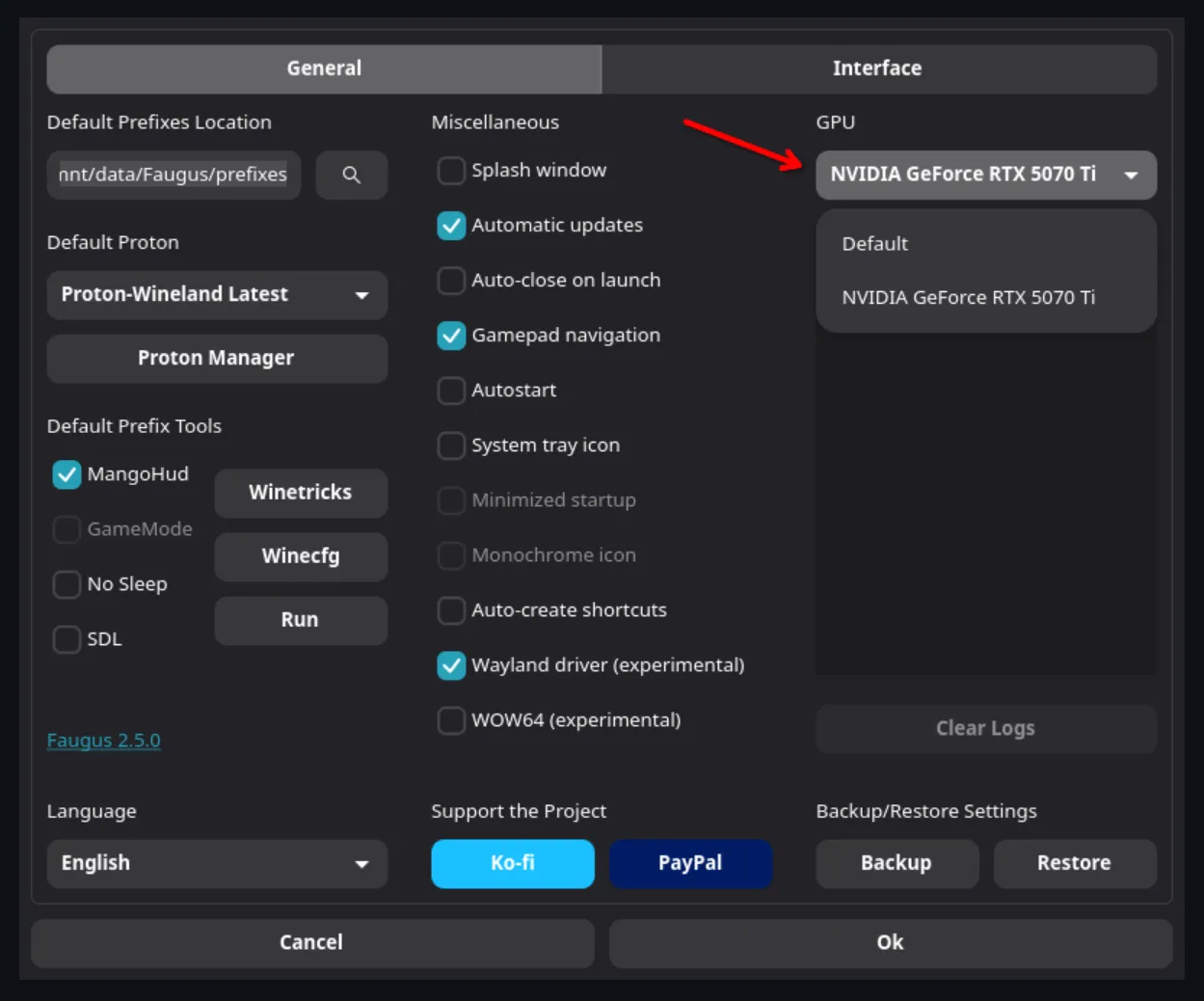
The headline change in 2.5.1 is a way to pick the specific GPU your games run on. For most desktop users it won't matter much. For owners of hybrid-graphics laptops, those NVIDIA Prime machines that switch between an efficient integrated chip and a powerful discrete card, it has been a long-standing pain point.
The old "Discrete GPU" option was a blunt on/off switch aimed at that offload behavior, and on some systems it simply failed to work. It's gone now. Under the hood in runner.py, the app sets graphics variables based on the selected GPU's vendor and device: DRI_PRIME for Prime offload, MESA_VK_DEVICE_SELECT to pin the Vulkan device, and a new flag to force Mesa to honor your choice. NVIDIA cards take the standard render-offload path. Everything else falls back to Mesa.
This work actually began back on October 17, when Faugus shipped a "GPU Selector Testing" pre-release and opened GitHub issue #1033 as an open call for laptop and multi-GPU users to try it out. In the months since, Ribeiro refined the detection based on that feedback and merged the result into this stable build. Ship a targeted build, ask people to help break it, confirm it, then commit. That whole sequence is arguably the most valuable thing in this update, even if it's the least flashy.
The two removals are simpler housekeeping, though they still matter. Faugus has dropped Proton-EM support because the last version shipped about six months ago, and killed off UMU-Proton because it is no longer being updated. Both were among the auto-downloadable Proton builds in the app's Proton Manager. Keeping them around means shipping dead weight and potential breakage. The moves also line up with a 2.x shift toward a cleaner "default Proton" system, where games get a sensible default and you override per game when you need to. With those two gone, Faugus centers on GE-Proton and whatever Proton you supply yourself, which is exactly where the UMU community has been drifting.
Keep in mind that Faugus still bundles a lot under the hood: Winetricks, Winecfg, MangoHud, Feral GameMode, a Proton Manager for GE-Proton, and experimental HDR and Wine-over-Wayland support. Not trying to be barebones.
Head here to the GitHub release page.


