Faugus Launcher 2.5.0 Adds Navigation Sounds and Sheds a Dependency
Faugus, the modest open-source Linux launcher for running Windows games, shipped 2.5.0 on October 15. The release leans hard on quality-of-life tweaks: interface navigation sounds, a reworked Prevent Sleep mode, and a shed dependency. It's the newest in a quick succession of monthly updates.
The launcher itself isn't new, but its pace is. Faugus jumped from GTK3 to GTK4 back in July with its 2.0 release, and that's the update that really put it on the map. Three months later, you've got 2.3, 2.4, a handful of 2.4.x hotfixes, and now 2.5.0. That cadence belongs to a project maintained mostly by one person, @Faugus, with translations and feature requests trickling in from the community.
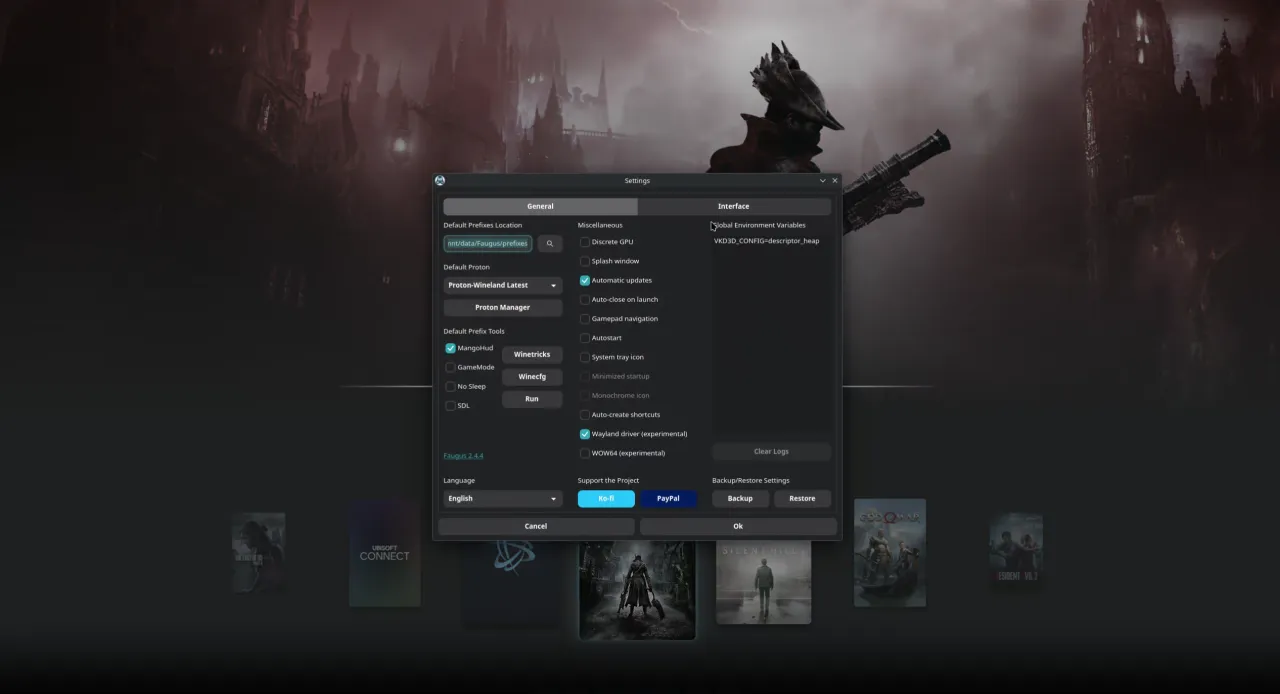
Faugus fills a real gap. For years, running Windows games on Linux meant hand-configuring Wine, picking a prefix, injecting DLLs, and generally wrestling in a terminal. Valve's Proton smoothed that over inside Steam, but did nothing for GOG, Epic, Battle.net, or the random .exe sitting in your downloads folder. Faugus wraps that pain up in something clean. Its own tagline is on-the-nose: "A simple and lightweight app for running Windows games using UMU-Launcher."
The actual changes
The headline feature is navigation sounds. Yes, you can now get audible clicks when you move around the interface. You can use the bundled samples or drop in your own audio files and turn the volume up or down. It's a strange thing to want in a game launcher, but if you're spending hours in this UI, a little feedback confirms you're actually doing something.
Also new is an option to strip out icons, covers, and banners. This one came from the community, via @Alexlee500, and makes sense for low-bandwidth users or anyone who just likes a plain look. It trims network calls and rendering load, which matters on something as small as a Steam Deck.
The built-in Proton Manager now handles the "Latest" variants too. Simpler to just track the newest Proton builds without guessing which entry is which.
Under the hood, things get more boring in the best way. The Prevent Sleep feature has been reworked to work on more systems, and Faugus dropped its python-dbus dependency entirely. Fewer dependencies means a smaller footprint and fewer ways for packaging to break across distros. Carousel browsing should feel smoother with better banner-transition performance, and if an install ever fails, Faugus now preserves a shared prefix instead of nuking it. That's the kind of safeguard you only appreciate after you've already lost one.
The release also rounds out its options. A new Ubuntu 26.10 PPA build joins the Arch/AUR, Fedora/Copr, .deb, AppImage, and Flatpak routes. There are bug fixes for the Proton Manager download-state display, oversized icons on older GTK versions, and SteamGridDB icon fetching. German, Portuguese-Brazil, and Ukrainian translations were updated as well.
Why it matters
Faugus lives in a crowded neighborhood. Lutris, Heroic, and Bottles all run Windows games on Linux, and one GamingOnLinux reader even coined a term for the exhaustion: "launcher fatigue." Faugus doesn't try to beat them at their own game. It aims for the simple, fast, good-looking end of the spectrum and leans into it. Its cover-art automation through SteamGridDB is genuinely one of the nicer touches, and the whole UMU-Launcher stack means you don't even need Steam installed to make things run.
Whether that focus wins you over is a personal call. It's arguably a bit odd to get navigation sounds when bigger launchers hand you more raw control. The minimalist design and light footprint help, though. It's the kind of polish you see from a project that's found its audience and is now refining rather than reinventing.
Getting it
The fastest path for most people is the Flatpak.
flatpak install flathub io.github.Faugus.faugus-launcher
Keep in mind that Flatpak users may want to grant some manual permissions, like access to Steam's data directory, so shortcuts work in both directions. Head to the GitHub release page for the AUR, COPR, PPA, and raw .deb commands if that's your preference.
Head here to the GitHub release page.


