CachyOS April 2026 Update Introduces Shelly Package Manager and Kyber Scheduler for Better Performance
CachyOS released the April 2026 edition with changes that actually impact daily usage rather than just bumping version numbers. The update swaps the GUI package manager, tweaks storage scheduling, and adds hardware-specific fixes that address common pain points on laptops and handhelds. Users looking for a smoother Arch-based experience should pay attention to these adjustments, particularly the move to kyber scheduler and the new biometric authentication support.
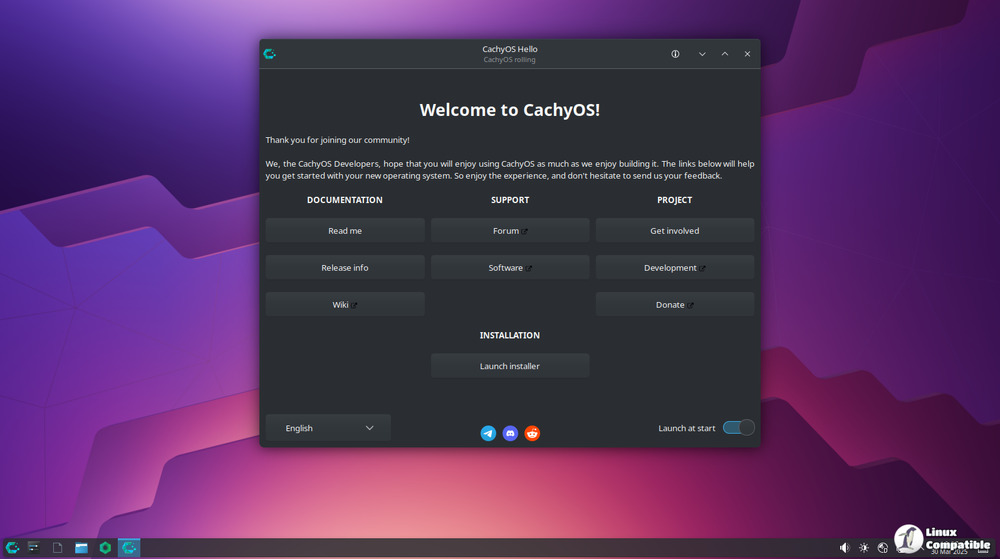
Shelly Replaces Octopi as Default Package Manager
The installer now ships with Shelly instead of Octopi, marking a significant shift in how users manage software on this distribution. Octopi served its purpose but often felt disconnected from modern desktop workflows, requiring extra steps to function smoothly within contemporary environments. Shelly offers a cleaner interface that integrates better with the underlying system and provides a more intuitive experience for both new and veteran users. This change also coincides with a permanent snapshot creation right after installation finishes, giving everyone a reliable restore point before they start tinkering. The GNOME package selection received a cleanup to remove bloat, while UKUI was dropped entirely since maintaining that desktop environment likely no longer justified the effort given its niche adoption.
NVMe Scheduler Switch and AMD Display Fixes
Storage performance gets a boost by switching the default NVMe I/O scheduler from none to kyber. Running without a scheduler can cause latency spikes during mixed workloads, so kyber helps balance throughput and response times for everyday tasks. This adjustment should make systems feel more responsive when running multiple applications that access the disk simultaneously. Observations from the field indicate that AMD laptops with secondary monitors often suffer from a broken Plymouth splash screen due to the previous theme failing to render correctly under those conditions. The update addresses this by applying a new Plymouth theme for AMD GPUs, ensuring the boot animation displays properly regardless of how many screens are attached.
Fingerprint Sudo and Privacy Improvements
Security and privacy features expand with native fingerprint support for sudo prompts via chwd. This allows users to authenticate administrative commands using their hardware biometrics without needing complex manual configuration scripts. The CachyOS-Welcome app now includes DNS-over-HTTPS support through blocky, enabling encrypted DNS queries by default to protect browsing data from local network snooping. Users can test connection speeds and auto-select the fastest server directly within the tool. A VRAM management toggle also appears for AMD and Intel GPUs, helping optimize graphics memory allocation to prevent stuttering in resource-heavy applications or games.
NVIDIA Driver Adjustments and Handheld Tweaks
The update addresses several driver conflicts that have plagued specific hardware configurations. The forced Xorg session removal from the 470xx profiles resolves compatibility issues with modern display managers, allowing legacy NVIDIA cards to function correctly without forcing outdated session types. Power management scripts related to S01x were dropped due to conflicts with the NVIDIA 595 driver, preventing system instability on affected machines. Handheld users benefit from improved product name matching for devices like the Xbox ROG Ally and Legion Go, ensuring firmware updates apply to the correct hardware profiles. The installer also now logs the chosen partition method to debug output, making troubleshooting easier when something goes wrong during setup.
Running sudo pacman -Syu pulls these changes into an existing installation without requiring a fresh download. The scheduler switch and package manager update are particularly valuable for anyone wanting a more polished daily driver. Grab the ISO if starting from scratch, or just update and enjoy the smoother ride.


