The latest Bazzite Linux release pushes kernel 6.19.14-ogc5.1 to tighten CPU scheduling and keep games from stuttering when background processes decide to cause trouble. A new firmware flatpak finally lets users update motherboard and hardware patches directly from the desktop without booting into Windows. Lutris stays baked into the system, so non-Steam titles from Epic, GOG, and Ubisoft still slot neatly into Gaming Mode. Current owners can rebase to the new build using the built-in rollback helper, which handles the package sync and leaves existing tweaks completely intact.
Bazzite Linux Update Fixes Kernel Schedulers and Adds Firmware Tools
The latest Bazzite Linux release ships with a newer kernel, better CPU scheduling for games, and a proper GUI for updating device firmware. This update tightens up the system for people who want to plug in a monitor, launch Steam, and actually play without fighting the desktop environment. The community tools get a few quality of life tweaks while the underlying packages finally catch up to recent releases.
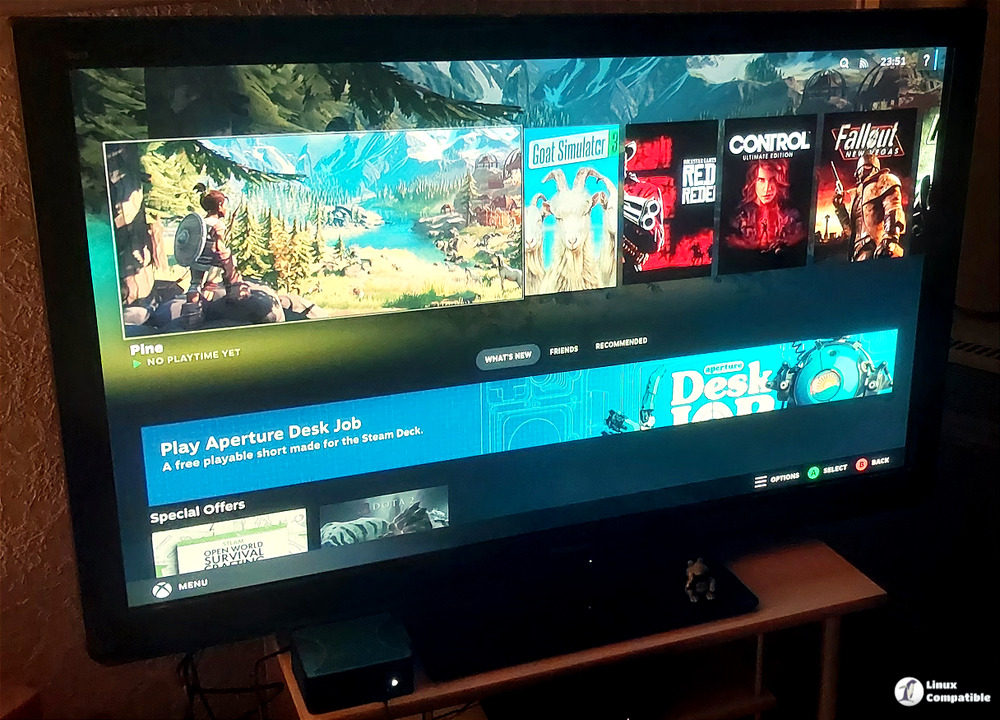
Kernel Upgrades and Scheduler Tweaks
The main shift here is the jump to kernel version 6.19.14-ogc5.1. Kernel builds in this track carry the overclocked gaming patches that tweak CPU scheduling and GPU driver support. Those scheduler changes matter most when a game suddenly spikes CPU usage and the system decides to prioritize the wrong background process. A bad driver update can easily turn a smooth 60 frames into a stuttering mess, and these kernel tweaks aim to keep the game thread at the front of the line. XWayland also moves to version 24.1.11, which helps non-native Wayland games run cleaner under Steam Deck style configurations. The blur-my-shell extension gets a digest update, and the documentation searchability improves without adding bloat to the base system.
Firmware Updates and Bazzite Linux Game Integration
The release finally includes a flatpak for updating device firmware directly from the desktop. Users who run custom hardware or older laptops will appreciate not needing to chase down manufacturer binaries or boot into a Windows partition just to flash a BIOS. Lutris stays pre-installed and continues to pull in games from Epic, GOG, Ubisoft Connect, and even physical discs if a drive is attached. Those external launchers now slot cleanly into Steam Gaming Mode, so a library of scattered games suddenly looks like a single cohesive setup. The update also replaces lingering ublue-update references and cleans up a few unused repositories to keep the system lean.
Moving to the New Release
Current users can jump to this version without wiping the drive. The system uses a rollback helper that handles the rebase process safely. Running the command to rebase to the stable branch pulls in the latest packages while keeping existing flatpaks and custom tweaks intact. The specific image tag works the same way if someone wants to pin to this exact build date. The update process takes a few minutes and reboots the machine into the new environment.
Existing installations can switch to this version without wiping the drive or reinstalling everything from scratch. The rollback helper tool handles the transition by pulling the new image and swapping the root filesystem automatically. Users who want to stay on the latest stable branch should run bazzite-rollback-helper rebase stable, while those who prefer pinning to a specific release can use bazzite-rollback-helper rebase 44.20260515 instead. Running these commands matters because it ensures the system pulls exactly what was tested and verified by the maintainers rather than grabbing an untested development build that could break existing game compatibility.
bazzite-rollback-helper rebase stable
That tells the system to pull the latest stable manifest, which now points to 44.20260515. If you prefer to lock onto this exact build rather than whatever future “stable” may become, invoke the same script with the explicit version string:
bazzite-rollback-helper rebase 44.20260515
Keep the terminal open and test a few titles after the reboot to verify controller mapping and HDR settings. The gaming Linux scene keeps moving forward without requiring constant manual tinkering, so sticking with these automated updates saves time and prevents driver conflicts down the line.
Grab the ISO if building fresh hardware or just want a cleaner desktop Linux setup that actually respects your time. The update process is straightforward, and the framework upgrades alone make the switch worth checking out.


