Bazzite Linux 44.20260508 Brings Kernel Updates and ASUS ROG Tools to Gaming PCs
The latest Bazzite Linux release targets handhelds, desktops, and home theater setups with a focus on smoother gameplay and cleaner system maintenance. This update pushes the kernel forward, tweaks launcher scripts, and adds dedicated support for ASUS ROG hardware without bloating the base image. Users looking to keep their gaming rigs running smoothly will find several practical fixes alongside routine dependency bumps that actually matter for daily use.
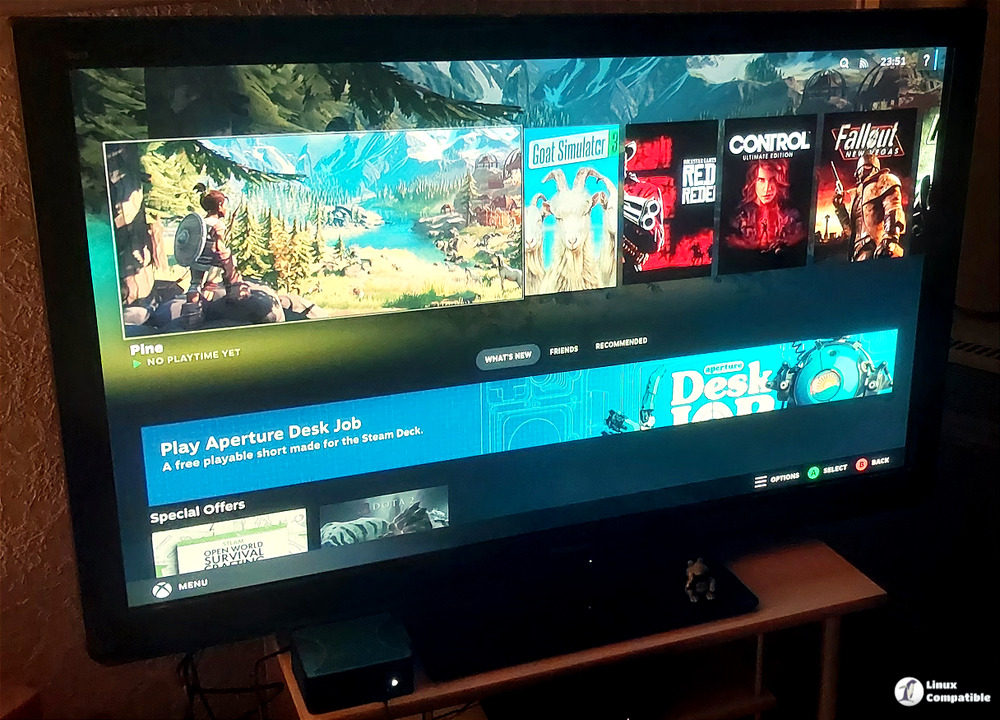
Bazzite Linux Kernel Upgrades and Hardware Tweaks
The core of this release centers on moving to kernel version 6.19.14-ogc2, which brings along updated drivers for graphics cards and improved CPU scheduling for more responsive frame delivery. System libraries like SDL3, ffmpeg, and OpenXR have also received minor version bumps that typically translate to better compatibility with newer titles without requiring manual patching. The developers finally removed the old kde-prompt script that caused unnecessary terminal popups during boot. Restoring the kde-ptyxis helper as a temporary stop-gap keeps older configs from throwing errors, which saves users from digging through deprecated documentation. Those running ASUS ROG hardware will appreciate the new just script integration that installs control center tools directly into the system without manual dependency hunting or broken package conflicts.
Launcher Support and Non-Steam Game Integration
Bazzite continues to treat non-Steam libraries as first-class citizens by keeping Lutris preinstalled and refining how external launchers map into Gaming Mode. The update fixes a broken download pattern for OpenTabletDriver, which means tablet controllers will register correctly without manual path editing or terminal workarounds. HID-TMFF2 support returns after being temporarily removed, restoring rumble feedback for compatible force-feedback devices that previously went silent during system updates. Users who rely on battle.net or the EA App to run Xbox Game Pass titles will notice smoother integration workflows that keep those libraries from breaking during routine package swaps. The approach avoids forcing proprietary launchers into a single launcher wrapper, which keeps resource usage predictable and prevents background services from eating RAM when not actively playing.
Updating Existing Installations
Rolling forward to this build requires a single command through the built-in rollback helper, which handles the atomic swap without risking broken packages or orphaned dependencies. Running bazzite-rollback-helper rebase stable pulls the latest stable branch automatically, while specifying bazzite-rollback-helper rebase 44.20260508 targets this exact release if someone needs to pin a version for testing or troubleshooting. The helper verifies signatures before applying changes, so interrupted updates or mismatched repositories will not leave the system in an unbootable state. Users who prefer manual package management can still pull the new images through standard Flatpak and rpm-ostree workflows, though the helper remains the cleanest path for most setups since it handles transaction rollbacks automatically when a driver fails to load.
bazzite-rollback-helper rebase stable
That tells the system to pull the latest stable manifest, which now points to 44.20260508. If you prefer to lock onto this exact build rather than whatever future “stable” may become, invoke the same script with the explicit version string:
bazzite-rollback-helper rebase 44.20260508
Keep the terminal open and test a few titles after the reboot to verify controller mapping and HDR settings. The gaming Linux scene keeps moving forward without requiring constant manual tinkering, so sticking with these automated updates saves time and prevents driver conflicts down the line.
Grab the ISO if building fresh hardware or just want a cleaner desktop Linux setup that actually respects your time. The update process is straightforward, and the framework upgrades alone make the switch worth checking out.


