Auto-Cpufreq 3.1.0 is now available, bringing long-overdue GTK interface parity to its Linux CPU power optimizer. The update introduces a live monitor mode, native Bluetooth boot toggles, and dynamic conservation mode scanning across IdeaPad and Legion hardware. Twelve targeted bug fixes round out the release, addressing security gaps, NVIDIA GPU wake-ups, and missing sysfs fallbacks. You can grab the new build via the AUR, NixOS flake, or Gentoo GURU, with the full changelog posted on GitHub.
Auto-Cpufreq v3.1.0 ships with GUI monitoring, Bluetooth toggles, and a dozen community-driven fixes
Auto-Cpufreq v3.1.0 is now available, bringing long-awaited desktop parity to its GTK interface. The Linux CPU power optimizer currently sits at 7,700 GitHub stars and counts roughly 100,000 active users. The release adds four major features and twelve targeted bug fixes.
Created as a ten-day vacation side project, the tool quietly became the de facto standard for automatic governor and turbo boost management on Linux laptops. It runs as a systemd service, watches battery state and CPU load in real time, and adjusts performance settings without you lifting a finger. Next, the v3.1.0 release checks those boxes pretty thoroughly.
Linux power management has historically been a fragmented mess. Every OEM implements their own ACPI quirks, their own hotkeys, and their own sysfs locations. auto-cpufreq sidestepped the whole circus by scanning for what actually exists on your hardware. This release just makes that scanning smarter.
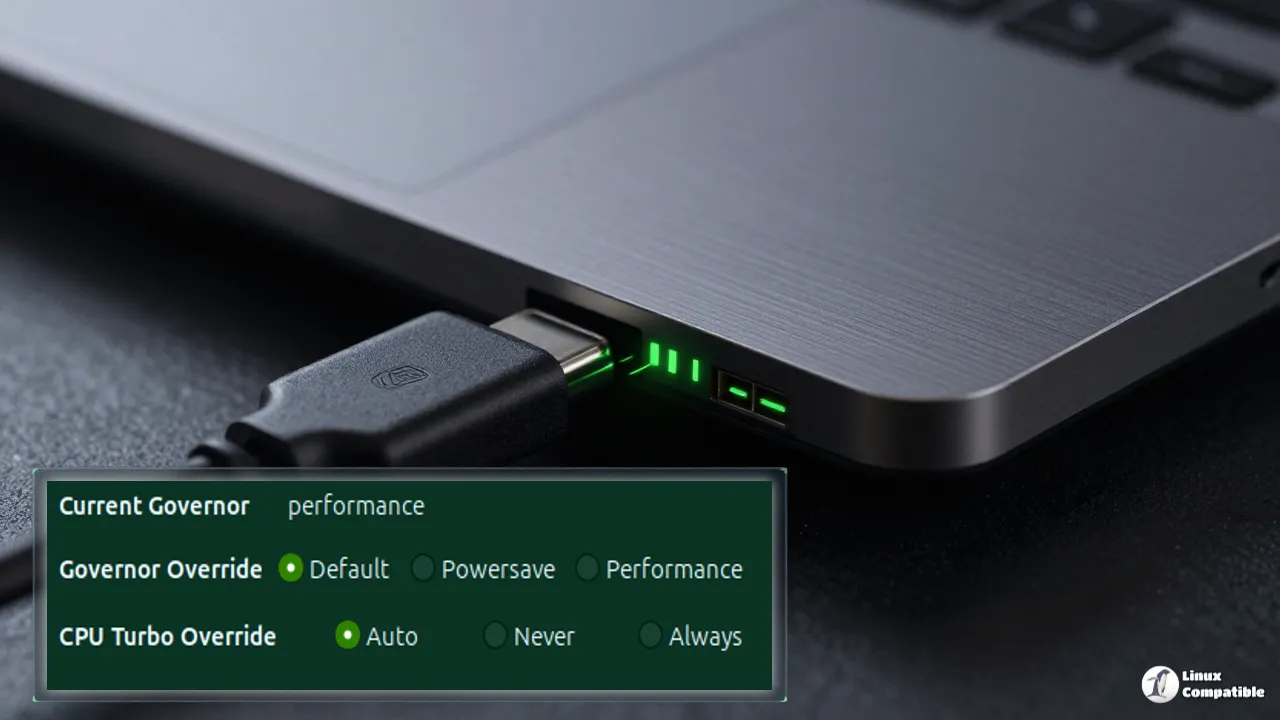
The GUI finally watches what it’s doing
The GTK interface gains a proper monitor mode that mirrors the --monitor CLI flag. Instead of blindly trusting a daemon install, you can now preview exactly which governor changes the optimizer would make before committing. The layout mirrors the terminal output. That same update also adds native Bluetooth toggle controls to the GUI. You can enable or disable Bluetooth at boot directly from the graphical menu. Commented-out lines in your system config finally parse correctly during updates too.
Lenovo users get a much broader safety net for conservation mode. The hardcoded conservation_mode sysfs path has been replaced with a dynamic directory scanner. Different IdeaPad and Legion models store the control file in completely different locations. The old code choked on them. A new enforce_platform_profile option gives you a choice between strict enforcement and transition-only behavior. Toggle it to false instead of true and OEM hotkeys like Fn+Q on Legion laptops actually keep working. Flip it to true and the kernel profile stays locked in place.
Not just shiny new buttons
The release also closes a handful of quiet vulnerabilities. Contributor mshzy replaced a Python assert authorization gate with an explicit RuntimeError check, since optimization mode strips asserts entirely. Six bare except: clauses across the core modules were narrowed to specific exception types that actually make sense. Bare excepts have a habit of swallowing KeyboardInterrupt calls and trapping users in infinite daemon loops.
Several hardware edge cases finally get graceful handling. Systems without /sys/class/power_supply/ or missing power_now files no longer crash the daemon mid-cycle. Hybrid laptops with NVIDIA GPUs also stop seeing unnecessary wake-ups on every monitoring tick. Frequency limits no longer get silently overwritten by turbo updates thanks to a reordering fix.
The work came from twelve community members over five months. Maintainer Adnan Hodžić reviewed each pull request directly, while an automated Copilot assistant double-checked the harder patches. Hodžić noted in a merge comment that the GUI direction "Will be a great future for new release!" The project also runs an active Discord server and a dedicated troubleshooting chatbot. Co-maintainers are actively being recruited to keep the pace up.
It's a rather polished release for the feature count, though the Snap package skipping the GUI entirely does sting. Head here to grab the source code and installer.
You can pull it from the AUR on Arch, grab it via Snap (CLI only due to confinement limits), or pull it into your Gentoo GURU or NixOS flake setup. Keep in mind that the Snap package skips the GUI entirely. The full changelog lives on the GitHub releases page, and if you run into edge cases, the project's AI chatbot at foolcontrol.org is trained on the existing issue database.


