Audacity 4 Beta 2 Brings Real Workflow Fixes to Free Audio Editing
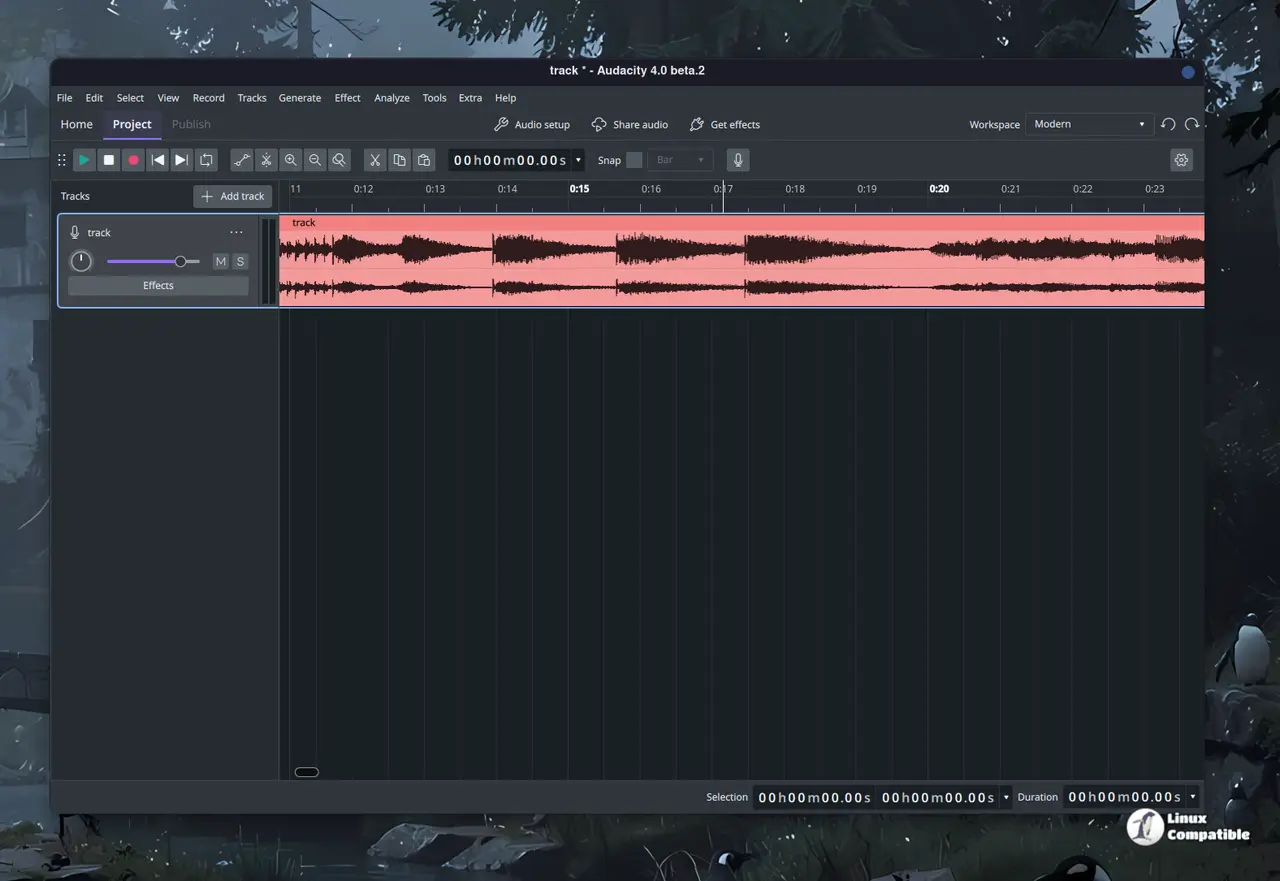
The Audacity 4 Beta 2 release drops with a fresh set of tools that actually address the friction points longtime users have complained about for years. This build ships feature complete alongside the stable version but introduces enough structural changes to warrant testing before trusting it with finished mixes. Readers will get a clear rundown of what works, what still needs polishing, and how to safely experiment without losing hours of work.
Envelope Editing and Lead-In Recording Finally Feel Native
The redesigned envelope tool lets editors draw, drag, and reshape gain curves directly across clips instead of wrestling with clunky control points. This matters because volume automation used to require manual keyframing that broke apart when regions moved around. Lead-in recording replaces the old punch and roll workflow by letting users record over a specific section while preserving everything before and after the edit point. Studio engineers have watched entire podcast episodes get ruined because editors missed the exact mark, and this feature cuts that panic down to zero. The interface still needs minor tweaks on high resolution displays, but the core logic finally matches how modern editors expect to work.
Spectral Editing and Label Tracks Clean Up Messy Projects
Spectral editing now lets users highlight frequency ranges in the spectrogram view and apply effects directly to those bands instead of blasting the entire track. This saves hours when removing hum, clicks, or vocal sibilance without destroying the surrounding audio. Label tracks replace the old marker system by allowing chapter points and section notes that actually move with clips during rearrangement. The metadata editor rounds out the cleanup process by letting users set titles, artist names, and album tags before export instead of relying on external tagging tools. These changes matter because they stop audio files from arriving at distribution platforms with blank or mismatched headers.
Audacity 4 Beta 2 Cloud Sync and Multi Project Sessions Change How Files Are Managed
The software now saves projects to the cloud and pushes finished audio straight to audio.com without forcing users through a separate upload queue. This matters because losing local files after a crash has always been the biggest fear for anyone editing on older hardware or unstable power setups. The multi project session feature lets editors open several files at once, switch between them, and drag clips across windows instead of copying and pasting through export loops. Plugin support standardizes Nyquist and VST3 across Windows, macOS, and Linux while keeping AudioUnits for Apple systems and LV2 for Linux builds. The backend routing feels more consistent now, though some third party plugins still need manual path adjustments on fresh installs. Cloud sync remains completely optional, and anyone running local NAS backups will find it entirely unnecessary. Forcing that workflow on desktop editors would be bloat.
Deprecated Features and What That Means for Existing Workflows
Tempo tracks, LADSPA analyzers, and Vamp plugins have been removed from the codebase to simplify maintenance and reduce cross platform bugs. This matters because keeping legacy modules alive required workarounds that slowed down new development cycles. Audacity 3 projects open without breaking clips or labels, but users should expect minor layout shifts when effects panels reload their saved states. The beta ships with polished effect interfaces and quality of life tweaks that make parameter adjustments feel less like guessing games. Testing this build requires keeping finished work in the stable version until the final release locks down the project file format.
Release Audacity 4.0.0 Beta 2
Audacity 4 is almost here, and this is the first public beta (beta 1 was internal). For the full picture of what to expect, head over to our special page: https://www.audacityteam.org/next/
Grab the installer, back up current projects, and start poking around the new envelope curves. Report any crashes or missing plugin paths to the official tracker so the team can patch them before the stable drop. Happy editing.


