AnduinOS 2.0.4 is now available for AMD64 PCs and ARM64 UEFI systems, marking the latest point release in its LTS "Resolute Raccoon" branch. The highlight is a graphical Rescue Center that recovers unbootable systems, from exporting files and resetting passwords to restoring Btrfs snapshots. It also adds an optional HyperFluent GRUB theme, a redesigned full-screen installer with live command logs, and reliability fixes for Live USB verification and Rufus boot problems. As a small, donation-funded distro aimed at Windows migrants, its real value lies in friction-reducing features rather than dramatic new capabilities.
AnduinOS 2.0.4 ships with a Rescue Center, a new GRUB theme, and a redesigned installer
The Ubuntu-based Linux distro built for Windows migrants picks up the tools that matter most when things break.
AnduinOS 2.0.4 is out now. It's the latest point release in the "Resolute Raccoon" LTS branch, shipping today for AMD64 PCs and ARM64 UEFI systems. The focus is narrow. Installation, recovery, and boot appearance.
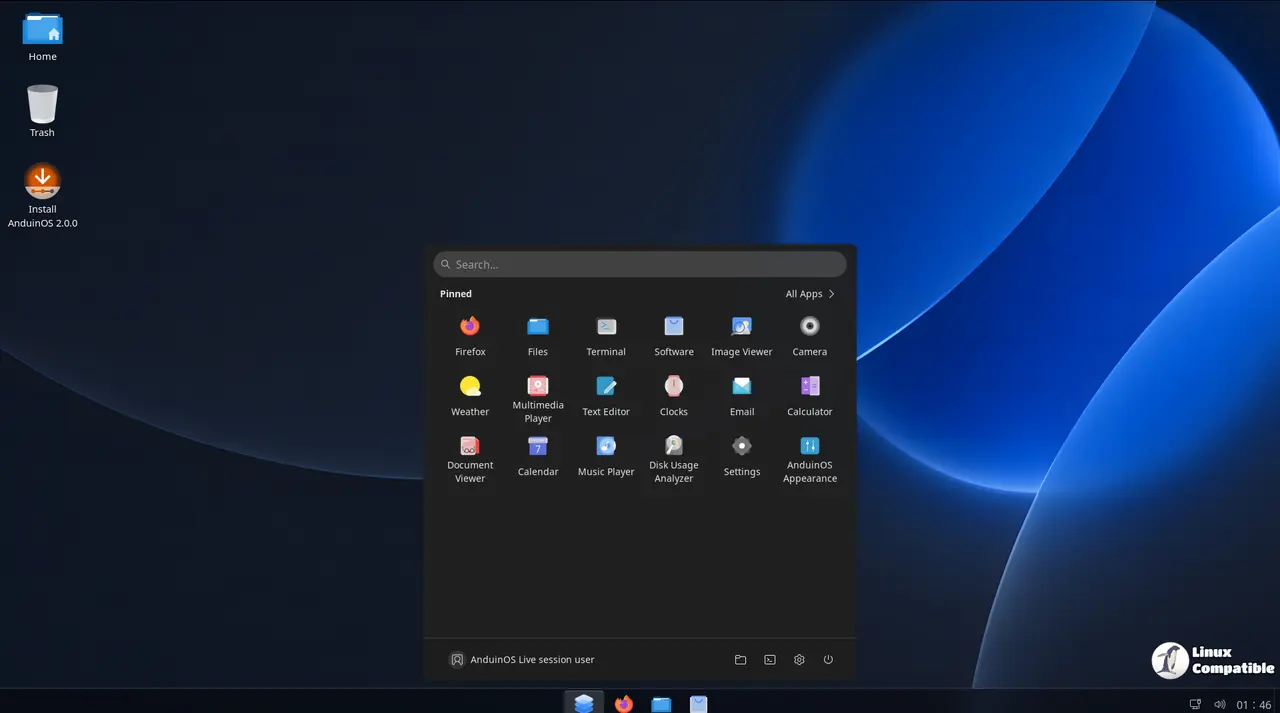
The project's origins are worth a sentence. Anduin Xue, a former Microsoft engineer, started this as a hobby. He later noted being laid off from Microsoft, of all things. He took an official Ubuntu image, applied his own logos and GNOME setups, and scripted one-click configuration. Now it's a supported distro under his company, Aiursoft Limited.
That background shows up in this release. The maintainers say it "makes installation and recovery more approachable," and much of that comes from reading community bug reports on GitHub.
A Rescue Center that tells you what it can't do
The biggest change is the AnduinOS Rescue Center, a graphical workspace for systems that won't start. Boot the USB, select an installed copy of AnduinOS, and open the recovery tools. You can browse and export files, reset a password, inspect system info, or restore a Btrfs snapshot. A safety snapshot is taken first, and the Home subvolume is left alone.
Guided Boot Repair works on supported UEFI installs, diagnosing boot files with live progress and expandable command output. Advanced users can open an Emergency Terminal inside the selected system.
The release notes are blunt about the limits, which is unusual for a distro this size. Encrypted filesystems aren't supported. Guided boot repair needs the EFI partition on the same disk as the install. BIOS setups, separate /boot partitions, and cross-disk EFI configs all need manual effort. You also have to restart after a repair just to confirm the machine comes back up.
It's not a magic wand. But a project this small — one person, mostly, funded by donations — being honest about what it can't fix is kind of refreshing.
Boot menu, installer, and one rollback
On the front end, there's the optional HyperFluent GRUB theme: AnduinOS artwork, menu icons, and a slim blue selection frame. It ships on new media and installs as a standalone package you can remove later.
sudo apt install anduinos-hyperfluent-grub-theme
Control Panel now has three boot-display modes: high resolution when available, automatic, and large text. None promise native resolution during early boot, though. Your firmware still calls the shots there.
The installer got a similar overhaul. The progress page rebuilt around a full-screen view with auto-advancing slides, a live Output log, and a native file chooser. It even supports 800×600 screens that show up before graphics drivers load.
Beneath the surface, 2.0.4 adds unglamorous but real checks. The Live boot now verifies the USB, and the installer blocks partition changes if the source image fails verification. A fix for a Rufus ISO-mode problem should stop people from getting stuck at a login prompt instead of a working desktop.
Then there's a surprising move: desktop icons are reverting to the GTK 3 edition of Desktop Icons NG, after reports of icons jumping between monitors. A normal upgrade won't switch you automatically. If you want to try it:
sudo apt install gnome-shell-extension-desktop-icons-ng-gtk-3-anduinos
Multi-monitor behavior remains under investigation, so this reads like a stopgap, not a cure.
It's a modest release overall. No reshaped desktop. No performance jumps. But for a distra aimed at people fleeing Windows, the priorities are right. Making install media reliable, handing you a lifeline when a system won't boot, and being upfront about limits beats feature bloat every time. However, at the same time, it's a solo effort, so don't expect enterprise polish. The value is in friction reduction, and 2.0.4 trims a meaningful amount of it.
Live media is available for AMD64 and ARM64 from the AnduinOS website, with checksums and Torrents alongside. ARM64 needs UEFI; Legacy BIOS install is AMD64-only. Existing 2.0 users can upgrade in place:
sudo apt update
sudo apt upgrade
Keep in mind that the new Rescue Center and installer only exist on freshly built 2.0.4 media. An in-place upgrade won't rewrite your old USB installer.
Head here to the release notes for full details.


