After three years of silence, Slax has released 2026.11, a full desktop rebuild built on Debian 13 "Trixie" with the Linux 6.12 LTS kernel and packed into a 512 MB ISO. The most visible change is a modernized Fluxbox experience featuring a search-driven launcher, window previews, four workspaces, and a unified app look. It also gains three long-requested tools: a built-in Slax AI Assistant, a native Partition Manager, and a graphical installer that runs on both Windows and Linux.
Slax 2026.11 Ships After a Three-Year Silence, With a New Desktop and a Built-In AI Assistant
Slax is back. Three years after its last release, the pocket Linux project has dropped Slax 2026.11, a full rebuild of the desktop on Debian GNU/Linux 13.7 "Trixie" riding the Linux 6.12 LTS kernel, all bundled into a small 512 MB ISO.
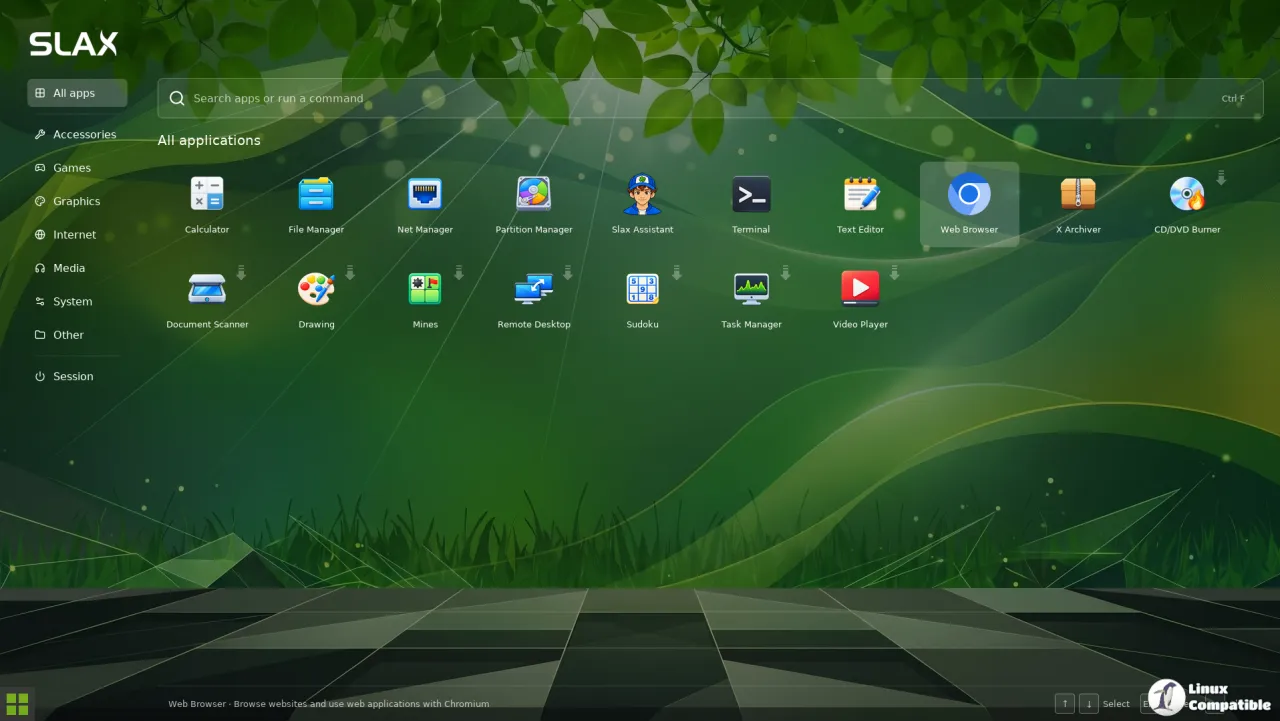
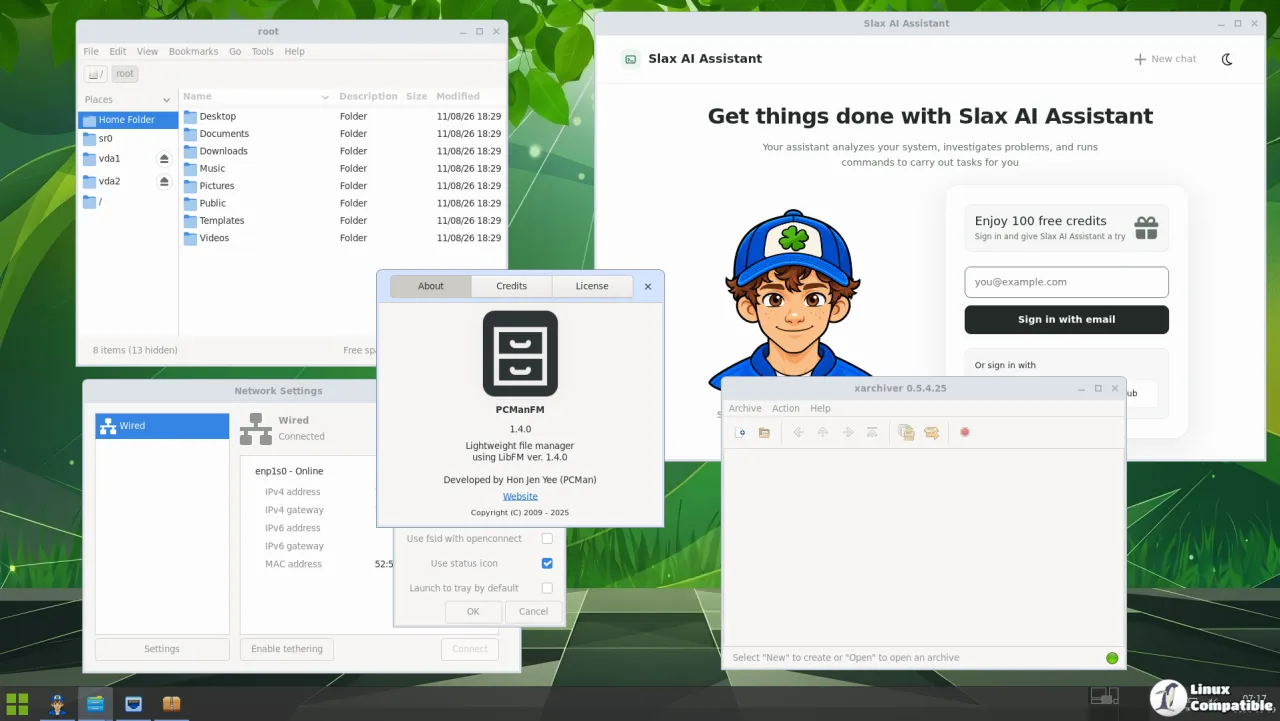
The headline additions are a fresh search-driven launcher, window previews, four workspaces, and a built-in AI assistant the author pitches as "your own Linux expert, always ready to help." There's also a graphical installer, a partition manager, named persistent sessions, and UEFI Secure Boot support.
Keep in mind that this is the first Slax release under a new year.month naming scheme. It's the project's way of signaling the long hiatus isn't wrapping up with a single flash in the pan.
A comeback and a modern desktop
The gap between the previous release and this one stretched long enough that people began quietly wondering whether Slax had died. The author's own blog didn't dodge that: "For a while I honestly thought there would never be another Slax release. And yet, here we go again." The last two releases were Slax 15.0.2 and 12.2.0, both from October 2023, and the fact that those two carried different bases (Slackware, then Debian) is part of the odd story.
Founded in 2002 by Tomáš Matějíček of the Czech Republic, the name Slax came from smushing "Slackware" and "AX" together. For a decade it cranked out heavyweight KDE on top of Slackware. Slax 9 in 2017 rewrote everything onto Debian and dropped down to the featherweight Fluxbox window manager, and that move is what finally stuck.
The modular architecture never really left. The system assembles at boot from a pile of read-only SquashFS modules, each a .sb file you can just drop into a modules folder. Higher-numbered modules win on file conflicts, and APT runs right on top of it all. That's the trick that keeps the image tiny while staying flexible.
The desktop gets the most attention, and that's fair. The old Fluxbox shell was lean but purely utilitarian, the kind you tune mostly through a terminal. The rebuild adds a search-and-run launcher (click the green button, hit Super, or press Alt+F2), Alt+Tab previews, taskbar peek, and four workspaces you reach with Ctrl+F1 through F4.
Here's the developer's stated goal: consistency. The notes complain that Linux apps "often look like they arrived from different decades," so the whole point is making an old utility and a fresh app sit side by side without looking like a glitch.
On top of that, some launcher entries carry a little download arrow. Click it and Slax pulls, installs, and opens the app for you, assuming you've got a connection. The basics ship preinstalled, including Chromium. The rest you add on demand, or fall back to apt in a terminal.
Three built-in tools round out the feature list. The Slax AI Assistant can inspect your system and run commands to fix problems, though it needs a sign-in and internet access and keeps the actual decisions in your hands. The Partition Manager is a GTK3 tool built on sfdisk that works fully offline. And the Slax Installer is a new graphical tool that runs on both Windows and Linux, so you point it at a drive, review the plan, and only then does it touch anything. It can even install alongside your existing OS on UEFI hardware, reusing the host's EFI partition.
Then comes the boot-level stuff: Secure Boot now works with a signed bootloader and kernel, so you stop poking around in BIOS just to boot from a USB. Recovery tooling bundles LVM, LUKS, and XFS, and there's VirtualBox, VMware, and SPICE integration for screen resizing, clipboard sharing, and shared folders inside a VM.
Named sessions are the quiet win. Persistent storage now holds multiple named sessions, picked at startup. F4 duplicates one. F6 renames it. Everything you installed comes back with it, even on a different machine, which is handy for keeping one setup for daily use and another for deliberately breaking things.
Under the hood
A 512 MiB image behaving like a fully installed system is still the impressive part. The short version: SquashFS modules stacked by OverlayFS, plus a clever bit called DynFileFS that handles persistence on FAT32 sticks, which can't natively hold Linux permissions or huge single files.
The kernel loads into memory, copies itself into a tmpfs, mounts the read-only modules under /memory/bundles/, and stacks them into a writable union. Files that need writing land in an upper layer via copy-up. systemd unwinds all of it cleanly on shutdown. For sessions stored on FAT32, Slax wraps the changes in a FUSE-backed virtual XFS disk. The default virtual size sits at 16,000 MiB, adjustable with a boot parameter like perchsize=32G, so your pocket OS effectively earns a large writable home without the boot stick having to be large.
It's arguably competing with antiX, Puppy Linux, and SystemRescue for the "small, portable recovery stick" slot, yet its sub-600 MiB image plus a now-reasonable desktop still set it apart.
Head here to the Slax site for the full "Under the hood" write-up and the release notes.


