Noctalia v5.2.0 Ships With Calendar Reminders, a Redesigned Window Switcher, and a Ground-Up C++ Rewrite
The open-source Wayland shell's first major release since dropping Qt brings a long-awaited calendar feature, a pile of fixes, and a lot of polish.
Noctalia has now shipped v5.2.0, the latest stable release of its Wayland desktop shell. If you've been tracking the project, this one lands as the capstone of a fairly dramatic architectural overhaul. The team says it closes out the first full cycle of the Qt-free rewrite.
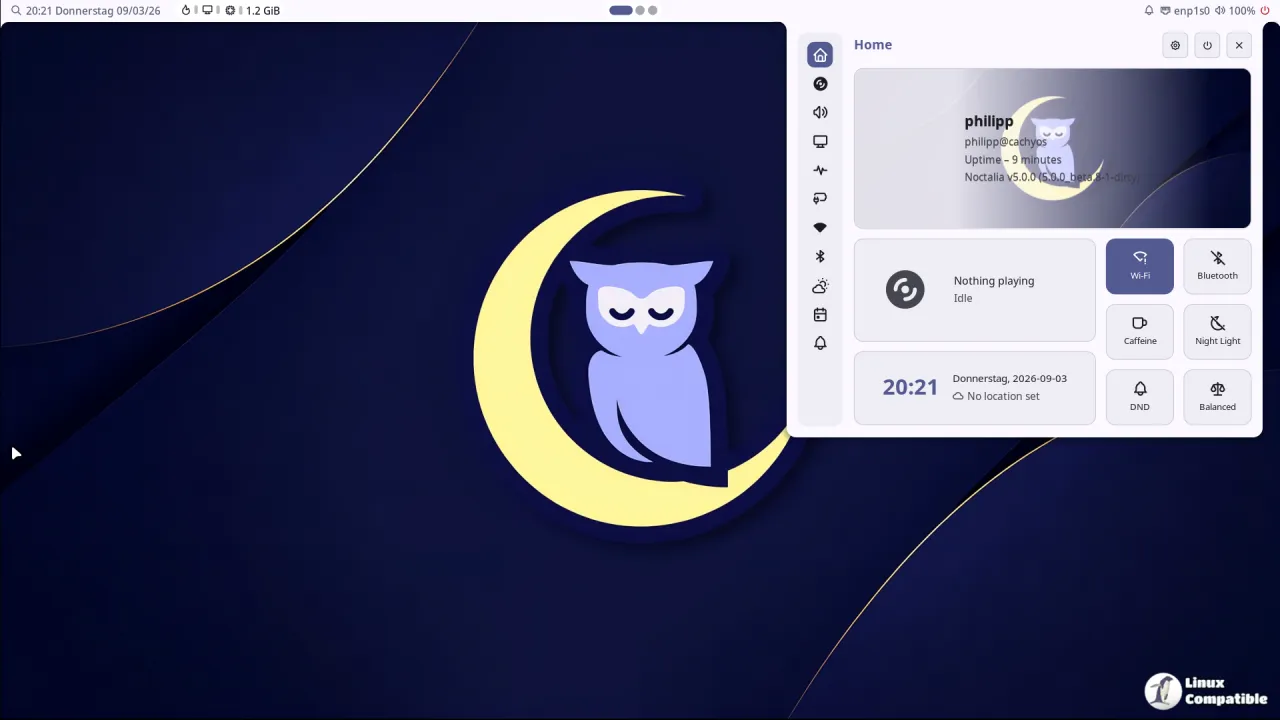
For those just showing up, Noctalia bills itself as a single, cohesive shell meant to replace the grab-bag of tools most Wayland users juggle: a bar, a launcher, a notification daemon, a lock screen, a wallpaper manager, and whatever scripts tie them together. Instead of four different config formats, you get one. Everything is its own code.
The defining move is that the whole thing runs on Wayland and OpenGL ES with no Qt or GTK underneath. The team's argument is deterministic behavior and simpler packaging. You stop having some toolkit quietly update properties behind your back, and a distro bumping Qt won't quietly break your shell.
It's a slightly expensive argument to make in 2026, since a large chunk of the Wayland ecosystem leans on those same toolkits. But the numbers behind the rewrite are what make it stick.
What actually ships
The notes break the new stuff into groups, so let's get through the parts that matter.
The headline, and honestly the thing people kept asking for, is calendar support. Event reminders now pull from iCalendar and CalDAV alarms as well as Google Calendar, with configurable lead times, an all-day digest, persistent history, live countdowns, and meeting-link actions. You can also open Microsoft Teams links found in event descriptions and open Google events that lack their own links directly in Google Calendar. That's a real capability gap patched.
Window management got a facelift. The window switcher was redesigned with an animated preview carousel, a compact layout option, and filters scoped to a specific output or workspace. A new panels launcher provider lets you open built-in and plugin panels directly, including individual Control Center tabs. In Umbriel's overview you can now type to launch.
On the widget side, you get custom labels for sysmon widgets, full workspace names in hover tooltips when the bar label is shortened, and an option to keep the brightness widget visible even when brightness control is unavailable. No more dead icons.
Screenshots now let you open image files straight into the annotation editor, plus options to skip annotation for the common Copy/Save path and to close the editor after saving.
And there's audio now. Freedesktop sound-theme support with a picker for installed themes, new charger and screenshot sounds, and UI sounds enabled by default. Noctalia is finally adding a sense of audio feedback.
For the plugin crowd
Extension authors get plugin UI tooltips for boxes, rows, columns, and images, plus a theme color lookup by color role. Settings gained the ability to search installed plugins, a monitor override dialog for complex multi-monitor rigs, an option to expand all groups by default, and list editors that let you browse replacement choices even after hitting the item limit. That hard wall used to trip up power users.
Localization rounds it out with Japanese joining the mix. The v5 cycle has grown the interface list to include Arabic (with right-to-left support), Hebrew, Korean, Turkish, and more.
The unglamorous-but-important part
Feature lists get the attention. Fixes are where shells win or lose over time, and v5.2.0 ships a big batch.
The Secret Service now recovers when the default keyring starts locked and unlocks later. Environment variables expand correctly in configured paths. PipeWire audio reconnects after a restart, and the tray watcher is claimed early enough for apps that only spawn tray icons when a watcher already exists.
Taskbar matching is more reliable for untitled windows and apps whose runtime identity doesn't match their desktop entry. Enhanced Wi-Fi networks using OWE no longer nag for a password. Sway window focusing and scratchpad filtering work, and Hyprland workspace IPC now uses stable identities.
There's also a long tail of rendering polish: Control Center cards holding their layout under edge-case text, the dock releasing its input region the moment you un-hide it, calendar durations staying correct with libical 4, and Firefox and Ghostty theme reloads working reliably in Nix and wrapped-process setups.
Noctalia itself stays non-invasive. It doesn't take over your compositor settings or your dotfiles. Umbriel, a dedicated compositor, and the separate Noctalia Greeter login screen round out the family, but core Noctalia just rides along on compositors that expose the layer-shell protocol it needs: Niri, Hyprland, Sway, Scroll, Mango, Labwc, Triad, dwl, and others. It's MIT licensed, free and open source all the way down.
Head here to the GitHub release page.


