Noctalia 5.5.0 ships a feature dump with a blunt ethos statement
The native Wayland desktop shell adds peek mode, screenshot edits, and a plugin API expansion. It also sets boundaries with its users.
Noctalia, the open-source Wayland desktop shell that has spent its short life insisting on doing things its own way, just released 5.5.0. Published today by the "noctalia-dev" team, it's a large feature dump spread across a dozen categories: bar and widgets, dock, launcher, screenshots, lock screen, theming, notifications, calendar, audio, plugins, and a grab-bag bucket the team simply calls "Other." A set of configuration renames migrate automatically on top of everything else.
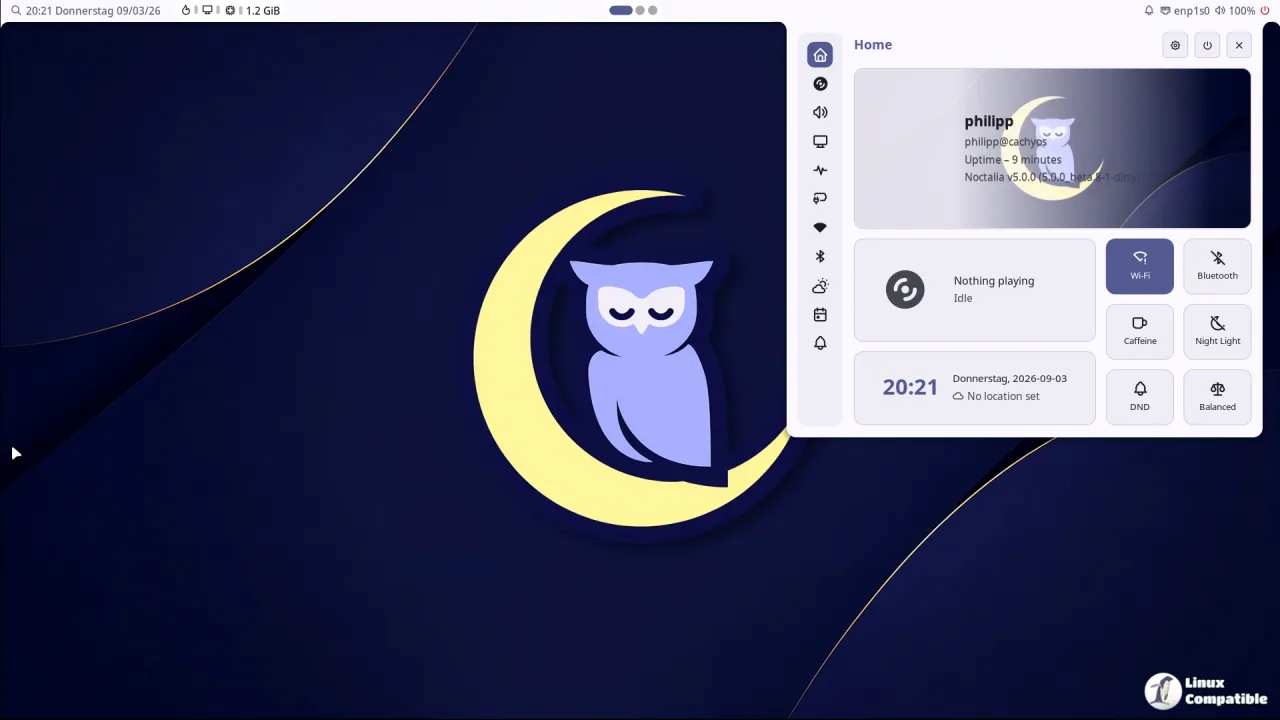
Noctalia isn't a full desktop environment. It's a shell, that always-on layer wrapping around a Wayland compositor. Where a typical Wayland desktop is a patchwork of Waybar, Rofi, mako, swaylock, and a half-dozen other tools, Noctalia wants to be all of them at once. It renders its own UI on Wayland and OpenGL ES with zero Qt or GTK dependency, configuring the entire surface through a single TOML file.
Config changes hot reload. You don't restart anything.
The shell does not manage windows itself, leaning on whatever compositor you run. It supports Niri, Hyprland, Sway, Scroll, Mango, Labwc, dwl, KDE Plasma, and Umbriel, the team's own compositor developed right alongside the shell.
A single TOML to rule them all
That single-config pitch is the whole point. Noctalia treats theming, IPC, and rendering as one unified system instead of a pile of panels and shell scripts. If you've ever fought to make your notifications actually match your wallpaper colors, the appeal is obvious.
The 5.5.0 update leans hard into that philosophy. Bar widgets gained a peek mode that shows just a glyph until you hover, expanding spacers that center widgets between neighbors, and shared custom-label options across the board. The dock picked up optional icon shadows and per-monitor desaturation. The launcher and window switcher added a grid style, an icon-tiles style that avoids capturing previews, and category cycling with Ctrl+Tab.
Screenshot editing finally got zoom and pan, plus a "capture again" popover so you can grab a window or a fresh region without starting over. The lock screen now offers media controls, a Do Not Disturb toggle, and a CRT transition for anyone chasing a bit of retro flair.
The most interesting changes are the ones you'd only spot reading the changelog top to bottom. The old systemStats() call switched on GPU sampling, keeping discrete GPUs awake just to report CPU and RAM usage. Now that sampling is off by default, and GPU plugins must explicitly request it. For what it's worth, that's a genuine battery-life win on laptops. The privacy widget also now detects apps that open cameras directly through V4L2, ignoring brief capability probes. It's the kind of detail that suggests a team genuinely thinking about surveillance-grade privacy.
Meanwhile the release notes gathered a pile of rocket and heart reactions within hours of posting, a sign the community is still watching closely.
Head here to read the full 5.5.0 release notes. If your Wayland setup still runs on a pile of loose pieces, it's worth an install to see whether the all-in-one approach finally feels coherent.


