Mabox Linux 26.08 ships with a kitty-backed terminal and official snapshot tools
The CrunchBang-inspired Openbox distribution adds a drag-and-drop Quake terminal, a preinstalled Yazi file manager, and two community-built persistence utilities.
Mabox Linux 26.08 landed today. It's the latest monthly drop from the Poland-based team behind the lightweight Openbox distribution that has been quietly carrying the torch for aging hardware since 2016. The release keeps the familiar formula intact while upgrading a few long-standing pain points.
Keep in mind that this is still a highly opinionated desktop environment. If you want a polished, out-of-the-box experience without touching config files, you'll need to look elsewhere. Mabox rewards patience and keyboard shortcuts.
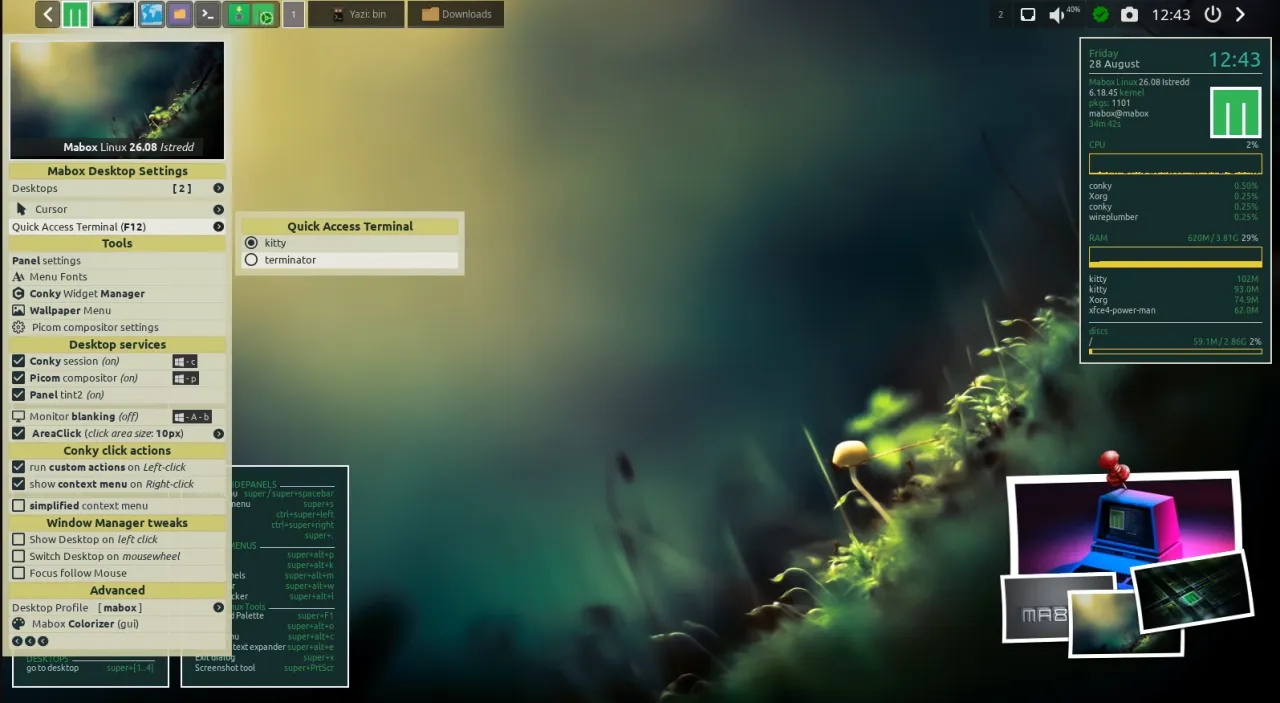
The F12 terminal gets a serious upgrade
The Quake-style drop-down terminal has switched from Terminator to kitty. It's GPU-accelerated, handles high refresh rates cleanly, and it's the first Mabox build that actually supports drag-and-drop file copying into the terminal. That alone will shave minutes off daily workflows for anyone who used to copy paths and paste them by hand.
Next, the release ships Yazi preinstalled. Power users who usually reach for a terminal-native browser will find it slotted right into the workflow alongside PCmanFM. The file manager reads your mouse clicks and responds to vim-style keys, which means you can navigate the entire desktop without leaving the keyboard.
Two community tools officially merged
The real headline for tinkerers is the official inclusion of two Python utilities built by forum contributor muzqs. mabox-snapshot creates bootable live/install ISOs directly from a running Mabox system. mabox-persistence-usb then takes those ISOs and writes them to a flash drive with a persistent overlay partition.
I've been watching the forum thread where these tools went from day-one post to official repo in roughly forty-eight hours. napcok, Mabox's lead developer, proposed the merge on August 26. muzqs trimmed a few non-essential flags the next day. By the 28th, the packages were pushed alongside the fresh ISO. Fortysix hours from announcement to stable repository. That's a faster turnaround than most upstream projects manage in a quarter.
The snapshot tool runs in two modes. Preserving mode clones your actual /home, user accounts, and passwords for hardware migrations. Reset mode strips everything down to a synthetic demo account for sharing. You get compression algorithm selection, kernel pinning, a lean or full profile toggle, and even custom GRUB splash screen support. The USB writer is equally deliberate, checking only removable disks, requiring a typed device path confirmation, and wiping the persistence partition on every run.
It's a solid workflow for Arch-family users who usually spend evenings building custom ISOs from scratch. The Python 3.11+ base keeps it modern, and the safety checks around destructive operations are exactly what you want when you're about to overwrite a boot device. However, the tools are CLI-only and still fairly new, so expect a few edge cases as the community reports issues in the months ahead.
Sticking to the aging-hardware playbook
Picom stays disabled by default, which keeps the desktop snappy on older GPUs. The distro ships with either the latest 6.18 LTS kernel or the slightly older 6.6 line, and you pick your driver stack at first boot. Open source or proprietary. You'll also find Conky, tint2, jgmenu, and a W-key prefix for nearly every system action. There's still no desktop icon support, which keeps the workflow entirely keyboard-driven.
If you prefer clicking through a file manager, you'll need to configure that yourself or stick with PCmanFM. The design philosophy hasn't changed. Mabox is built for people who want a fast, configurable desktop that doesn't beg for a beefy CPU.
ISO images are available now from SourceForge


