KDE Plasma 6.8 shipped today as the "30th Anniversary Edition," landing exactly 30 years after the project's founding. The release retires X11 session support to fully commit to Wayland, while adding a built-in dwell-clicker, a polished remote-desktop server, and window-decoration rules that make Steam windows look more at home. The biggest behind-the-scenes win is Union, now in beta, which aims to become a single theming engine for both Qt Quick and Qt Widgets apps, though it still isn't ready for everyday use. With requirements bumped to Qt 6.11.0 and KDE Frameworks 6.30.0 across a 7,000-line changelog, it's available now via live USB images, KDE neon, or from source.
KDE Plasma 6.8 Ships on the Project's 30th Birthday, Retires X11 Sessions
The new release mixes everyday quality-of-life tweaks with a theming overhaul called Union, and formally drops X11 session support.
KDE Plasma 6.8 went public today. It dropped on a date chosen on purpose. That day marks exactly three decades since Matthias Ettrich announced the project from a Tübingen dorm room, so KDE is leaning fully into the milestone by branding 6.8 the "30th Anniversary Edition."
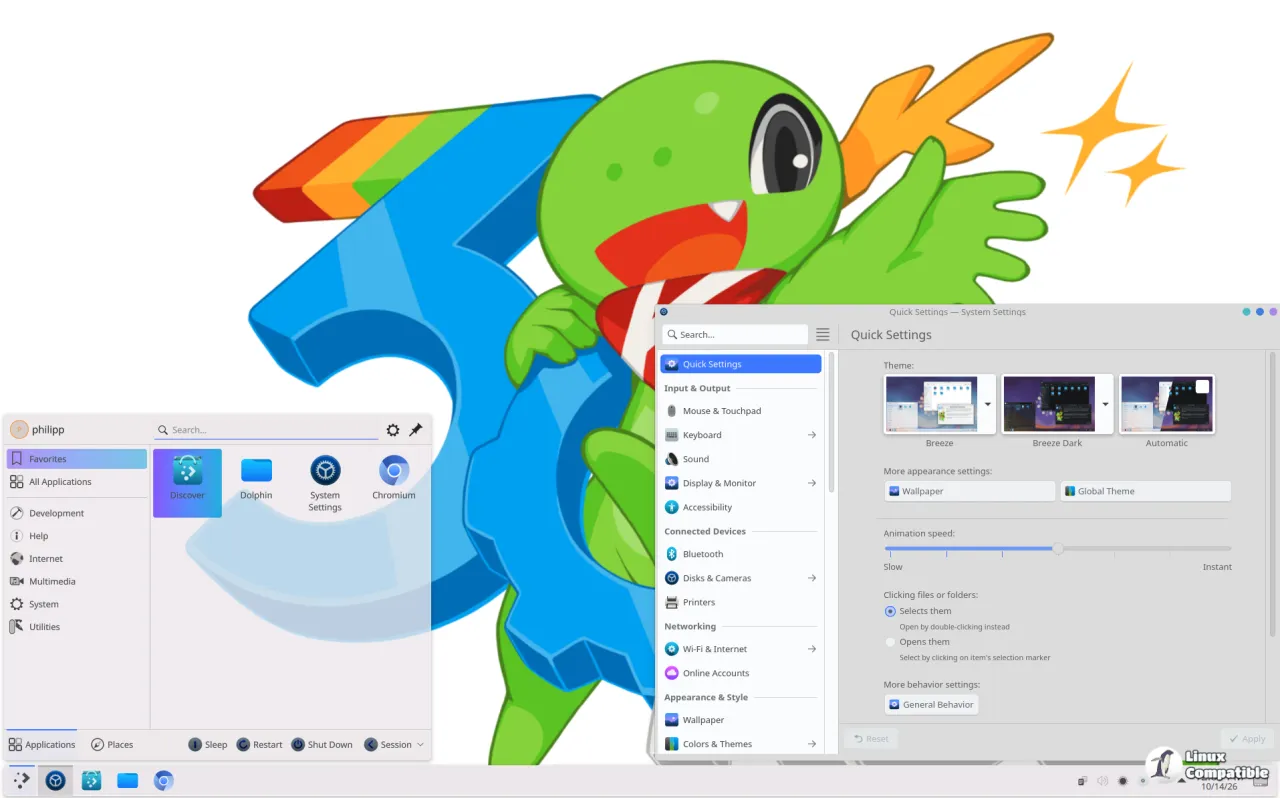
Fair enough. Thirty years is worth a party hat, especially after those early Unix and Linux apps looked like they were built by rivals who couldn't agree on a single toolkit. The "K" was originally pitched as standing for "Kool," by the way. It ended up meaning nothing at all.
The "30th anniversary" framing is a nice touch, but KDE's own announcement puts the substance this way: "6.8 is all about launching Plasma into the future: adding changes you'll notice right away, combined with major but subtle improvements designed to set the stage for decades of service to come." Release manager Bhushan Shah signed the source build, as usual with a per-release GPG key. Keep in mind that's exactly what the changelog delivers.
Plasma is a long way from those chaotic early days. It debuted in 2008 as part of KDE 4, rebuilt from the ground up on Qt Quick, and hit its first native Qt 6 build in February 2024. Six months later, here we are with another feature release. If that cadence ever slows, that alone would be news. It hasn't.
Plasma also isn't a niche desktop anymore. It's the default on Kubuntu, openSUSE, and Fedora KDE, and it powers the desktop mode of Valve's Steam Deck. That hardware tie is arguably the reason Plasma ends up on more screens than most people assume — from cheap netbooks up to gaming rigs.
The things you'll notice today
The standout accessibility feature is a new built-in "dwell clicker." Move the mouse for a set amount of time and then stop, and Plasma clicks where the pointer sits. Hands-free control usually meant installing a third-party app; now it ships in the box. It's genuinely useful for people with mobility impairments who don't work well with a standard mouse or keyboard.
KDE is also widening its global reach. The Digital Clock widget now understands Nepal's Bikram Sapat calendar, and the on-screen keyboard gains an Amharic layout. Those join a growing list of locale additions, including Vietnamese lunar and Ethiopian calendars from earlier releases.
System Monitor got two power-user niceties. You can pin a process to CPUs of your choosing straight from the monitor, and VRAM usage now displays as a clean percentage so you can actually gauge GPU headroom.
The built-in remote desktop server, krdp, got a proper polish pass. Latency and quality both improve, there's an exclusive mode that swaps your physical screen for a virtual one sized to the client, and clipboard work now syncs both directions. Note that all of this only kicks in if your client side is also current, so both ends need updating.
Screen recording got room to breathe. Spectacle can capture system audio and mic input together, and the screen-sharing portal lets you broadcast a virtual screen at a custom resolution, breaking past the old 1080p ceiling. Overall recordings look better with lower latency, thanks to updates in the kpipewire module.
Here's a small one that Steam users will appreciate. Plasma 6.8 can now decorate client-side-decorated windows that draw their own borders, adding shadows, outlines, and rounded corners. The first style ships with Steam, so that native launcher finally looks more at home on the desktop.
Task Manager fans get two new global shortcuts too. Meta plus Ctrl plus Page Up or Page Down cycles through open tasks, and holding Shift moves the active task forward or back in the list.
Setting up for the next decade
The bigger story lives under the hood, and it's called Union. This is a new style engine aiming to become a single source of truth that can style both Qt Quick and Qt Widgets apps, killing the decades-old split where the two stacks were themed separately.
Six weeks ago, Plasma 6.7 shipped Union as a tech preview for Qt Quick apps only. 6.8 bumps it to beta, and for the first time it can style the widgets apps that make up most of KDE's traditional software: Dolphin, Kate, Konsole. KDE dares you to tell a "Breeze (Union)" Dolphin apart from a classic one. In most cases you won't be able to.
Don't go expecting it to become your default theme tomorrow, though. Union still isn't ready for everyday use. To play with it, install the union package, pick "Breeze (Union)" under System Settings > Colors and Themes > Application Style, then restart your apps or log out. Report bugs at bugs.kde.org under the Union product.
The blog posts behind the effort make the difficulty clear. Arjen Straelman described a major overhaul so a style now declares its own input format, cutting code and paving the way for a proper settings page. Akseli Lahtinen put it even more bluntly: building the widgets side from scratch meant roughly 9,000 lines of hand-written code, fighting sparse docs and confusing API names, just to make Breeze readable as CSS for the first time. It's the kind of grunt work that never shows up in a press release, which is exactly why it matters.
Retiring for the anniversary as well: starting an X11 session. Plasma 6.8 drops the ability to boot into the old X Window System, which debuted in 1984. That's a 42-year-old technology losing its foothold in practice, even though the software still runs it through XWayland. KDE's own apps will keep working on X11 for the foreseeable future. It's the session type being retired, not the applications.
There are some graphics and performance bumps too. plasmashell loads faster and uses less memory, NVIDIA GPUs now get triple buffering by default in KWin to cut tearing, and HDR content looks better with ICC color profiles plus support for the HLG transfer function, meaning some HDR media that never worked before finally does.
The long tail is long. The full changelog spans more than 7,000 lines and touches nearly every Plasma module. Among the rest: a command-line display tool called kscreenctl, the Kup backup tool now shipped as part of Plasma itself, EAP-TTLS VPN support for StrongSwan, cleaner autostart management, pixel-by-pixel display moving, printing warnings, and clipboard transparency that explains why secrets get excluded. Build requirements moved up along the way, with Qt jumping to 6.11.0 and KDE Frameworks to 6.30.0 in most modules. The release lists around 70 packages, GPG-signed and SHA256-verified.
On paper this is a maturity milestone. Retiring X11 sessions on the 30th birthday is a confident move, and a unified theming engine could finally end the visual mismatch between modern and classic Linux apps. The built-in dwell clicker marks assistive tools becoming first-class features rather than plugins you hunt down yourself. And it's hardware-relevant: since Plasma drives the Steam Deck and Valve's upcoming machines, the GPU and HDR improvements reach far beyond desktop Linux alone.
You can try it right now through live images on a USB, official Docker images, or KDE neon, which usually ships Plasma fastest.
Head here for the full release announcement and changelog.


